From last time…
•

Temporary Office Hours!
MW 6th Period (12:50pm – 1:40pm)!
CSE 520 C, AKA “The Sky Labyrinth”!

•

If you’re new today, come see me now, after
class, or in office hours!

•

Schedule is fixed!
Manipulating
Light
Pixels!
& Color

CAP
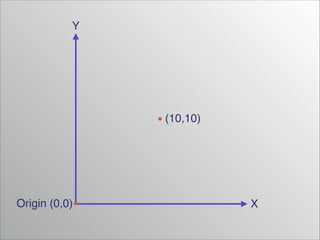
Y

(10,10)

Origin (0,0)

X
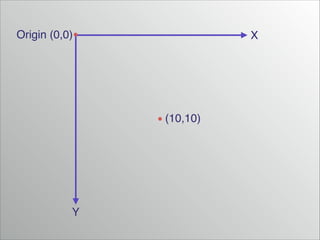
Origin (0,0)

X

(10,10)

Y
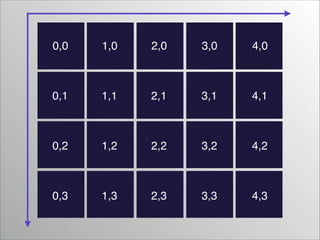
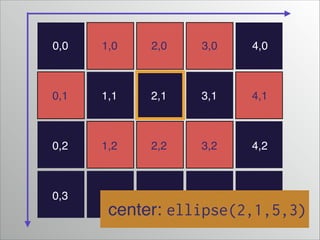
0,0

1,0

2,0

3,0

4,0

0,1

1,1

2,1

3,1

4,1

0,2

1,2

2,2

3,2

4,2

0,3

1,3

2,3

3,3

4,3
0,0

1,0

2,0

3,0

4,0

0,1

1,1

2,1

3,1

4,1

0,2

1,2

2,2

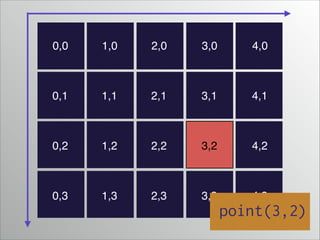
3,2

4,2

0,3

1,3

2,3

3,3

4,3

point(3,2)
0,0

1,0

2,0

3,0

4,0

0,1

1,1

2,1

3,1

4,1

0,2

1,2

2,2

3,2

4,2

0,3

1,3

2,3

3,3

4,3

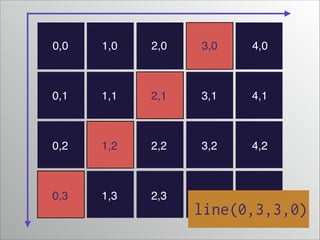
line(0,3,3,0)
0,0

1,0

2,0

3,0

4,0

0,1

1,1

2,1

3,1

4,1

0,2

1,2

2,2

3,2

4,2

0,3

1,3

2,3

3,3

4,3

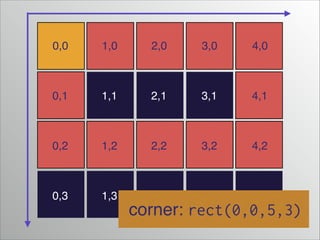
corner: rect(0,0,5,3)
0,0

1,0

2,0

3,0

4,0

0,1

1,1

2,1

3,1

4,1

0,2

1,2

2,2

3,2

4,2

0,3

1,3

2,3

3,3

4,3

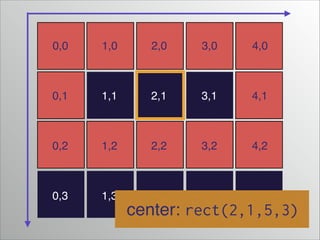
center: rect(2,1,5,3)
0,0

1,0

2,0

3,0

4,0

0,1

1,1

2,1

3,1

4,1

0,2

1,2

2,2

3,2

4,2

0,3

1,3

2,3

3,3

4,3

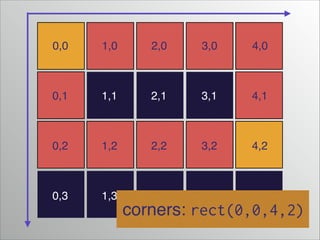
corners: rect(0,0,4,2)
0,0

1,0

2,0

3,0

4,0

0,1

1,1

2,1

3,1

4,1

0,2

1,2

2,2

3,2

4,2

0,3

1,3

2,3

3,3

4,3

center: ellipse(2,1,5,3)
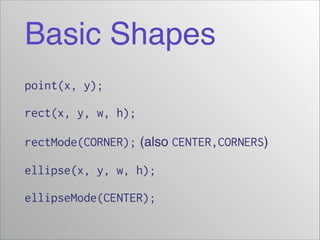
Basic Shapes
point(x, y);
rect(x, y, w, h);
rectMode(CORNER); (also CENTER,CORNERS)!
ellipse(x, y, w, h);
ellipseMode(CENTER);
Demo Shapes
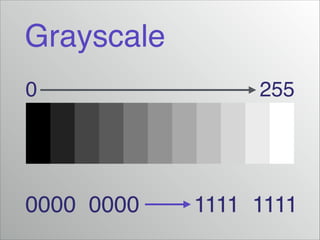
Grayscale
0

0000 0000

255

1111 1111
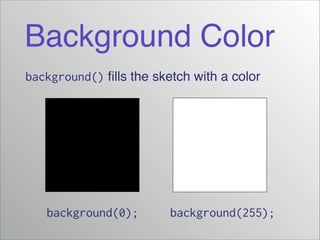
Background Color
background() fills the sketch with a color

background(0);

background(255);
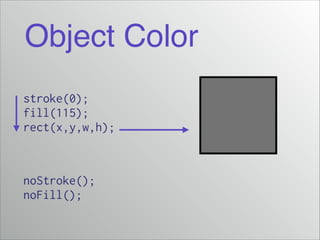
Object Color
stroke(0);
fill(115);
rect(x,y,w,h);

noStroke();
noFill();
Demo Grayscale
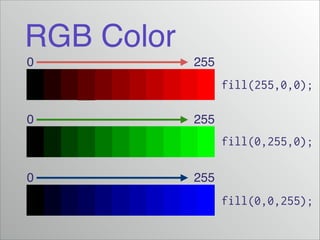
RGB Color
0

255

fill(255,0,0);
0

255

fill(0,255,0);
0

255

fill(0,0,255);
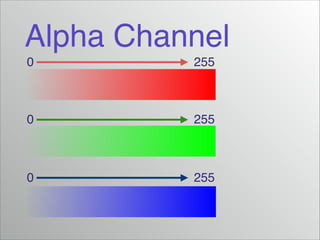
Alpha Channel
0

255

0

255

0

255
Demo RGB(A)
colorMode();
•

How does colorMode() work?!

•

Consult the reference!!

•

http://processing.org/reference/colorMode_.html
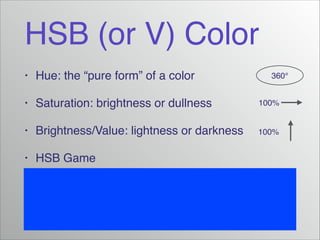
HSB (or V) Color
•

Hue: the “pure form” of a color!

•

Saturation: brightness or dullness!

100%

•

Brightness/Value: lightness or darkness!

100%

•

HSB Game

360°
Demo HSB
Hexadecimal
•

#ffffff

•

#000000

•

#ff0000

•

#0000ff

•

#a8a8a8

•

Pro: one single code containing all 3 colors!

•

Con: cannot capture alpha
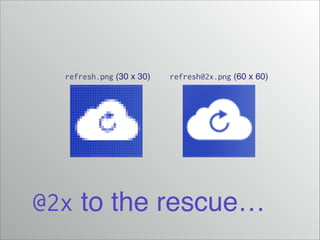
Retina Display
•

http://www.apple.com/macbook-pro/featuresretina/!

•

Cuts each pixel into 4 (“pixel depth” = 2)!

•

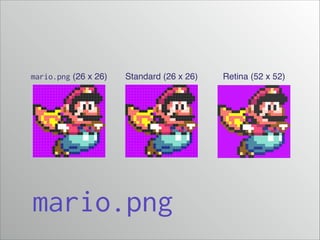
But images are often rasterized…!

•

Why might I like the term “retina display?”
mario.png (26 x 26)

Standard (26 x 26)

mario.png

Retina (52 x 52)
refresh.png (30 x 30)

refresh@2x.png (60 x 60)

@2x to the rescue…
For next time…
•

Read Shiffman p. 3–16 (Pixels & Color)!

•

Read Shiffman p. 17–29 (Processing)!

•

We will install Processing on Friday

1. Pixels