

Presented by:Samina khan
COMPUTER WHIZ 4
Whiz’s File
 Chapter 1Reviewing computers
 Chapter 2Pioneers of Computers
 Chapter 3About the CPU
 Chapter 4Storing Data
 Chapter 5Whiz through Software
 Chapter 6Introducing Spreadsheet
 Chapter 7Programming Languages
 Chapter 8More on Multimedia
 Chapter 9Computer Networks
CHAPTER: 1
REVIEWING COMPUTERS
By :SAMINA KHAN
OVERVIEW
 Introduction to computer
 Kinds of computer
 Super computer
 Classification of computer
 Functions of computer
 Input devices
 Output devices
 Examples of input devices
 Examples of output devices
Introduction
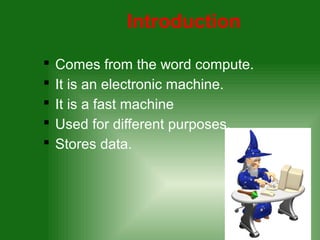
 Comes from the word compute.
 It is an electronic machine.
 It is a fast machine
 Used for different purposes.
 Stores data.
Kinds of computer
 Mainframe computers
 Mini computers
 Microcomputers
Mainframe Computers
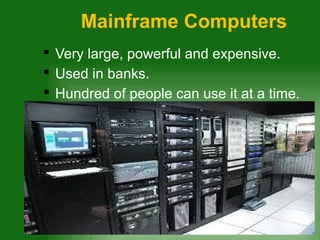
 Very large, powerful and expensive.
 Used in banks.
 Hundred of people can use it at a time.
Mini computers
 Large and expensive but not powerful.
 Fewer users can use it at a time.
 Used in medium sized companies.
Micro Computers
 Smallest and cheapest.
 Also called PC(Personal computer)
 Used in everyday life.
Super Computer
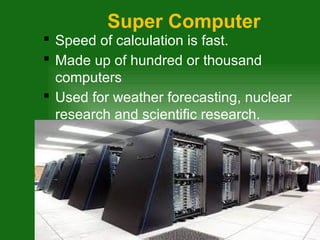
 Speed of calculation is fast.
 Made up of hundred or thousand
computers
 Used for weather forecasting, nuclear
research and scientific research.
CLASSIFICATION OF
COMPUTER
 Computers can also be classified as:
1. Analog computers
2. Digital computers
3. Hybrid computers
Analog Computers
 Works at an extraordinary speed
 Have limited memory
 Perform certain type of calculations
 Output is not precise
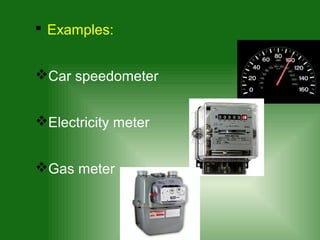
 Examples:
Car speedometer
Electricity meter
Gas meter
Digital computers
 Slower than analog
 Easy to program
 Result is precise
 Examples: All personal computers
Hybrid computer
 Have both features of analog and digital
 Used in medical field.
Functions of computer
1. Input
2. Processing
3. Output
Input
 Data that is entered into the computer
I entered a web
address into the
computer;
This is input
Processing
 CPU of the computer work with the
data. This is called processing
The computer is
connecting me to
web page;
This is processing.
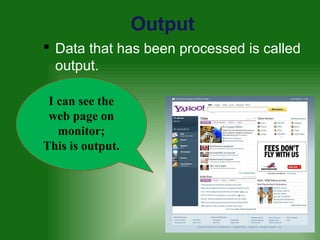
Output
 Data that has been processed is called
output.
I can see the
web page on
monitor;
This is output.
Input & Output
Devices
Input Devices
 Devices that help us to enter data
Output Devices
 Devices that present processed data.
Different input and output
devices
EXAMPLES OF INPUT
DEVICES
 input devices are the keyboard, mouse,
microphone, scanner, digital camera .
EXAMPLES OF OUTPUT
DEVICES
 output devices are a printer, a monitor
and speakers.
Reviewing computers

Reviewing computers