WEB COMPONENTS
   ParisJS #16 — 29/02/12
Thomas Bassetto — @tbassetto
ATTENTION


Les exemples de cette présentation sont peut-être
                déjà obsolètes.
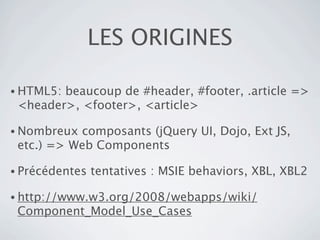
LES ORIGINES

• HTML5:beaucoup de #header, #footer, .article =>
 <header>, <footer>, <article>

• Nombreux composants (jQuery UI, Dojo, Ext JS,
 etc.) => Web Components

• Précédentes   tentatives : MSIE behaviors, XBL, XBL2

• http://www.w3.org/2008/webapps/wiki/
 Component_Model_Use_Cases
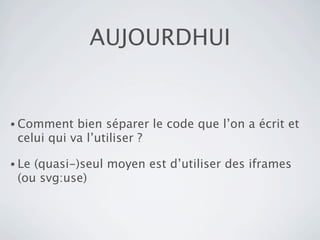
AUJOURDHUI


• Comment   bien séparer le code que l’on a écrit et
 celui qui va l’utiliser ?

• Le(quasi-)seul moyen est d’utiliser des iframes
 (ou svg:use)
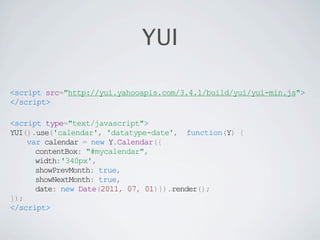
YUI

<script src="http://yui.yahooapis.com/3.4.1/build/yui/yui-min.js">
</script>

<script type="text/javascript">
YUI().use('calendar', 'datatype-date', function(Y) {
    var calendar = new Y.Calendar({
      contentBox: "#mycalendar",
      width:'340px',
      showPrevMonth: true,
      showNextMonth: true,
      date: new Date(2011, 07, 01)}).render();
});
</script>
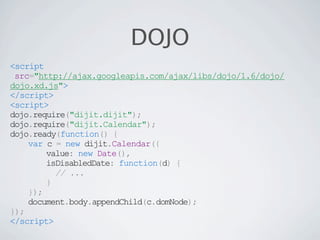
DOJO
<script
 src="http://ajax.googleapis.com/ajax/libs/dojo/1.6/dojo/
dojo.xd.js">
</script>
<script>
dojo.require("dijit.dijit");
dojo.require("dijit.Calendar");
dojo.ready(function() {
    var c = new dijit.Calendar({
        value: new Date(),
        isDisabledDate: function(d) {
          // ...
        }
    });
    document.body.appendChild(c.domNode);
});
</script>
DOJO


<div dojoType="dijit.Calendar"
        value="2009-08-07"
        isDisabledDate="dojo.date.locale.isWeekend"
        onChange="...">
</div>
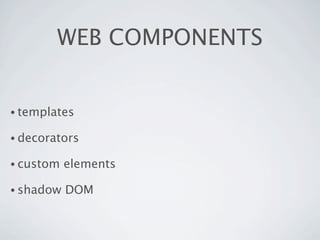
WEB COMPONENTS


• templates

• decorators

• custom   elements

• shadow   DOM
<TEMPLATE>
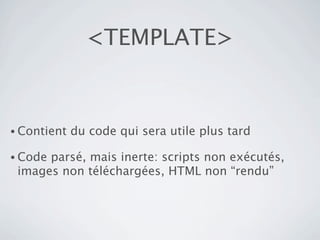
<TEMPLATE>


• Contient   du code qui sera utile plus tard

• Codeparsé, mais inerte: scripts non exécutés,
 images non téléchargées, HTML non “rendu”
<TEMPLATE>

  <template id="commentTemplate">
    <div>
        <img src="">
        <div class="comment"></div>
        …
    </div>
</template>

var t = document.querySelector("#commentTemplate");
// Populate content and img[src] values in the
template.
someElement.appendChild(t.content.cloneNode());
<DECORATOR>
<DECORATOR>

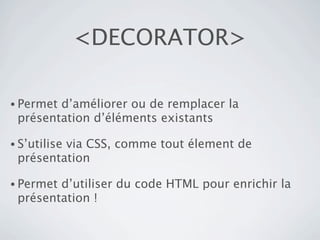
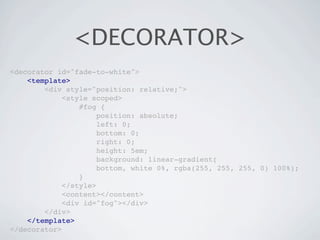
• Permetd’améliorer ou de remplacer la
 présentation d’éléments existants

• S’utilise
         via CSS, comme tout élement de
 présentation

• Permetd’utiliser du code HTML pour enrichir la
 présentation !
<DECORATOR>
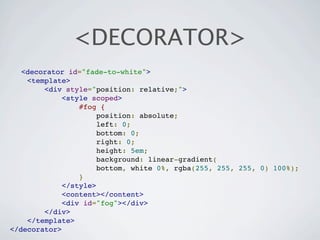
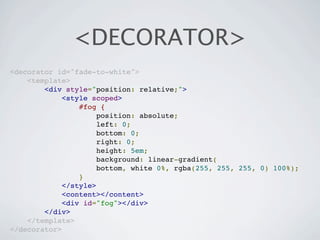
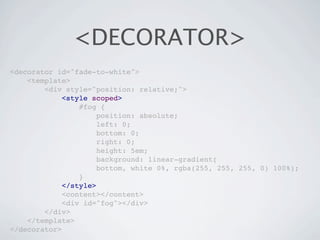
   <decorator id="fade-to-white">
    <template>
        <div style="position: relative;">
             <style scoped>
                 #fog {
                      position: absolute;
                      left: 0;
                      bottom: 0;
                      right: 0;
                      height: 5em;
                      background: linear-gradient(
                      bottom, white 0%, rgba(255, 255, 255, 0) 100%);
                 }
             </style>
             <content></content>
             <div id="fog"></div>
        </div>
    </template>
</decorator>
<DECORATOR>
<decorator id="fade-to-white">
    <template>
        <div style="position: relative;">
             <style scoped>
                 #fog {
                      position: absolute;
                      left: 0;
                      bottom: 0;
                      right: 0;
                      height: 5em;
                      background: linear-gradient(
                      bottom, white 0%, rgba(255, 255, 255, 0) 100%);
                 }
             </style>
             <content></content>
             <div id="fog"></div>
        </div>
    </template>
</decorator>
<DECORATOR>
<decorator id="fade-to-white">
    <template>
        <div style="position: relative;">
             <style scoped>
                 #fog {
                      position: absolute;
                      left: 0;
                      bottom: 0;
                      right: 0;
                      height: 5em;
                      background: linear-gradient(
                      bottom, white 0%, rgba(255, 255, 255, 0) 100%);
                 }
             </style>
             <content></content>
             <div id="fog"></div>
        </div>
    </template>
</decorator>
<DECORATOR>
<decorator id="fade-to-white">
    <template>
        <div style="position: relative;">
             <style scoped>
                 #fog {
                      position: absolute;
                      left: 0;
                      bottom: 0;
                      right: 0;
                      height: 5em;
                      background: linear-gradient(
                      bottom, white 0%, rgba(255, 255, 255, 0) 100%);
                 }
             </style>
             <content></content>
             <div id="fog"></div>
        </div>
    </template>
</decorator>
<DECORATOR>
<decorator id="fade-to-white">
    <template>
        <div style="position: relative;">
             <style scoped>
                 #fog {
                      position: absolute;
                      left: 0;
                      bottom: 0;
                      right: 0;
                      height: 5em;
                      background: linear-gradient(
                      bottom, white 0%, rgba(255, 255, 255, 0) 100%);
                 }
             </style>
             <content></content>
             <div id="fog"></div>
        </div>
    </template>
</decorator>
<DECORATOR>
<decorator id="fade-to-white">
    <template>
        <div style="position: relative;">
             <style scoped>
                 #fog {
                      position: absolute;
                      left: 0;
                      bottom: 0;
                      right: 0;
                      height: 5em;
                      background: linear-gradient(
                      bottom, white 0%, rgba(255, 255, 255, 0) 100%);
                 }
             </style>
             <content></content>
             <div id="fog"></div>
        </div>
    </template>
</decorator>
<DECORATOR>


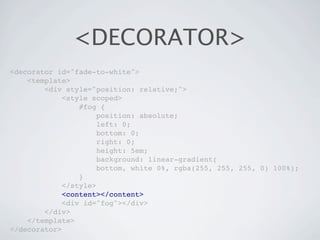
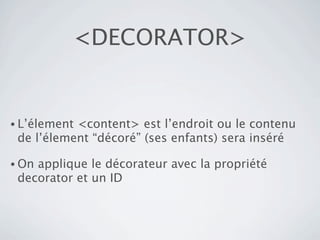
• L’élement<content> est l’endroit ou le contenu
 de l’élement “décoré” (ses enfants) sera inséré

• Onapplique le décorateur avec la propriété
 decorator et un ID
<DECORATOR>


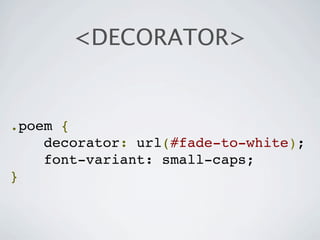
.poem {
    decorator: url(#fade-to-white);
    font-variant: small-caps;
}
<DECORATOR>


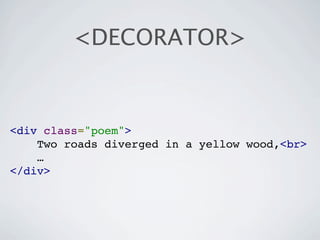
<div class="poem">
    Two roads diverged in a yellow wood,<br>
    …
</div>
<DECORATOR>


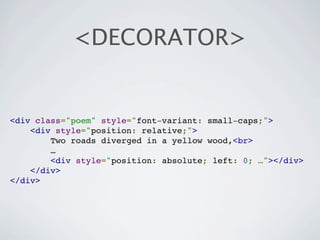
<div class="poem" style="font-variant: small-caps;">
    <div style="position: relative;">
        Two roads diverged in a yellow wood,<br>
        …
        <div style="position: absolute; left: 0; …"></div>
    </div>
</div>
<ELEMENT>
<ELEMENT>


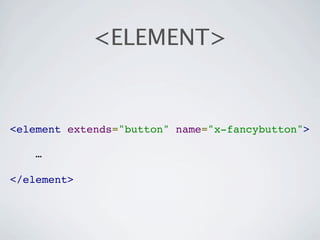
<element extends="button" name="x-fancybutton">

    …

</element>
<ELEMENT>
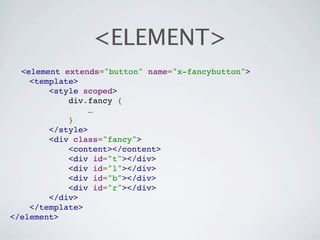
  <element extends="button" name="x-fancybutton">
    <template>
        <style scoped>
            div.fancy {
                 …
            }
        </style>
        <div class="fancy">
            <content></content>
            <div id="t"></div>
            <div id="l"></div>
            <div id="b"></div>
            <div id="r"></div>
        </div>
    </template>
</element>
<ELEMENT>

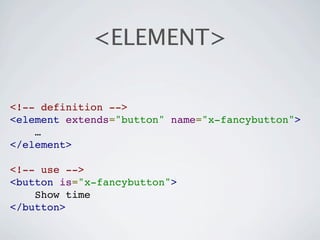
<!-- definition -->
<element extends="button" name="x-fancybutton">
    …
</element>

<!-- use -->
<button is="x-fancybutton">
    Show time
</button>
<ELEMENT>


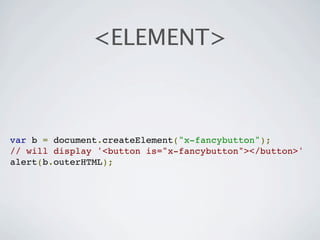
var b = document.createElement("x-fancybutton");
// will display '<button is="x-fancybutton"></button>'
alert(b.outerHTML);
<ELEMENT>

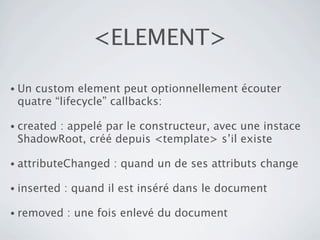
• Uncustom element peut optionnellement écouter
 quatre “lifecycle” callbacks:

• created
       : appelé par le constructeur, avec une instace
 ShadowRoot, créé depuis <template> s’il existe

• attributeChanged    : quand un de ses attributs change

• inserted   : quand il est inséré dans le document

• removed    : une fois enlevé du document
SHADOW DOM
SHADOW DOM


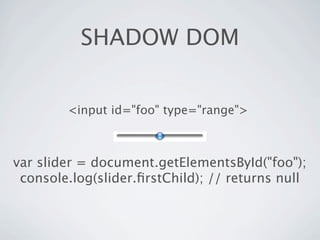
        <input id="foo" type="range">


var slider = document.getElementsById("foo");
 console.log(slider.firstChild); // returns null
SHADOW DOM

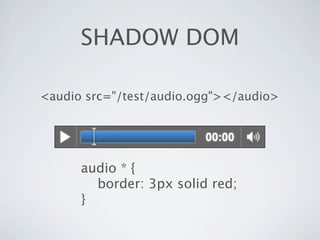
<audio src="/test/audio.ogg"></audio>


      audio * {
        border: 3px solid red;
      }
SHADOW DOM


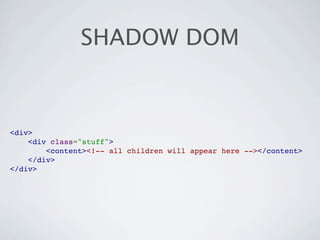
<div>
    <div class="stuff">
        <content><!-- all children will appear here --></content>
    </div>
</div>
SHADOW DOM

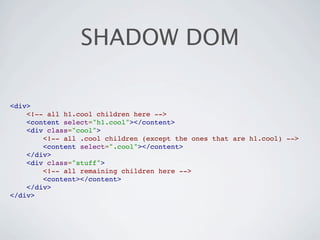
<div>
    <!-- all h1.cool children here -->
    <content select="h1.cool"></content>
    <div class="cool">
        <!-- all .cool children (except the ones that are h1.cool) -->
        <content select=".cool"></content>
    </div>
    <div class="stuff">
        <!-- all remaining children here -->
        <content></content>
    </div>
</div>
SHADOW DOM


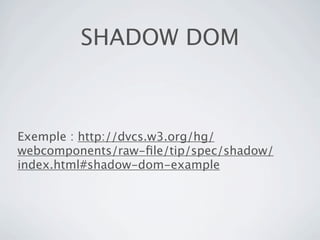
Exemple : http://dvcs.w3.org/hg/
webcomponents/raw-file/tip/spec/shadow/
index.html#shadow-dom-example
CONCLUSION


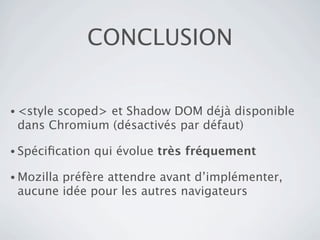
• <style
       scoped> et Shadow DOM déjà disponible
 dans Chromium (désactivés par défaut)

• Spécification   qui évolue très fréquement

• Mozilla
        préfère attendre avant d’implémenter,
 aucune idée pour les autres navigateurs
QUESTIONS ?
ONE MORE THING


         On recrute :)

Web Components & Shadow DOM

  • 1.
    WEB COMPONENTS ParisJS #16 — 29/02/12 Thomas Bassetto — @tbassetto
  • 2.
    ATTENTION Les exemples decette présentation sont peut-être déjà obsolètes.
  • 3.
    LES ORIGINES • HTML5:beaucoupde #header, #footer, .article => <header>, <footer>, <article> • Nombreux composants (jQuery UI, Dojo, Ext JS, etc.) => Web Components • Précédentes tentatives : MSIE behaviors, XBL, XBL2 • http://www.w3.org/2008/webapps/wiki/ Component_Model_Use_Cases
  • 4.
    AUJOURDHUI • Comment bien séparer le code que l’on a écrit et celui qui va l’utiliser ? • Le(quasi-)seul moyen est d’utiliser des iframes (ou svg:use)
  • 5.
    YUI <script src="http://yui.yahooapis.com/3.4.1/build/yui/yui-min.js"> </script> <script type="text/javascript"> YUI().use('calendar','datatype-date', function(Y) { var calendar = new Y.Calendar({ contentBox: "#mycalendar", width:'340px', showPrevMonth: true, showNextMonth: true, date: new Date(2011, 07, 01)}).render(); }); </script>
  • 6.
    DOJO <script src="http://ajax.googleapis.com/ajax/libs/dojo/1.6/dojo/ dojo.xd.js"> </script> <script> dojo.require("dijit.dijit"); dojo.require("dijit.Calendar"); dojo.ready(function() { var c = new dijit.Calendar({ value: new Date(), isDisabledDate: function(d) { // ... } }); document.body.appendChild(c.domNode); }); </script>
  • 7.
    DOJO <div dojoType="dijit.Calendar" value="2009-08-07" isDisabledDate="dojo.date.locale.isWeekend" onChange="..."> </div>
  • 8.
    WEB COMPONENTS • templates •decorators • custom elements • shadow DOM
  • 9.
  • 10.
    <TEMPLATE> • Contient du code qui sera utile plus tard • Codeparsé, mais inerte: scripts non exécutés, images non téléchargées, HTML non “rendu”
  • 11.
    <TEMPLATE> <templateid="commentTemplate"> <div> <img src=""> <div class="comment"></div> … </div> </template> var t = document.querySelector("#commentTemplate"); // Populate content and img[src] values in the template. someElement.appendChild(t.content.cloneNode());
  • 12.
  • 13.
    <DECORATOR> • Permetd’améliorer oude remplacer la présentation d’éléments existants • S’utilise via CSS, comme tout élement de présentation • Permetd’utiliser du code HTML pour enrichir la présentation !
  • 14.
    <DECORATOR> <decorator id="fade-to-white"> <template> <div style="position: relative;"> <style scoped> #fog { position: absolute; left: 0; bottom: 0; right: 0; height: 5em; background: linear-gradient( bottom, white 0%, rgba(255, 255, 255, 0) 100%); } </style> <content></content> <div id="fog"></div> </div> </template> </decorator>
  • 15.
    <DECORATOR> <decorator id="fade-to-white"> <template> <div style="position: relative;"> <style scoped> #fog { position: absolute; left: 0; bottom: 0; right: 0; height: 5em; background: linear-gradient( bottom, white 0%, rgba(255, 255, 255, 0) 100%); } </style> <content></content> <div id="fog"></div> </div> </template> </decorator>
  • 16.
    <DECORATOR> <decorator id="fade-to-white"> <template> <div style="position: relative;"> <style scoped> #fog { position: absolute; left: 0; bottom: 0; right: 0; height: 5em; background: linear-gradient( bottom, white 0%, rgba(255, 255, 255, 0) 100%); } </style> <content></content> <div id="fog"></div> </div> </template> </decorator>
  • 17.
    <DECORATOR> <decorator id="fade-to-white"> <template> <div style="position: relative;"> <style scoped> #fog { position: absolute; left: 0; bottom: 0; right: 0; height: 5em; background: linear-gradient( bottom, white 0%, rgba(255, 255, 255, 0) 100%); } </style> <content></content> <div id="fog"></div> </div> </template> </decorator>
  • 18.
    <DECORATOR> <decorator id="fade-to-white"> <template> <div style="position: relative;"> <style scoped> #fog { position: absolute; left: 0; bottom: 0; right: 0; height: 5em; background: linear-gradient( bottom, white 0%, rgba(255, 255, 255, 0) 100%); } </style> <content></content> <div id="fog"></div> </div> </template> </decorator>
  • 19.
    <DECORATOR> <decorator id="fade-to-white"> <template> <div style="position: relative;"> <style scoped> #fog { position: absolute; left: 0; bottom: 0; right: 0; height: 5em; background: linear-gradient( bottom, white 0%, rgba(255, 255, 255, 0) 100%); } </style> <content></content> <div id="fog"></div> </div> </template> </decorator>
  • 20.
    <DECORATOR> • L’élement<content> estl’endroit ou le contenu de l’élement “décoré” (ses enfants) sera inséré • Onapplique le décorateur avec la propriété decorator et un ID
  • 21.
    <DECORATOR> .poem { decorator: url(#fade-to-white); font-variant: small-caps; }
  • 22.
    <DECORATOR> <div class="poem"> Two roads diverged in a yellow wood,<br> … </div>
  • 23.
    <DECORATOR> <div class="poem" style="font-variant:small-caps;"> <div style="position: relative;"> Two roads diverged in a yellow wood,<br> … <div style="position: absolute; left: 0; …"></div> </div> </div>
  • 24.
  • 25.
  • 26.
    <ELEMENT> <elementextends="button" name="x-fancybutton"> <template> <style scoped> div.fancy { … } </style> <div class="fancy"> <content></content> <div id="t"></div> <div id="l"></div> <div id="b"></div> <div id="r"></div> </div> </template> </element>
  • 27.
    <ELEMENT> <!-- definition --> <elementextends="button" name="x-fancybutton"> … </element> <!-- use --> <button is="x-fancybutton"> Show time </button>
  • 28.
    <ELEMENT> var b =document.createElement("x-fancybutton"); // will display '<button is="x-fancybutton"></button>' alert(b.outerHTML);
  • 29.
    <ELEMENT> • Uncustom elementpeut optionnellement écouter quatre “lifecycle” callbacks: • created : appelé par le constructeur, avec une instace ShadowRoot, créé depuis <template> s’il existe • attributeChanged : quand un de ses attributs change • inserted : quand il est inséré dans le document • removed : une fois enlevé du document
  • 30.
  • 31.
    SHADOW DOM <input id="foo" type="range"> var slider = document.getElementsById("foo"); console.log(slider.firstChild); // returns null
  • 32.
    SHADOW DOM <audio src="/test/audio.ogg"></audio> audio * { border: 3px solid red; }
  • 33.
    SHADOW DOM <div> <div class="stuff"> <content><!-- all children will appear here --></content> </div> </div>
  • 34.
    SHADOW DOM <div> <!-- all h1.cool children here --> <content select="h1.cool"></content> <div class="cool"> <!-- all .cool children (except the ones that are h1.cool) --> <content select=".cool"></content> </div> <div class="stuff"> <!-- all remaining children here --> <content></content> </div> </div>
  • 35.
    SHADOW DOM Exemple :http://dvcs.w3.org/hg/ webcomponents/raw-file/tip/spec/shadow/ index.html#shadow-dom-example
  • 36.
    CONCLUSION • <style scoped> et Shadow DOM déjà disponible dans Chromium (désactivés par défaut) • Spécification qui évolue très fréquement • Mozilla préfère attendre avant d’implémenter, aucune idée pour les autres navigateurs
  • 37.
  • 38.
    ONE MORE THING On recrute :)