Cyril Mottier
                                                     @cyrilmottier
                                       http://www.cyrilmottier.com


  Optimisations générales
sous Android et GreenDroid
  Concevoir des applications réactives, fluides et
                facile d’utilisation
Note générale
Mais qui est donc ce personnage ?
Moi - 1/2
Moi - 1/2
•   Bloggueur
    •   http://android.cyrilmottier.com
Moi - 1/2
•   Bloggueur
    •   http://android.cyrilmottier.com
•   Développeur
    •   MetroMap Paris
    •   GreenDroid
Moi - 1/2
•   Bloggueur
    •   http://android.cyrilmottier.com
•   Développeur
    •   MetroMap Paris
    •   GreenDroid
•   Adorateur et prêcheur d’Android
    •   Droidcon UK, ADL Paris, GET, PAUG, etc.
Moi - 2/2
•   Auteur
    •   Développez sur Android
        chez Digit Books
        •   Co-écrit avec Ludovic Perrier


        http://j.mp/hCIJzj
Introduction
Présentation des contraintes
Sous nos pieds ... - 1/3
•   Système adapté aux terminaux contraints
    •   Peu de puissance
    •   Peu de mémoire
    •   Peu de batterie
    •   Peu d’espace d’affichage
Sous nos pieds ... - 2/3
•   Machine Virtuelle basique
    •   La fameuse Dalvik VM
    •   Pas de JIT (avant Froyo)
Sous nos pieds ... - 3/3
•   Ramasse-miettes (garbage collector - GC)
    basique
    •   Mark and sweep
        •   stop-the-world (pré Gingerbread)
        •   Concurrent (post Gingerbread)
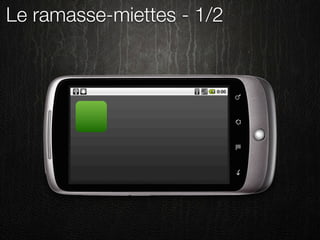
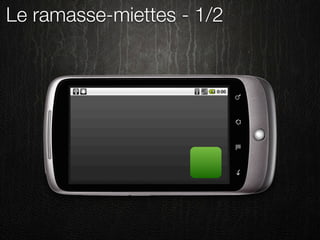
Le ramasse-miettes - 1/2
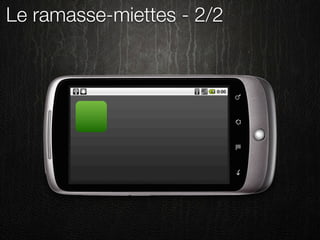
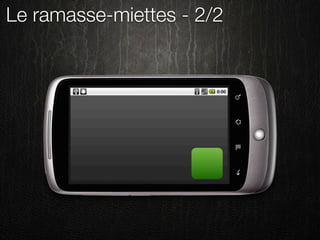
Le ramasse-miettes - 2/2
Conclusion - 1/2


       Android aurait-il un
          problème de
         performance ?
Conclusion - 1/2


       Android aurait-il un

            O N
          problème de

           N
         performance ?
Conclusion - 2/2
Conclusion - 2/2
•   GC non contrôlable
    •   Oubliez System.gc() !
    •   Voyez le GC comme une entité indépendante
Conclusion - 2/2
•   GC non contrôlable
    •   Oubliez System.gc() !
    •   Voyez le GC comme une entité indépendante

•   Pensez différemment ...
    •   Utilisez les types primitifs
    •   Minimisez la création d’objets
    •   Réutilisez les objets
Conclusion - 2/2
•   GC non contrôlable
    •   Oubliez System.gc() !
    •   Voyez le GC comme une entité indépendante

•   Pensez différemment ...
    •   Utilisez les types primitifs
    •   Minimisez la création d’objets
                                                        re !
    •   Réutilisez les objets
                                                    sa i
                                             é c es
                                         S in
Optimisations Java
Etude du langage, de ses facilités et
       de ses inconvénients
Le langage Java
•   Introduit en 1996
•   Langage haut-niveau
    •   Langage objet fortement typé
    •   Pas/peu de gestion mémoire
    •   Syntaxe avancée (foreach, etc.)


•   Apparente simplicité
    •   Cache des points d’ombre
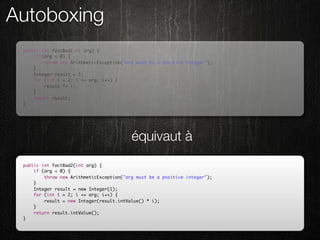
Autoboxing
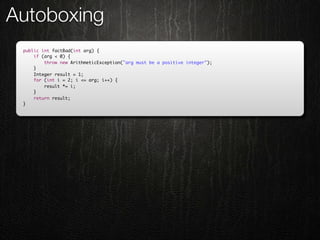
 public int factBad(int arg) {
     if (arg < 0) {
         throw new ArithmeticException("arg must be a positive integer");
     }
     Integer result = 1;
     for (int i = 2; i <= arg; i++) {
         result *= i;
     }
     return result;
 }
Autoboxing
 public int factBad(int arg) {
     if (arg < 0) {
         throw new ArithmeticException("arg must be a positive integer");
     }
     Integer result = 1;
     for (int i = 2; i <= arg; i++) {
         result *= i;
     }
     return result;
 }


                                          équivaut à
 public int factBad2(int arg) {
     if (arg < 0) {
         throw new ArithmeticException("arg must be a positive integer");
     }
     Integer result = new Integer(1);
     for (int i = 2; i <= arg; i++) {
         result = new Integer(result.intValue() * i);
     }
     return result.intValue();
 }
Autoboxing
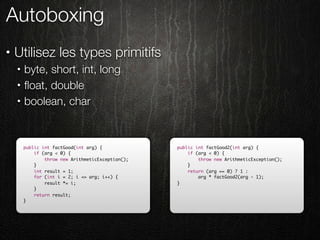
•   Utilisez les types primitifs
    •   byte, short, int, long
    •   float, double
    •   boolean, char


        public int factGood(int arg) {             public int factGood2(int arg) {
            if (arg < 0) {                             if (arg < 0) {
                throw new ArithmeticException();           throw new ArithmeticException();
            }                                          }
            int result = 1;                            return (arg == 0) ? 1 :
            for (int i = 2; i <= arg; i++) {               arg * factGood2(arg - 1);
                result *= i;                       }
            }
            return result;
        }
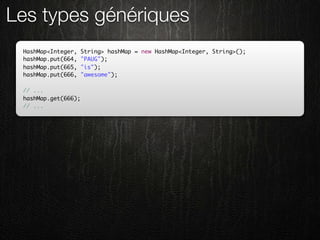
Les types génériques
 HashMap<Integer,    String> hashMap = new HashMap<Integer, String>();
 hashMap.put(664,    "PAUG");
 hashMap.put(665,    "is");
 hashMap.put(666,    "awesome");

 // ...
 hashMap.get(666);
 // ...
Les types génériques
 HashMap<Integer,    String> hashMap = new HashMap<Integer, String>();
 hashMap.put(664,    "PAUG");
 hashMap.put(665,    "is");
 hashMap.put(666,    "awesome");

 // ...
 hashMap.get(666);
 // ...


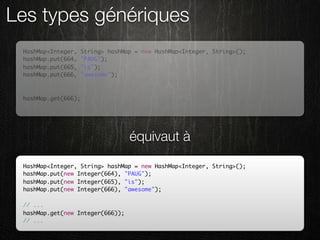
                                   équivaut à
 HashMap<Integer, String> hashMap = new HashMap<Integer, String>();
 hashMap.put(new Integer(664), "PAUG");
 hashMap.put(new Integer(665), "is");
 hashMap.put(new Integer(666), "awesome");

 // ...
 hashMap.get(new Integer(666));
 // ...
Les types génériques
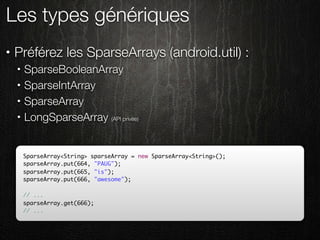
•   Préférez les SparseArrays (android.util) :
    •   SparseBooleanArray
    •   SparseIntArray
    •   SparseArray
    •   LongSparseArray (API privée)


        SparseArray<String> sparseArray = new SparseArray<String>();
        sparseArray.put(664, "PAUG");
        sparseArray.put(665, "is");
        sparseArray.put(666, "awesome");

        // ...
        sparseArray.get(666);
        // ...
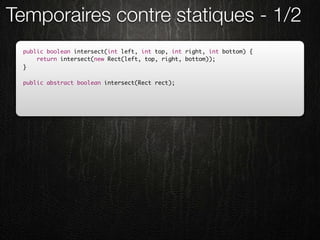
Temporaires contre statiques - 1/2
 public boolean intersect(int left, int top, int right, int bottom) {
     return intersect(new Rect(left, top, right, bottom));
 }

 public abstract boolean intersect(Rect rect);
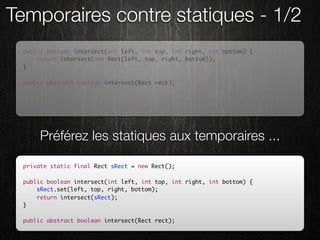
Temporaires contre statiques - 1/2
 public boolean intersect(int left, int top, int right, int bottom) {
     return intersect(new Rect(left, top, right, bottom));
 }

 public abstract boolean intersect(Rect rect);


      Préférez les statiques aux temporaires ...

 private static final Rect sRect = new Rect();

 public boolean intersect(int left, int top, int right, int bottom) {
     sRect.set(left, top, right, bottom);
     return intersect(sRect);
 }

 public abstract boolean intersect(Rect rect);
Temporaires contre statiques - 2/2
•   Technique dédiée aux méthodes critiques
•   onDraw(), onMeasure(), onLayout(), getView(), etc.
    •   Paint
    •   Rect
    •   Point
•   Classes utilitaires
    •   Random
•   Méthodes à retour via arguments
    •   Location.distanceBetween( ..., float[] results)
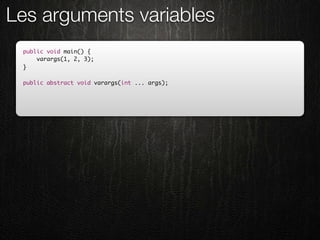
Les arguments variables
 public void main() {
     varargs(1, 2, 3);
 }

 public abstract void varargs(int ... args);
Les arguments variables
 public void main() {
     varargs(1, 2, 3);
 }

 public abstract void varargs(int ... args);


    est équivalent à la création d’un tableau ...

 public void main() {
     varargs(new int[]{1, 2, 3});
 }

 public abstract void varargs(int ... args);
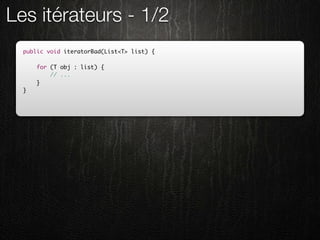
Les itérateurs - 1/2
  public void iteratorBad(List<T> list) {

      for (T obj : list) {
          // ...
      }
  }
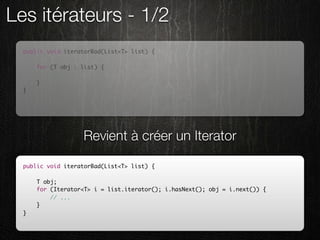
Les itérateurs - 1/2
  public void iteratorBad(List<T> list) {

      for (T obj : list) {
          // ...
      }
  }


                   Revient à créer un Iterator

  public void iteratorBad(List<T> list) {

      T obj;
      for (Iterator<T> i = list.iterator(); i.hasNext(); obj = i.next()) {
          // ...
      }
  }
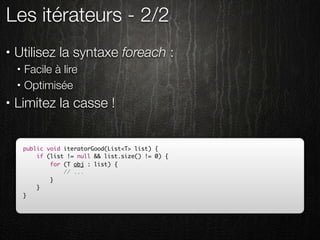
Les itérateurs - 2/2
•   Utilisez la syntaxe foreach :
    •   Facile à lire
    •   Optimisée
•   Limitez la casse !


        public void iteratorGood(List<T> list) {
            if (list != null && list.size() != 0) {
                for (T obj : list) {
                    // ...
                }
            }
        }
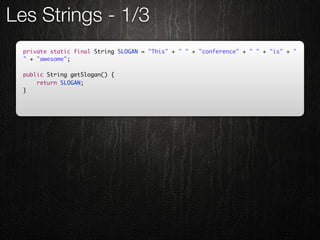
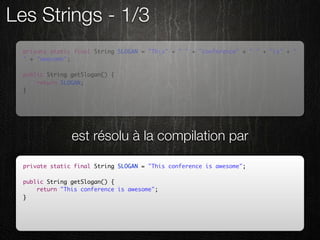
Les Strings - 1/3
  private static final String SLOGAN = "This" + " " + "conference" + " " + "is" + "
  " + "awesome";

  public String getSlogan() {
      return SLOGAN;
  }
Les Strings - 1/3
  private static final String SLOGAN = "This" + " " + "conference" + " " + "is" + "
  " + "awesome";

  public String getSlogan() {
      return SLOGAN;
  }


                est résolu à la compilation par

  private static final String SLOGAN = "This conference is awesome";

  public String getSlogan() {
      return "This conference is awesome";
  }
Les Strings - 2/3
  public String concatBad(String[] strings) {
      String result = null;

      for (String s : strings) {
          result += s;
      }
      return result;
  }
Les Strings - 2/3
  public String concatBad(String[] strings) {
      String result = null;

      for (String s : strings) {
          result += s;
      }
      return result;
  }


      entraine l’instanciation d’un StringBuilder

  public String concatBad(String[] strings) {
      String result = null;

      for (String s : strings) {
          result = new StringBuilder(result).append(s).toString();
      }
      return result;
  }
Les Strings - 3/3
  public String concatCorrect(String[] strings) {
      StringBuilder result = new StringBuilder();

      for (String s : strings) {
          result.append(s);
      }
      return result.toString();
  }
Les Strings - 3/3
  public String concatCorrect(String[] strings) {
      StringBuilder result = new StringBuilder();

      for (String s : strings) {
          result.append(s);
      }
      return result.toString();
  }


                         Ou encore mieux ...
  private static StringBuilder sStringBuilder = new StringBuilder();

  public String concatGood(String[] strings) {
      sStringBuilder.setLength(0);
      for (String s : strings) {
          sStringBuilder.append(s);
      }
      return sStringBuilder.toString();
  }
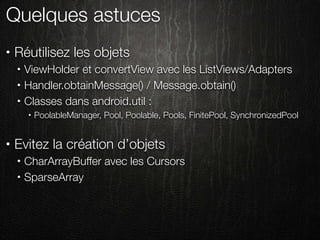
Quelques astuces
•   Réutilisez les objets
    •   ViewHolder et convertView avec les ListViews/Adapters
    •   Handler.obtainMessage() / Message.obtain()
    •   Classes dans android.util :
        •   PoolableManager, Pool, Poolable, Pools, FinitePool, SynchronizedPool


•   Evitez la création d’objets
    •   CharArrayBuffer avec les Cursors
    •   SparseArray
Optimisations UI
Mettez de la puissance et de la fluidité
    à vos interfaces graphiques !
Layouts optimisés
Développeurs et bûcherons : même combat !
Présentation
Présentation
•   Un maître mot : MINIMISATION !
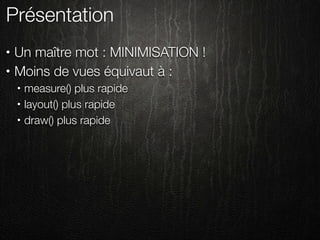
Présentation
•   Un maître mot : MINIMISATION !
•   Moins de vues équivaut à :
    •   measure() plus rapide
    •   layout() plus rapide
    •   draw() plus rapide
Présentation
•   Un maître mot : MINIMISATION !
•   Moins de vues équivaut à :
    •   measure() plus rapide
    •   layout() plus rapide
    •   draw() plus rapide
•   Trop de vues :
    •   OutOfMemoryException
    •   LayoutInflater.inflate() long
Présentation
•   Un maître mot : MINIMISATION !
•   Moins de vues équivaut à :
    •   measure() plus rapide
    •   layout() plus rapide
    •   draw() plus rapide
•   Trop de vues :
    •   OutOfMemoryException
    •   LayoutInflater.inflate() long

•   Préférez la largeur à la profondeur
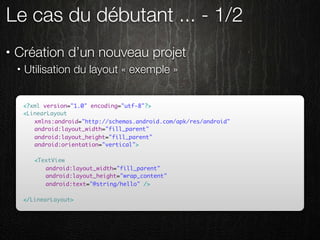
Le cas du débutant ... - 1/2
•   Création d’un nouveau projet
    •   Utilisation du layout « exemple »


        <?xml version="1.0" encoding="utf-8"?>
        <LinearLayout
        	 xmlns:android="http://schemas.android.com/apk/res/android"
        	 android:layout_width="fill_parent"
        	 android:layout_height="fill_parent"
        	 android:orientation="vertical">
        	
        	 <TextView
        	 	 android:layout_width="fill_parent"
        	 	 android:layout_height="wrap_content"
        	 	 android:text="@string/hello" />
        	 	
        </LinearLayout>
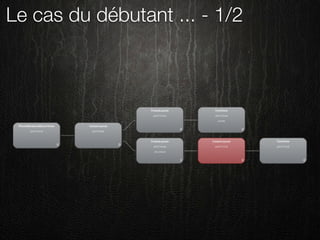
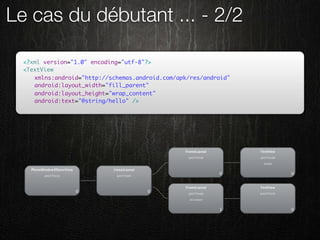
Le cas du débutant ... - 1/2
Le cas du débutant ... - 2/2

  <?xml version="1.0" encoding="utf-8"?>
  <TextView
  	 xmlns:android="http://schemas.android.com/apk/res/android"
  	 android:layout_width="fill_parent"
  	 android:layout_height="wrap_content"
  	 android:text="@string/hello" />
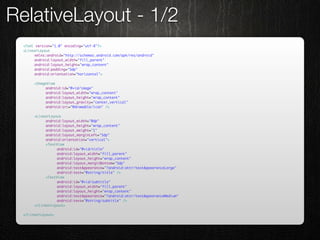
RelativeLayout - 1/2
 <?xml version="1.0" encoding="utf-8"?>
 <LinearLayout
 	    xmlns:android="http://schemas.android.com/apk/res/android"
 	    android:layout_width="fill_parent"
 	    android:layout_height="wrap_content"
 	    android:padding="5dp"
 	    android:orientation="horizontal">

 	    <ImageView
 	    	    android:id="@+id/image"
 	    	    android:layout_width="wrap_content"
 	    	    android:layout_height="wrap_content"
 	    	    android:layout_gravity="center_vertical"
 	    	    android:src="@drawable/icon" />

 	    <LinearLayout
 	    	    android:layout_width="0dp"
 	    	    android:layout_height="wrap_content"
 	    	    android:layout_weight="1"
 	    	    android:layout_marginLeft="5dp"
 	    	    android:orientation="vertical">
 	    	    <TextView
 	    	    	     android:id="@+id/title"
 	    	    	     android:layout_width="fill_parent"
 	    	    	     android:layout_height="wrap_content"
 	    	    	     android:layout_marginBottom="5dp"
 	    	    	     android:textAppearance="?android:attr/textAppearanceLarge"
 	    	    	     android:text="@string/title" />
 	    	    <TextView
 	    	    	     android:id="@+id/subtitle"
 	    	    	     android:layout_width="fill_parent"
 	    	    	     android:layout_height="wrap_content"
 	    	    	     android:textAppearance="?android:attr/textAppearanceMedium"
 	    	    	     android:text="@string/subtitle" />
 	    </LinearLayout>

 </LinearLayout>
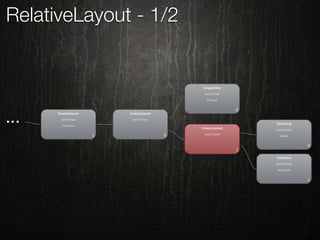
RelativeLayout - 1/2
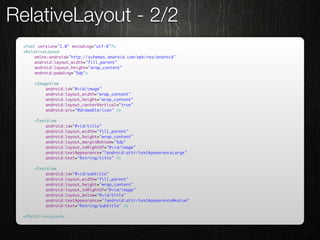
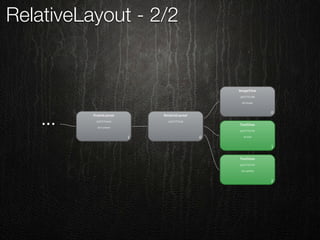
RelativeLayout - 2/2
 <?xml version="1.0" encoding="utf-8"?>
 <RelativeLayout
 	    xmlns:android="http://schemas.android.com/apk/res/android"
 	    android:layout_width="fill_parent"
 	    android:layout_height="wrap_content"
 	    android:padding="5dp">

 	   <ImageView
 	   	    android:id="@+id/image"
 	   	    android:layout_width="wrap_content"
 	   	    android:layout_height="wrap_content"
 	   	    android:layout_centerVertical="true"
 	   	    android:src="@drawable/icon" />

 	   <TextView
 	   	    android:id="@+id/title"
 	   	    android:layout_width="fill_parent"
 	   	    android:layout_height="wrap_content"
 	   	    android:layout_marginBottom="5dp"
 	   	    android:layout_toRightOf="@+id/image"
 	   	    android:textAppearance="?android:attr/textAppearanceLarge"
 	   	    android:text="@string/title" />

 	   <TextView
 	   	    android:id="@+id/subtitle"
 	   	    android:layout_width="fill_parent"
 	   	    android:layout_height="wrap_content"
 	   	    android:layout_toRightOf="@+id/image"
 	   	    android:layout_below="@+id/title"
 	   	    android:textAppearance="?android:attr/textAppearanceMedium"
 	   	    android:text="@string/subtitle" />

 </RelativeLayout>
RelativeLayout - 2/2
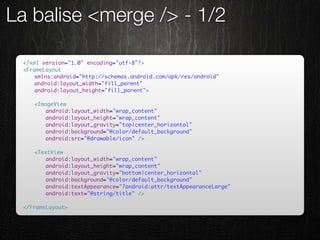
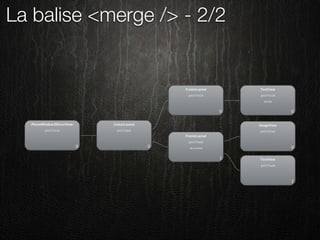
La balise <merge /> - 1/2

 <?xml version="1.0" encoding="utf-8"?>
 <FrameLayout
 	   xmlns:android="http://schemas.android.com/apk/res/android"
 	   android:layout_width="fill_parent"
 	   android:layout_height="fill_parent">

 	   <ImageView
 	   	   android:layout_width="wrap_content"
 	   	   android:layout_height="wrap_content"
 	   	   android:layout_gravity="top|center_horizontal"
 	   	   android:background="@color/default_background"
 	   	   android:src="@drawable/icon" />

 	   <TextView
 	   	   android:layout_width="wrap_content"
 	   	   android:layout_height="wrap_content"
 	   	   android:layout_gravity="bottom|center_horizontal"
 	   	   android:background="@color/default_background"
 	   	   android:textAppearance="?android:attr/textAppearanceLarge"
 	   	   android:text="@string/title" />

 </FrameLayout>
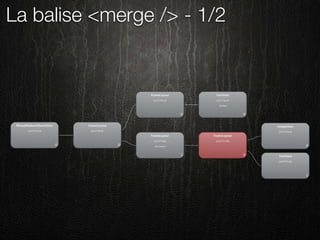
La balise <merge /> - 1/2
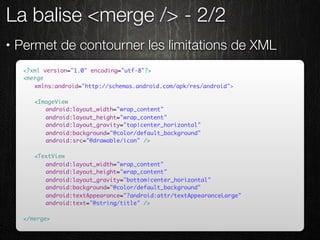
La balise <merge /> - 2/2
•   Permet de contourner les limitations de XML
     <?xml version="1.0" encoding="utf-8"?>
     <merge
     	 xmlns:android="http://schemas.android.com/apk/res/android">

     	   <ImageView
     	   	 android:layout_width="wrap_content"
     	   	 android:layout_height="wrap_content"
     	   	 android:layout_gravity="top|center_horizontal"
     	   	 android:background="@color/default_background"
     	   	 android:src="@drawable/icon" />

     	   <TextView
     	   	 android:layout_width="wrap_content"
     	   	 android:layout_height="wrap_content"
     	   	 android:layout_gravity="bottom|center_horizontal"
     	   	 android:background="@color/default_background"
     	   	 android:textAppearance="?android:attr/textAppearanceLarge"
     	   	 android:text="@string/title" />

     </merge>
La balise <merge /> - 2/2
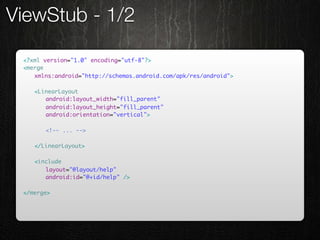
ViewStub - 1/2

 <?xml version="1.0" encoding="utf-8"?>
 <merge
 	 xmlns:android="http://schemas.android.com/apk/res/android">

 	   <LinearLayout
 	   	 android:layout_width="fill_parent"
 	   	 android:layout_height="fill_parent"
 	   	 android:orientation="vertical">

 	   	   <!-- ... -->

 	   </LinearLayout>

 	   <include
 	   	 layout="@layout/help"
 	   	 android:id="@+id/help" />

 </merge>
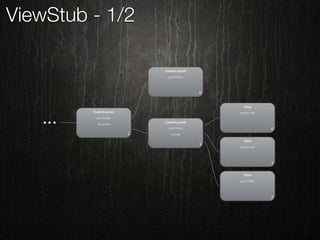
ViewStub - 1/2
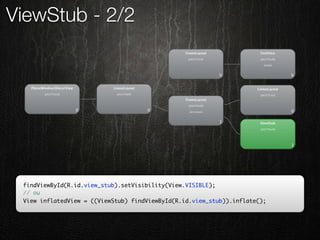
ViewStub - 2/2
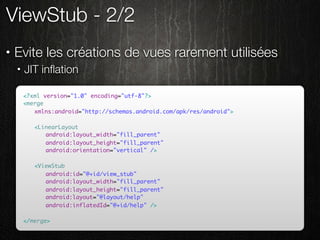
•   Evite les créations de vues rarement utilisées
    •   JIT inflation

        <?xml version="1.0" encoding="utf-8"?>
        <merge
        	 xmlns:android="http://schemas.android.com/apk/res/android">

        	   <LinearLayout
        	   	 android:layout_width="fill_parent"
        	   	 android:layout_height="fill_parent"
        	   	 android:orientation="vertical" />

        	   <ViewStub
        	   	 android:id="@+id/view_stub"
        	   	 android:layout_width="fill_parent"
        	   	 android:layout_height="fill_parent"
        	   	 android:layout="@layout/help"
        	   	 android:inflatedId="@+id/help" />

        </merge>
ViewStub - 2/2


 findViewById(R.id.view_stub).setVisibility(View.VISIBLE);
 // ou
 View inflatedView = ((ViewStub) findViewById(R.id.view_stub)).inflate();
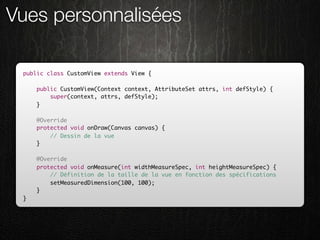
Vues personnalisées

 public class CustomView extends View {

     public CustomView(Context context, AttributeSet attrs, int defStyle) {
         super(context, attrs, defStyle);
     }

     @Override
     protected void onDraw(Canvas canvas) {
         // Dessin de la vue
     }

     @Override
     protected void onMeasure(int widthMeasureSpec, int heightMeasureSpec) {
         // Définition de la taille de la vue en fonction des spécifications
         setMeasuredDimension(100, 100);
     }
 }
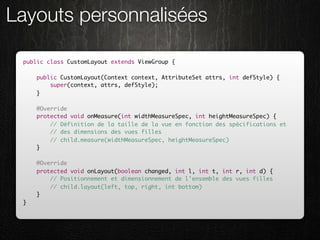
Layouts personnalisées

 public class CustomLayout extends ViewGroup {

     public CustomLayout(Context context, AttributeSet attrs, int defStyle) {
         super(context, attrs, defStyle);
     }

     @Override
     protected void onMeasure(int widthMeasureSpec, int heightMeasureSpec) {
         // Définition de la taille de la vue en fonction des spécifications et
         // des dimensions des vues filles
         // child.measure(widthMeasureSpec, heightMeasureSpec)
     }

     @Override
     protected void onLayout(boolean changed, int l, int t, int r, int d) {
         // Positionnement et dimensionnement de l'ensemble des vues filles
         // child.layout(left, top, right, int bottom)
     }
 }
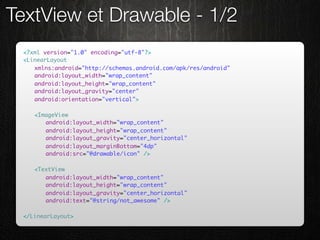
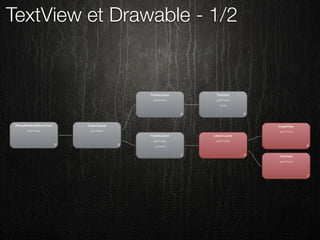
TextView et Drawable - 1/2
 <?xml version="1.0" encoding="utf-8"?>
 <LinearLayout
 	 xmlns:android="http://schemas.android.com/apk/res/android"
 	 android:layout_width="wrap_content"
 	 android:layout_height="wrap_content"
 	 android:layout_gravity="center"
 	 android:orientation="vertical">

 	   <ImageView
 	   	 android:layout_width="wrap_content"
 	   	 android:layout_height="wrap_content"
 	   	 android:layout_gravity="center_horizontal"
 	   	 android:layout_marginBottom="4dp"
 	   	 android:src="@drawable/icon" />

 	   <TextView
 	   	 android:layout_width="wrap_content"
 	   	 android:layout_height="wrap_content"
 	   	 android:layout_gravity="center_horizontal"
 	   	 android:text="@string/not_awesome" />

 </LinearLayout>
TextView et Drawable - 1/2
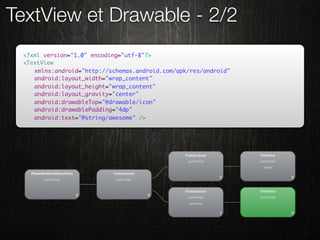
TextView et Drawable - 2/2
 <?xml version="1.0" encoding="utf-8"?>
 <TextView
 	 xmlns:android="http://schemas.android.com/apk/res/android"
 	 android:layout_width="wrap_content"
 	 android:layout_height="wrap_content"
 	 android:layout_gravity="center"
 	 android:drawableTop="@drawable/icon"
 	 android:drawablePadding="4dp"
 	 android:text="@string/awesome" />
Les outils du SDK
•   hierarchyviewer
•   layoutopt
•   draw9patch
•   ddms
UI/Main Thread
 Libertéééééééééééé (Braveheart)
Présentation
Présentation
•   Le système graphique Android est single threaded
    •   Limitez l’impact sur le UI thread !
Présentation
•   Le système graphique Android est single threaded
    •   Limitez l’impact sur le UI thread !

•   Conséquences nombreuses
    •   Animations saccadées
    •   ANR
    •   Utilisateur mécontent
    •   Application désinstallée / critiquée ...
Solutions
Solutions
•   Java !
    •   synchronize / wait() / notify() / notifyAll()
Solutions
•   Java !
    •   synchronize / wait() / notify() / notifyAll()
•   java.util.concurrent
Solutions
•   Java !
    •   synchronize / wait() / notify() / notifyAll()
•   java.util.concurrent
•   Système de message d’Android
    •   Handler, Message, Looper, HandlerThread
Solutions
•   Java !
    •   synchronize / wait() / notify() / notifyAll()
•   java.util.concurrent
•   Système de message d’Android
    •   Handler, Message, Looper, HandlerThread
•   AsyncTasks
Solutions
•   Java !
    •   synchronize / wait() / notify() / notifyAll()
•   java.util.concurrent
•   Système de message d’Android
    •   Handler, Message, Looper, HandlerThread
•   AsyncTasks
•   IntentService
AsyncTask

 private class AsyncTaskStrategy implements LongTaskStrategy {

     public void executeTask() {
         (new DumbTask()).execute((Void[]) null);
     }

     private class DumbTask extends AsyncTask<Void, Void, Void> {

         @Override
         protected Void doInBackground(Void... params) {
             executeLongTask();
             return null;
         }

         @Override
         protected void onPostExecute(Void result) {
             onLongTaskExecuted();
         }
     }
 }
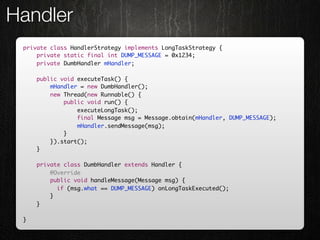
Handler
 private class HandlerStrategy implements LongTaskStrategy {
     private static final int DUMP_MESSAGE = 0x1234;
     private DumbHandler mHandler;

     public void executeTask() {
         mHandler = new DumbHandler();
         new Thread(new Runnable() {
             public void run() {
                 executeLongTask();
                 final Message msg = Message.obtain(mHandler, DUMP_MESSAGE);
                 mHandler.sendMessage(msg);
             }
         }).start();
     }

     private class DumbHandler extends Handler {
         @Override
         public void handleMessage(Message msg) {
         	 if (msg.what == DUMP_MESSAGE) onLongTaskExecuted();
         }
     }

 }
Conclusion
Conclusion
•   Utile pour les opérations longues/bloquantes
    •   Entrées / sorties (network & filesystem)
    •   Calculs longs
    •   Accès hardware (Camera.open())
Conclusion
•   Utile pour les opérations longues/bloquantes
    •   Entrées / sorties (network & filesystem)
    •   Calculs longs
    •   Accès hardware (Camera.open())

•   Classes/méthodes d’aide dans l’API
    •   SharedPreferences.Editor.apply()
    •   AsyncQueryHandler pour les requêtes aux
        ContentProviders
    •   Filter.filter(CharSequence, FilterListener)
Conclusion
•   Utile pour les opérations longues/bloquantes
    •   Entrées / sorties (network & filesystem)
    •   Calculs longs
    •   Accès hardware (Camera.open())

•   Classes/méthodes d’aide dans l’API
    •   SharedPreferences.Editor.apply()
    •   AsyncQueryHandler pour les requêtes aux
        ContentProviders
    •   Filter.filter(CharSequence, FilterListener)

•   Process.setThreadPriority(int)
GreenDroid
Une bibliothèque d’aide au développement
Un triste constat
•   Ressenti général médiocre
    •   Peu de qualité
    •   Design / ergo antagonistes

•   Framework difficile ?
    •   Trop ouvert
    •   Pas d’aide UI/UX
Pourquoi GreenDroid ?
•   La naissance de GreenDroid :
    •   Challenge, opensource, factorisation, etc.
    •   Make Android Market a better place

•   La philosophie :
    •   Make Android development consistent and easier
Utilisation
Import de la bibliothèque GreenDroid à
              votre projet
Utilisation
Utilisation


        4 étapes
Utilisation
•   Cloner le projet GreenDroid (GitHub)   1

                                           2

                                           3

                                           4
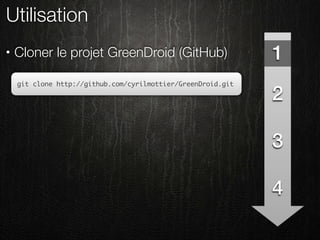
Utilisation
•   Cloner le projet GreenDroid (GitHub)                      1
    git clone http://github.com/cyrilmottier/GreenDroid.git

                                                              2

                                                              3

                                                              4
Utilisation
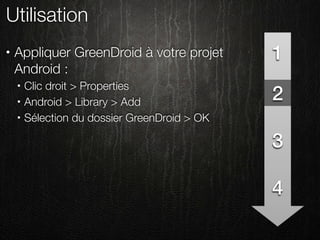
•   Appliquer GreenDroid à votre projet        1
    Android :
        Clic droit > Properties
                                               2
    •

    •   Android > Library > Add
    •   Sélection du dossier GreenDroid > OK

                                               3

                                               4
Utilisation
•   Hériter des thèmes GreenDroid :               1
    •   @style/Theme.GreenDroid
        @style/Theme.GreenDroid.NoTitleBar
                                                  2
    •

    •   Un thème héritant des thèmes précédents


                                                  3

                                                  4
Utilisation
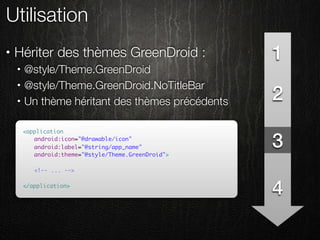
•   Hériter des thèmes GreenDroid :                  1
    •   @style/Theme.GreenDroid
        @style/Theme.GreenDroid.NoTitleBar
                                                     2
    •

    •   Un thème héritant des thèmes précédents

        <application
        	 android:icon="@drawable/icon"
        	 android:label="@string/app_name"
        	 android:theme="@style/Theme.GreenDroid">
                                                     3
        	
        	 <!-- ... -->

        </application>
                                                     4
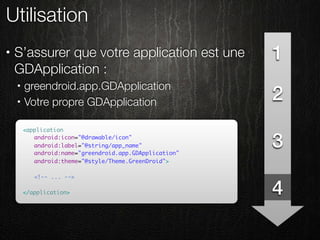
Utilisation
•   S’assurer que votre application est une   1
    GDApplication :
        greendroid.app.GDApplication
                                              2
    •

    •   Votre propre GDApplication


                                              3

                                              4
Utilisation
•   S’assurer que votre application est une             1
    GDApplication :
        greendroid.app.GDApplication
                                                        2
    •

    •   Votre propre GDApplication

        <application
        	 android:icon="@drawable/icon"
        	 android:label="@string/app_name"
        	 android:name="greendroid.app.GDApplication"
                                                        3
        	 android:theme="@style/Theme.GreenDroid">
        	
        	 <!-- ... -->

        </application>                                  4
Régles importantes
•   Ne modifiez pas GreenDroid !
    •   Utilisation de la notion d’héritage :
        •   Java pour les classes
        •   XML pour les styles / thèmes

•   Pas possible de faire autrement ?
    •   fork
    •   patch
    •   feature request

•   N’hésitez pas à patcher / participer !
Fonctionnalités
Rapide tour d’horizon des possibilités ouvertes
               par GreenDroid
ActionBar - 1/2
•   Pattern ergonomique :
    •   Affiche le titre de l’écran courant
    •   Donne accès à des actions
    •   Permet le retour à l’écran principal
    •   Présente l’état courant :
        •   ProgressBar présentant le chargement
        •   Couleur de l’ActionBar fonction du contenu
        •   ...
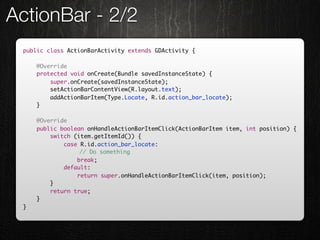
ActionBar - 2/2
 public class ActionBarActivity extends GDActivity {

     @Override
     protected void onCreate(Bundle savedInstanceState) {
         super.onCreate(savedInstanceState);
         setActionBarContentView(R.layout.text);
         addActionBarItem(Type.Locate, R.id.action_bar_locate);
     }

     @Override
     public boolean onHandleActionBarItemClick(ActionBarItem item, int position) {
         switch (item.getItemId()) {
             case R.id.action_bar_locate:
                	 // Do something
                 break;
             default:
                 return super.onHandleActionBarItemClick(item, position);
         }
         return true;
     }
 }
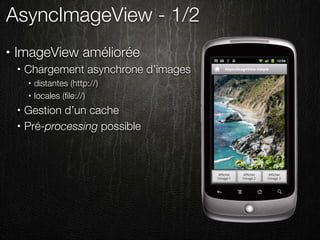
AsyncImageView - 1/2
•   ImageView améliorée
    •   Chargement asynchrone d’images
        •   distantes (http://)
        •   locales (file://)
    •   Gestion d’un cache
    •   Pré-processing possible
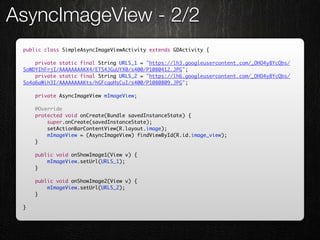
AsyncImageView - 2/2
 public class SimpleAsyncImageViewActivity extends GDActivity {

     private static final String URLS_1 = "https://lh3.googleusercontent.com/_OHO4y8YcQbs/
 SoWDYIhFrjI/AAAAAAAAKX4/ETS4JGuUYX0/s400/P1080412.JPG";
     private static final String URLS_2 = "https://lh6.googleusercontent.com/_OHO4y8YcQbs/
 So4a6aWih3I/AAAAAAAAKts/hGFcqaHsCuI/s400/P1080809.JPG";

     private AsyncImageView mImageView;

     @Override
     protected void onCreate(Bundle savedInstanceState) {
         super.onCreate(savedInstanceState);
         setActionBarContentView(R.layout.image);
         mImageView = (AsyncImageView) findViewById(R.id.image_view);
     }

     public void onShowImage1(View v) {
         mImageView.setUrl(URLS_1);
     }

     public void onShowImage2(View v) {
         mImageView.setUrl(URLS_2);
     }

 }
Et bien d’autres ...
•   ItemAdapter
•   QuickActions
•   ActionBarDrawable
•   SegmentedBar
•   etc.
Cyril Mottier
                              @cyrilmottier
                http://www.cyrilmottier.com


Questions / Réponses

Android Optimisations Greendroid

  • 1.
    Cyril Mottier @cyrilmottier http://www.cyrilmottier.com Optimisations générales sous Android et GreenDroid Concevoir des applications réactives, fluides et facile d’utilisation
  • 2.
    Note générale Mais quiest donc ce personnage ?
  • 3.
  • 4.
    Moi - 1/2 • Bloggueur • http://android.cyrilmottier.com
  • 5.
    Moi - 1/2 • Bloggueur • http://android.cyrilmottier.com • Développeur • MetroMap Paris • GreenDroid
  • 6.
    Moi - 1/2 • Bloggueur • http://android.cyrilmottier.com • Développeur • MetroMap Paris • GreenDroid • Adorateur et prêcheur d’Android • Droidcon UK, ADL Paris, GET, PAUG, etc.
  • 7.
    Moi - 2/2 • Auteur • Développez sur Android chez Digit Books • Co-écrit avec Ludovic Perrier http://j.mp/hCIJzj
  • 8.
  • 9.
    Sous nos pieds... - 1/3 • Système adapté aux terminaux contraints • Peu de puissance • Peu de mémoire • Peu de batterie • Peu d’espace d’affichage
  • 10.
    Sous nos pieds... - 2/3 • Machine Virtuelle basique • La fameuse Dalvik VM • Pas de JIT (avant Froyo)
  • 11.
    Sous nos pieds... - 3/3 • Ramasse-miettes (garbage collector - GC) basique • Mark and sweep • stop-the-world (pré Gingerbread) • Concurrent (post Gingerbread)
  • 12.
  • 13.
  • 14.
  • 15.
  • 16.
    Conclusion - 1/2 Android aurait-il un problème de performance ?
  • 17.
    Conclusion - 1/2 Android aurait-il un O N problème de N performance ?
  • 18.
  • 19.
    Conclusion - 2/2 • GC non contrôlable • Oubliez System.gc() ! • Voyez le GC comme une entité indépendante
  • 20.
    Conclusion - 2/2 • GC non contrôlable • Oubliez System.gc() ! • Voyez le GC comme une entité indépendante • Pensez différemment ... • Utilisez les types primitifs • Minimisez la création d’objets • Réutilisez les objets
  • 21.
    Conclusion - 2/2 • GC non contrôlable • Oubliez System.gc() ! • Voyez le GC comme une entité indépendante • Pensez différemment ... • Utilisez les types primitifs • Minimisez la création d’objets re ! • Réutilisez les objets sa i é c es S in
  • 22.
    Optimisations Java Etude dulangage, de ses facilités et de ses inconvénients
  • 23.
    Le langage Java • Introduit en 1996 • Langage haut-niveau • Langage objet fortement typé • Pas/peu de gestion mémoire • Syntaxe avancée (foreach, etc.) • Apparente simplicité • Cache des points d’ombre
  • 24.
    Autoboxing public intfactBad(int arg) { if (arg < 0) { throw new ArithmeticException("arg must be a positive integer"); } Integer result = 1; for (int i = 2; i <= arg; i++) { result *= i; } return result; }
  • 25.
    Autoboxing public intfactBad(int arg) { if (arg < 0) { throw new ArithmeticException("arg must be a positive integer"); } Integer result = 1; for (int i = 2; i <= arg; i++) { result *= i; } return result; } équivaut à public int factBad2(int arg) { if (arg < 0) { throw new ArithmeticException("arg must be a positive integer"); } Integer result = new Integer(1); for (int i = 2; i <= arg; i++) { result = new Integer(result.intValue() * i); } return result.intValue(); }
  • 26.
    Autoboxing • Utilisez les types primitifs • byte, short, int, long • float, double • boolean, char public int factGood(int arg) { public int factGood2(int arg) { if (arg < 0) { if (arg < 0) { throw new ArithmeticException(); throw new ArithmeticException(); } } int result = 1; return (arg == 0) ? 1 : for (int i = 2; i <= arg; i++) { arg * factGood2(arg - 1); result *= i; } } return result; }
  • 27.
    Les types génériques HashMap<Integer, String> hashMap = new HashMap<Integer, String>(); hashMap.put(664, "PAUG"); hashMap.put(665, "is"); hashMap.put(666, "awesome"); // ... hashMap.get(666); // ...
  • 28.
    Les types génériques HashMap<Integer, String> hashMap = new HashMap<Integer, String>(); hashMap.put(664, "PAUG"); hashMap.put(665, "is"); hashMap.put(666, "awesome"); // ... hashMap.get(666); // ... équivaut à HashMap<Integer, String> hashMap = new HashMap<Integer, String>(); hashMap.put(new Integer(664), "PAUG"); hashMap.put(new Integer(665), "is"); hashMap.put(new Integer(666), "awesome"); // ... hashMap.get(new Integer(666)); // ...
  • 29.
    Les types génériques • Préférez les SparseArrays (android.util) : • SparseBooleanArray • SparseIntArray • SparseArray • LongSparseArray (API privée) SparseArray<String> sparseArray = new SparseArray<String>(); sparseArray.put(664, "PAUG"); sparseArray.put(665, "is"); sparseArray.put(666, "awesome"); // ... sparseArray.get(666); // ...
  • 30.
    Temporaires contre statiques- 1/2 public boolean intersect(int left, int top, int right, int bottom) { return intersect(new Rect(left, top, right, bottom)); } public abstract boolean intersect(Rect rect);
  • 31.
    Temporaires contre statiques- 1/2 public boolean intersect(int left, int top, int right, int bottom) { return intersect(new Rect(left, top, right, bottom)); } public abstract boolean intersect(Rect rect); Préférez les statiques aux temporaires ... private static final Rect sRect = new Rect(); public boolean intersect(int left, int top, int right, int bottom) { sRect.set(left, top, right, bottom); return intersect(sRect); } public abstract boolean intersect(Rect rect);
  • 32.
    Temporaires contre statiques- 2/2 • Technique dédiée aux méthodes critiques • onDraw(), onMeasure(), onLayout(), getView(), etc. • Paint • Rect • Point • Classes utilitaires • Random • Méthodes à retour via arguments • Location.distanceBetween( ..., float[] results)
  • 33.
    Les arguments variables public void main() { varargs(1, 2, 3); } public abstract void varargs(int ... args);
  • 34.
    Les arguments variables public void main() { varargs(1, 2, 3); } public abstract void varargs(int ... args); est équivalent à la création d’un tableau ... public void main() { varargs(new int[]{1, 2, 3}); } public abstract void varargs(int ... args);
  • 35.
    Les itérateurs -1/2 public void iteratorBad(List<T> list) { for (T obj : list) { // ... } }
  • 36.
    Les itérateurs -1/2 public void iteratorBad(List<T> list) { for (T obj : list) { // ... } } Revient à créer un Iterator public void iteratorBad(List<T> list) { T obj; for (Iterator<T> i = list.iterator(); i.hasNext(); obj = i.next()) { // ... } }
  • 37.
    Les itérateurs -2/2 • Utilisez la syntaxe foreach : • Facile à lire • Optimisée • Limitez la casse ! public void iteratorGood(List<T> list) { if (list != null && list.size() != 0) { for (T obj : list) { // ... } } }
  • 38.
    Les Strings -1/3 private static final String SLOGAN = "This" + " " + "conference" + " " + "is" + " " + "awesome"; public String getSlogan() { return SLOGAN; }
  • 39.
    Les Strings -1/3 private static final String SLOGAN = "This" + " " + "conference" + " " + "is" + " " + "awesome"; public String getSlogan() { return SLOGAN; } est résolu à la compilation par private static final String SLOGAN = "This conference is awesome"; public String getSlogan() { return "This conference is awesome"; }
  • 40.
    Les Strings -2/3 public String concatBad(String[] strings) { String result = null; for (String s : strings) { result += s; } return result; }
  • 41.
    Les Strings -2/3 public String concatBad(String[] strings) { String result = null; for (String s : strings) { result += s; } return result; } entraine l’instanciation d’un StringBuilder public String concatBad(String[] strings) { String result = null; for (String s : strings) { result = new StringBuilder(result).append(s).toString(); } return result; }
  • 42.
    Les Strings -3/3 public String concatCorrect(String[] strings) { StringBuilder result = new StringBuilder(); for (String s : strings) { result.append(s); } return result.toString(); }
  • 43.
    Les Strings -3/3 public String concatCorrect(String[] strings) { StringBuilder result = new StringBuilder(); for (String s : strings) { result.append(s); } return result.toString(); } Ou encore mieux ... private static StringBuilder sStringBuilder = new StringBuilder(); public String concatGood(String[] strings) { sStringBuilder.setLength(0); for (String s : strings) { sStringBuilder.append(s); } return sStringBuilder.toString(); }
  • 44.
    Quelques astuces • Réutilisez les objets • ViewHolder et convertView avec les ListViews/Adapters • Handler.obtainMessage() / Message.obtain() • Classes dans android.util : • PoolableManager, Pool, Poolable, Pools, FinitePool, SynchronizedPool • Evitez la création d’objets • CharArrayBuffer avec les Cursors • SparseArray
  • 45.
    Optimisations UI Mettez dela puissance et de la fluidité à vos interfaces graphiques !
  • 46.
    Layouts optimisés Développeurs etbûcherons : même combat !
  • 47.
  • 48.
    Présentation • Un maître mot : MINIMISATION !
  • 49.
    Présentation • Un maître mot : MINIMISATION ! • Moins de vues équivaut à : • measure() plus rapide • layout() plus rapide • draw() plus rapide
  • 50.
    Présentation • Un maître mot : MINIMISATION ! • Moins de vues équivaut à : • measure() plus rapide • layout() plus rapide • draw() plus rapide • Trop de vues : • OutOfMemoryException • LayoutInflater.inflate() long
  • 51.
    Présentation • Un maître mot : MINIMISATION ! • Moins de vues équivaut à : • measure() plus rapide • layout() plus rapide • draw() plus rapide • Trop de vues : • OutOfMemoryException • LayoutInflater.inflate() long • Préférez la largeur à la profondeur
  • 52.
    Le cas dudébutant ... - 1/2 • Création d’un nouveau projet • Utilisation du layout « exemple » <?xml version="1.0" encoding="utf-8"?> <LinearLayout xmlns:android="http://schemas.android.com/apk/res/android" android:layout_width="fill_parent" android:layout_height="fill_parent" android:orientation="vertical"> <TextView android:layout_width="fill_parent" android:layout_height="wrap_content" android:text="@string/hello" /> </LinearLayout>
  • 53.
    Le cas dudébutant ... - 1/2
  • 54.
    Le cas dudébutant ... - 2/2 <?xml version="1.0" encoding="utf-8"?> <TextView xmlns:android="http://schemas.android.com/apk/res/android" android:layout_width="fill_parent" android:layout_height="wrap_content" android:text="@string/hello" />
  • 55.
    RelativeLayout - 1/2 <?xml version="1.0" encoding="utf-8"?> <LinearLayout xmlns:android="http://schemas.android.com/apk/res/android" android:layout_width="fill_parent" android:layout_height="wrap_content" android:padding="5dp" android:orientation="horizontal"> <ImageView android:id="@+id/image" android:layout_width="wrap_content" android:layout_height="wrap_content" android:layout_gravity="center_vertical" android:src="@drawable/icon" /> <LinearLayout android:layout_width="0dp" android:layout_height="wrap_content" android:layout_weight="1" android:layout_marginLeft="5dp" android:orientation="vertical"> <TextView android:id="@+id/title" android:layout_width="fill_parent" android:layout_height="wrap_content" android:layout_marginBottom="5dp" android:textAppearance="?android:attr/textAppearanceLarge" android:text="@string/title" /> <TextView android:id="@+id/subtitle" android:layout_width="fill_parent" android:layout_height="wrap_content" android:textAppearance="?android:attr/textAppearanceMedium" android:text="@string/subtitle" /> </LinearLayout> </LinearLayout>
  • 56.
  • 57.
    RelativeLayout - 2/2 <?xml version="1.0" encoding="utf-8"?> <RelativeLayout xmlns:android="http://schemas.android.com/apk/res/android" android:layout_width="fill_parent" android:layout_height="wrap_content" android:padding="5dp"> <ImageView android:id="@+id/image" android:layout_width="wrap_content" android:layout_height="wrap_content" android:layout_centerVertical="true" android:src="@drawable/icon" /> <TextView android:id="@+id/title" android:layout_width="fill_parent" android:layout_height="wrap_content" android:layout_marginBottom="5dp" android:layout_toRightOf="@+id/image" android:textAppearance="?android:attr/textAppearanceLarge" android:text="@string/title" /> <TextView android:id="@+id/subtitle" android:layout_width="fill_parent" android:layout_height="wrap_content" android:layout_toRightOf="@+id/image" android:layout_below="@+id/title" android:textAppearance="?android:attr/textAppearanceMedium" android:text="@string/subtitle" /> </RelativeLayout>
  • 58.
  • 59.
    La balise <merge/> - 1/2 <?xml version="1.0" encoding="utf-8"?> <FrameLayout xmlns:android="http://schemas.android.com/apk/res/android" android:layout_width="fill_parent" android:layout_height="fill_parent"> <ImageView android:layout_width="wrap_content" android:layout_height="wrap_content" android:layout_gravity="top|center_horizontal" android:background="@color/default_background" android:src="@drawable/icon" /> <TextView android:layout_width="wrap_content" android:layout_height="wrap_content" android:layout_gravity="bottom|center_horizontal" android:background="@color/default_background" android:textAppearance="?android:attr/textAppearanceLarge" android:text="@string/title" /> </FrameLayout>
  • 60.
  • 61.
    La balise <merge/> - 2/2 • Permet de contourner les limitations de XML <?xml version="1.0" encoding="utf-8"?> <merge xmlns:android="http://schemas.android.com/apk/res/android"> <ImageView android:layout_width="wrap_content" android:layout_height="wrap_content" android:layout_gravity="top|center_horizontal" android:background="@color/default_background" android:src="@drawable/icon" /> <TextView android:layout_width="wrap_content" android:layout_height="wrap_content" android:layout_gravity="bottom|center_horizontal" android:background="@color/default_background" android:textAppearance="?android:attr/textAppearanceLarge" android:text="@string/title" /> </merge>
  • 62.
  • 63.
    ViewStub - 1/2 <?xml version="1.0" encoding="utf-8"?> <merge xmlns:android="http://schemas.android.com/apk/res/android"> <LinearLayout android:layout_width="fill_parent" android:layout_height="fill_parent" android:orientation="vertical"> <!-- ... --> </LinearLayout> <include layout="@layout/help" android:id="@+id/help" /> </merge>
  • 64.
  • 65.
    ViewStub - 2/2 • Evite les créations de vues rarement utilisées • JIT inflation <?xml version="1.0" encoding="utf-8"?> <merge xmlns:android="http://schemas.android.com/apk/res/android"> <LinearLayout android:layout_width="fill_parent" android:layout_height="fill_parent" android:orientation="vertical" /> <ViewStub android:id="@+id/view_stub" android:layout_width="fill_parent" android:layout_height="fill_parent" android:layout="@layout/help" android:inflatedId="@+id/help" /> </merge>
  • 66.
    ViewStub - 2/2 findViewById(R.id.view_stub).setVisibility(View.VISIBLE); // ou View inflatedView = ((ViewStub) findViewById(R.id.view_stub)).inflate();
  • 67.
    Vues personnalisées publicclass CustomView extends View { public CustomView(Context context, AttributeSet attrs, int defStyle) { super(context, attrs, defStyle); } @Override protected void onDraw(Canvas canvas) { // Dessin de la vue } @Override protected void onMeasure(int widthMeasureSpec, int heightMeasureSpec) { // Définition de la taille de la vue en fonction des spécifications setMeasuredDimension(100, 100); } }
  • 68.
    Layouts personnalisées publicclass CustomLayout extends ViewGroup { public CustomLayout(Context context, AttributeSet attrs, int defStyle) { super(context, attrs, defStyle); } @Override protected void onMeasure(int widthMeasureSpec, int heightMeasureSpec) { // Définition de la taille de la vue en fonction des spécifications et // des dimensions des vues filles // child.measure(widthMeasureSpec, heightMeasureSpec) } @Override protected void onLayout(boolean changed, int l, int t, int r, int d) { // Positionnement et dimensionnement de l'ensemble des vues filles // child.layout(left, top, right, int bottom) } }
  • 69.
    TextView et Drawable- 1/2 <?xml version="1.0" encoding="utf-8"?> <LinearLayout xmlns:android="http://schemas.android.com/apk/res/android" android:layout_width="wrap_content" android:layout_height="wrap_content" android:layout_gravity="center" android:orientation="vertical"> <ImageView android:layout_width="wrap_content" android:layout_height="wrap_content" android:layout_gravity="center_horizontal" android:layout_marginBottom="4dp" android:src="@drawable/icon" /> <TextView android:layout_width="wrap_content" android:layout_height="wrap_content" android:layout_gravity="center_horizontal" android:text="@string/not_awesome" /> </LinearLayout>
  • 70.
  • 71.
    TextView et Drawable- 2/2 <?xml version="1.0" encoding="utf-8"?> <TextView xmlns:android="http://schemas.android.com/apk/res/android" android:layout_width="wrap_content" android:layout_height="wrap_content" android:layout_gravity="center" android:drawableTop="@drawable/icon" android:drawablePadding="4dp" android:text="@string/awesome" />
  • 72.
    Les outils duSDK • hierarchyviewer • layoutopt • draw9patch • ddms
  • 73.
  • 74.
  • 75.
    Présentation • Le système graphique Android est single threaded • Limitez l’impact sur le UI thread !
  • 76.
    Présentation • Le système graphique Android est single threaded • Limitez l’impact sur le UI thread ! • Conséquences nombreuses • Animations saccadées • ANR • Utilisateur mécontent • Application désinstallée / critiquée ...
  • 77.
  • 78.
    Solutions • Java ! • synchronize / wait() / notify() / notifyAll()
  • 79.
    Solutions • Java ! • synchronize / wait() / notify() / notifyAll() • java.util.concurrent
  • 80.
    Solutions • Java ! • synchronize / wait() / notify() / notifyAll() • java.util.concurrent • Système de message d’Android • Handler, Message, Looper, HandlerThread
  • 81.
    Solutions • Java ! • synchronize / wait() / notify() / notifyAll() • java.util.concurrent • Système de message d’Android • Handler, Message, Looper, HandlerThread • AsyncTasks
  • 82.
    Solutions • Java ! • synchronize / wait() / notify() / notifyAll() • java.util.concurrent • Système de message d’Android • Handler, Message, Looper, HandlerThread • AsyncTasks • IntentService
  • 83.
    AsyncTask private classAsyncTaskStrategy implements LongTaskStrategy { public void executeTask() { (new DumbTask()).execute((Void[]) null); } private class DumbTask extends AsyncTask<Void, Void, Void> { @Override protected Void doInBackground(Void... params) { executeLongTask(); return null; } @Override protected void onPostExecute(Void result) { onLongTaskExecuted(); } } }
  • 84.
    Handler private classHandlerStrategy implements LongTaskStrategy { private static final int DUMP_MESSAGE = 0x1234; private DumbHandler mHandler; public void executeTask() { mHandler = new DumbHandler(); new Thread(new Runnable() { public void run() { executeLongTask(); final Message msg = Message.obtain(mHandler, DUMP_MESSAGE); mHandler.sendMessage(msg); } }).start(); } private class DumbHandler extends Handler { @Override public void handleMessage(Message msg) { if (msg.what == DUMP_MESSAGE) onLongTaskExecuted(); } } }
  • 85.
  • 86.
    Conclusion • Utile pour les opérations longues/bloquantes • Entrées / sorties (network & filesystem) • Calculs longs • Accès hardware (Camera.open())
  • 87.
    Conclusion • Utile pour les opérations longues/bloquantes • Entrées / sorties (network & filesystem) • Calculs longs • Accès hardware (Camera.open()) • Classes/méthodes d’aide dans l’API • SharedPreferences.Editor.apply() • AsyncQueryHandler pour les requêtes aux ContentProviders • Filter.filter(CharSequence, FilterListener)
  • 88.
    Conclusion • Utile pour les opérations longues/bloquantes • Entrées / sorties (network & filesystem) • Calculs longs • Accès hardware (Camera.open()) • Classes/méthodes d’aide dans l’API • SharedPreferences.Editor.apply() • AsyncQueryHandler pour les requêtes aux ContentProviders • Filter.filter(CharSequence, FilterListener) • Process.setThreadPriority(int)
  • 89.
  • 90.
    Un triste constat • Ressenti général médiocre • Peu de qualité • Design / ergo antagonistes • Framework difficile ? • Trop ouvert • Pas d’aide UI/UX
  • 91.
    Pourquoi GreenDroid ? • La naissance de GreenDroid : • Challenge, opensource, factorisation, etc. • Make Android Market a better place • La philosophie : • Make Android development consistent and easier
  • 92.
    Utilisation Import de labibliothèque GreenDroid à votre projet
  • 93.
  • 94.
    Utilisation 4 étapes
  • 95.
    Utilisation • Cloner le projet GreenDroid (GitHub) 1 2 3 4
  • 96.
    Utilisation • Cloner le projet GreenDroid (GitHub) 1 git clone http://github.com/cyrilmottier/GreenDroid.git 2 3 4
  • 97.
    Utilisation • Appliquer GreenDroid à votre projet 1 Android : Clic droit > Properties 2 • • Android > Library > Add • Sélection du dossier GreenDroid > OK 3 4
  • 98.
    Utilisation • Hériter des thèmes GreenDroid : 1 • @style/Theme.GreenDroid @style/Theme.GreenDroid.NoTitleBar 2 • • Un thème héritant des thèmes précédents 3 4
  • 99.
    Utilisation • Hériter des thèmes GreenDroid : 1 • @style/Theme.GreenDroid @style/Theme.GreenDroid.NoTitleBar 2 • • Un thème héritant des thèmes précédents <application android:icon="@drawable/icon" android:label="@string/app_name" android:theme="@style/Theme.GreenDroid"> 3 <!-- ... --> </application> 4
  • 100.
    Utilisation • S’assurer que votre application est une 1 GDApplication : greendroid.app.GDApplication 2 • • Votre propre GDApplication 3 4
  • 101.
    Utilisation • S’assurer que votre application est une 1 GDApplication : greendroid.app.GDApplication 2 • • Votre propre GDApplication <application android:icon="@drawable/icon" android:label="@string/app_name" android:name="greendroid.app.GDApplication" 3 android:theme="@style/Theme.GreenDroid"> <!-- ... --> </application> 4
  • 102.
    Régles importantes • Ne modifiez pas GreenDroid ! • Utilisation de la notion d’héritage : • Java pour les classes • XML pour les styles / thèmes • Pas possible de faire autrement ? • fork • patch • feature request • N’hésitez pas à patcher / participer !
  • 103.
    Fonctionnalités Rapide tour d’horizondes possibilités ouvertes par GreenDroid
  • 104.
    ActionBar - 1/2 • Pattern ergonomique : • Affiche le titre de l’écran courant • Donne accès à des actions • Permet le retour à l’écran principal • Présente l’état courant : • ProgressBar présentant le chargement • Couleur de l’ActionBar fonction du contenu • ...
  • 105.
    ActionBar - 2/2 public class ActionBarActivity extends GDActivity { @Override protected void onCreate(Bundle savedInstanceState) { super.onCreate(savedInstanceState); setActionBarContentView(R.layout.text); addActionBarItem(Type.Locate, R.id.action_bar_locate); } @Override public boolean onHandleActionBarItemClick(ActionBarItem item, int position) { switch (item.getItemId()) { case R.id.action_bar_locate: // Do something break; default: return super.onHandleActionBarItemClick(item, position); } return true; } }
  • 106.
    AsyncImageView - 1/2 • ImageView améliorée • Chargement asynchrone d’images • distantes (http://) • locales (file://) • Gestion d’un cache • Pré-processing possible
  • 107.
    AsyncImageView - 2/2 public class SimpleAsyncImageViewActivity extends GDActivity { private static final String URLS_1 = "https://lh3.googleusercontent.com/_OHO4y8YcQbs/ SoWDYIhFrjI/AAAAAAAAKX4/ETS4JGuUYX0/s400/P1080412.JPG"; private static final String URLS_2 = "https://lh6.googleusercontent.com/_OHO4y8YcQbs/ So4a6aWih3I/AAAAAAAAKts/hGFcqaHsCuI/s400/P1080809.JPG"; private AsyncImageView mImageView; @Override protected void onCreate(Bundle savedInstanceState) { super.onCreate(savedInstanceState); setActionBarContentView(R.layout.image); mImageView = (AsyncImageView) findViewById(R.id.image_view); } public void onShowImage1(View v) { mImageView.setUrl(URLS_1); } public void onShowImage2(View v) { mImageView.setUrl(URLS_2); } }
  • 108.
    Et bien d’autres... • ItemAdapter • QuickActions • ActionBarDrawable • SegmentedBar • etc.
  • 109.
    Cyril Mottier @cyrilmottier http://www.cyrilmottier.com Questions / Réponses