Une formation
Alexandre BLONDEAU
Formation
Fusion 360
Perfectionnement
Une formation
Rappel cursus Fusion 360
Une formation
Plan de la formation
8. La simulation
9. L’animation
10. Sculpture
11. La tôlerie
12. L’usinage
13. L’impression 3D
Conclusion
Introduction
1. Interface de Fusion 360
2. Les esquisses
3. La modélisation
4. L’assemblage
5. Les surfaces
6. La mise en plan
7. Le rendu
Une formation
Designer
Dessinateur-Projeteur
Concepteur 3D
Imprimeur 3D
Public concerné
Présentation du projet
Une formation
Alexandre BLONDEAU
Une formation
Plan
Projet Modélisation
Les outils nécessaires
Démo en live
Organisation des fichiers sources
Une formation
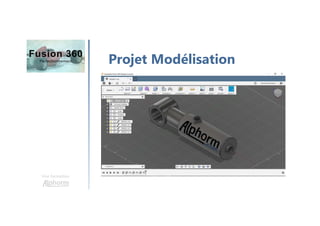
Projet Modélisation
Une formation
Présentation des outils
Logiciel Autodesk Fusion 360
Merci
Modifier les options
de réglages
Une formation
Alexandre BLONDEAU
La gestion de projet
Une formation
Alexandre BLONDEAU
La gestion des utilisateurs
Une formation
Alexandre BLONDEAU
Les esquisses paramétrées
inter-reliées
Une formation
Alexandre BLONDEAU
Les outils de modélisation
avancés
Une formation
Alexandre BLONDEAU
Interpréter la méthode de
modélisation en fonction
des procédés de fabrication
Une formation
Alexandre BLONDEAU
Les fonctions d'édition rapide
Une formation
Alexandre BLONDEAU
Modélisation du corps de
vérin
Une formation
Alexandre BLONDEAU
Modélisation de la tige et de
la bague de butée du vérin
Une formation
Alexandre BLONDEAU
Modélisation du coussinet et
du bouchon du vérin
Une formation
Alexandre BLONDEAU
Modélisation des joints du
vérin
Une formation
Alexandre BLONDEAU
Les assemblages inter-reliés
et paramétrés
Une formation
Alexandre BLONDEAU
Création de l'assemblage
paramétré du projet
Une formation
Alexandre BLONDEAU
Création de surfaces
complexes
Une formation
Alexandre BLONDEAU
Utilisation des surfaces
avec des volumes
Une formation
Alexandre BLONDEAU
Détailler les pièces dans
une mise en plan
Une formation
Alexandre BLONDEAU
Les outils complexes de
cotations et d'annotations
Une formation
Alexandre BLONDEAU
Mise en plan de l'assemblage
du projet
Une formation
Alexandre BLONDEAU
Mise en plan de détail des
pièces du projet
Une formation
Alexandre BLONDEAU
La bibliothèque de matériaux
Une formation
Alexandre BLONDEAU
Création de rendu dans
un environnement
Une formation
Alexandre BLONDEAU
La gestion des effets
Une formation
Alexandre BLONDEAU
Les différents types
d'analyses
Une formation
Alexandre BLONDEAU
Création d'une analyse
complexe
Une formation
Alexandre BLONDEAU
Interprétation des résultats
d'analyse
Une formation
Alexandre BLONDEAU
Optimisation en fonction des
résultats
Une formation
Alexandre BLONDEAU
Création d'une animation
d'assemblage
Une formation
Alexandre BLONDEAU
Création de formes avec le
Sculpt
Une formation
Alexandre BLONDEAU
Modélisation d'une pièce
de tôlerie
Une formation
Alexandre BLONDEAU
Optimisation des paramètres
de tôlerie
Une formation
Alexandre BLONDEAU
Lancement d'une simulation
d'usinage
Une formation
Alexandre BLONDEAU
Gestion des paramètres
de l'impression 3D
Une formation
Alexandre BLONDEAU
Conclusion
Une formation
Alexandre BLONDEAU
Une formation
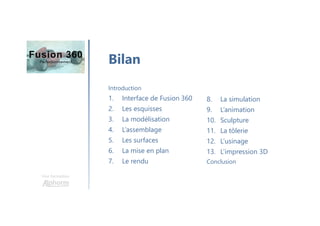
Bilan
8. La simulation
9. L’animation
10. Sculpture
11. La tôlerie
12. L’usinage
13. L’impression 3D
Conclusion
Introduction
1. Interface de Fusion 360
2. Les esquisses
3. La modélisation
4. L’assemblage
5. Les surfaces
6. La mise en plan
7. Le rendu
Une formation
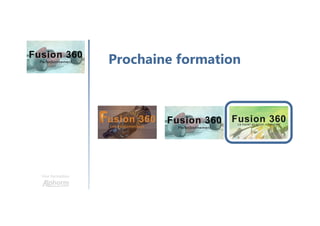
Prochaine formation
Merci

Alphorm.com Formation Fusion 360: Perfectionnement