DOCKER
Introduction
@FedirFr /dev/var/10
Qu'est-ce Docker ?
● Application qui gère des conteneurs (CLI, API)
● Automatise le déploiement d'applications à l'intérieur de conteneurs
logiciels
● Écrit en Go
● Utilise le système de fichiers de l'union (union file system)
● Peut utiliser CLI pour rechercher repos pour Docker images
● Gestion de dépendances
Pourquoi Docker ?
● Rend très facile à exécuter et de gérer des conteneurs
● Configurer une fois => réutiliser partout
● Pas gourmand au niveau de disque et de mémoire
● Bien adapté pour le SaaS / PaaS
● Sécurité - garantie de qualité
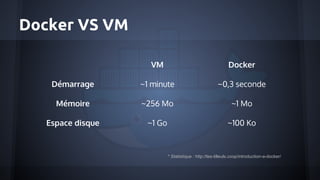
Docker VS VM
VM Docker
Démarrage ~1 minute ~0,3 seconde
Mémoire ~256 Mo ~1 Mo
Espace disque ~1 Go ~100 Ko
* Statistique : http://les-tilleuls.coop/introduction-a-docker/
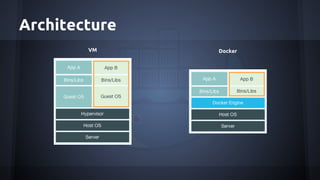
Architecture
VM Docker
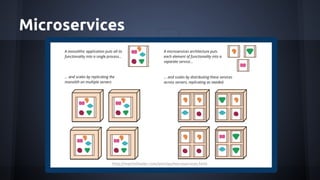
Microservices
http://martinfowler.com/articles/microservices.html
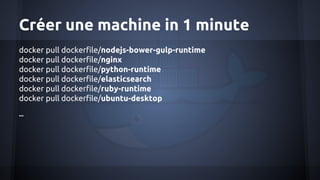
Créer une machine in 1 minute
docker pull dockerfile/nodejs-bower-gulp-runtime
docker pull dockerfile/nginx
docker pull dockerfile/python-runtime
docker pull dockerfile/elasticsearch
docker pull dockerfile/ruby-runtime
docker pull dockerfile/ubuntu-desktop
...
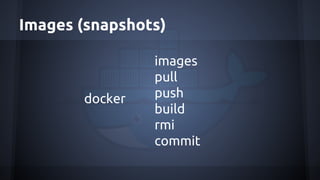
Images (snapshots)
docker
images
pull
push
build
rmi
commit
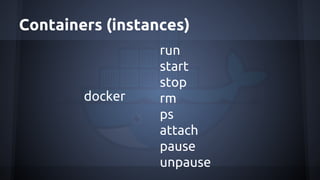
Containers (instances)
docker
run
start
stop
rm
ps
attach
pause
unpause
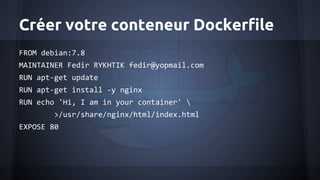
Créer votre conteneur Dockerfile
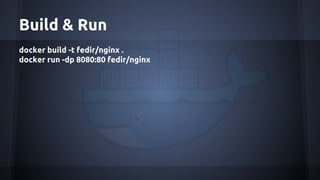
Build & Run
docker build -t fedir/nginx .
docker run -dp 8080:80 fedir/nginx
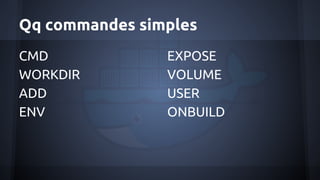
Qq commandes simples
CMD
WORKDIR
ADD
ENV
EXPOSE
VOLUME
USER
ONBUILD
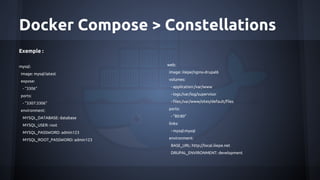
Docker Compose > Constellations
Exemple :
mysql:
image: mysql:latest
expose:
- "3306"
ports:
- "3307:3306"
environment:
MYSQL_DATABASE: database
MYSQL_USER: root
MYSQL_PASSWORD: admin123
MYSQL_ROOT_PASSWORD: admin123
web:
image: iiiepe/nginx-drupal6
volumes:
- application:/var/www
- logs:/var/log/supervisor
- files:/var/www/sites/default/files
ports:
- "80:80"
links:
- mysql:mysql
environment:
BASE_URL: http://local.iiiepe.net
DRUPAL_ENVIRONMENT: development
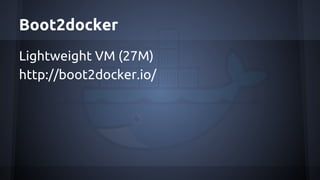
Boot2docker
Lightweight VM (27M)
http://boot2docker.io/
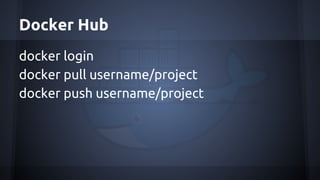
Docker Hub
docker login
docker pull username/project
docker push username/project
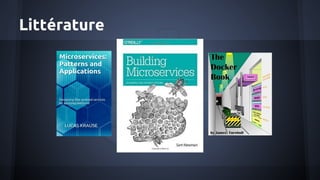
Littérature
Liens utiles
http://www.luiselizondo.net/a-production-ready-docker-workflow/
https://docs.docker.com/reference/commandline/cli/
https://docs.docker.com/userguide/dockerrepos/
http://www.jamescoyle.net/how-to/1503-create-your-first-docker-container
http://phusion.github.io/baseimage-docker/
http://les-tilleuls.coop/introduction-a-docker/
https://docs.docker.com/userguide/dockerimages/
https://github.com/wsargent/docker-cheat-sheet
http://blog.codeship.com/automate-your-dev-workflow-with-docker/
http://fr.slideshare.net/PatrickGalbraith/docker-ansible-34909080
http://fr.slideshare.net/larrycai/learn-basic-ansible-using-docker
https://github.com/tkyk/docker-compose-lamp
https://github.com/docker/distribution/blob/master/docs/spec/api.md
http://douche.name/presentation-docker
http://geoffrey.io/dockerfiles-maintainability-pro-tips.html
http://geoffrey.io/making-docker-commands.html
http://geoffrey.io/a-php-development-environment-with-docker.html
http://www.alexecollins.com/first-steps-with-docker/
https://registry.hub.docker.com/
https://www.docker.com/tryit/

Intro docker