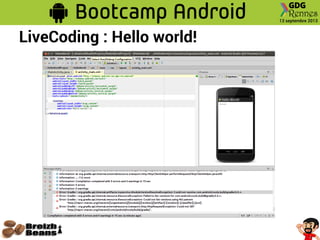
LiveCoding : Hello world!
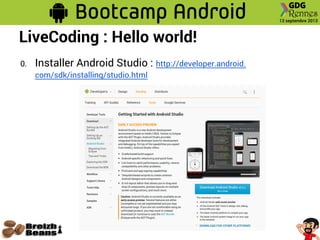
0. Installer Android Studio : http://developer.android.
com/sdk/installing/studio.html
LiveCoding : Hello world!
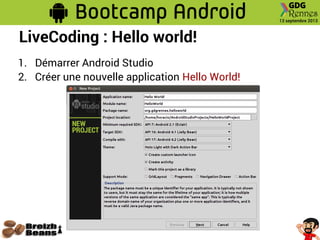
1. Démarrer Android Studio
2. Créer une nouvelle application Hello World!
LiveCoding : Hello world!
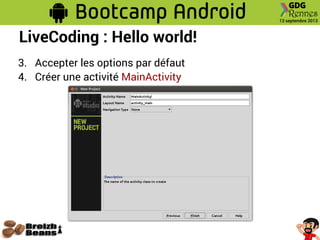
3. Accepter les options par défaut
4. Créer une activité MainActivity
LiveCoding : Hello world!
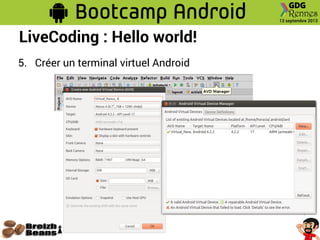
5. Créer un terminal virtuel Android
LiveCoding : Hello world!
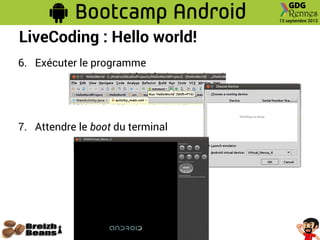
6. Exécuter le programme
7. Attendre le boot du terminal
LiveCoding : Hello world!
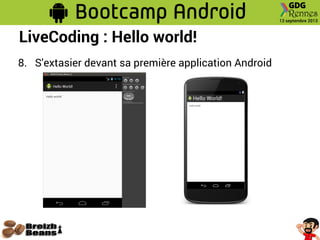
8. S'extasier devant sa première application Android
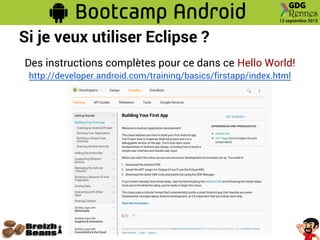
Si je veux utiliser Eclipse ?
Des instructions complètes pour ce dans ce Hello World!
http://developer.android.com/training/basics/firstapp/index.html
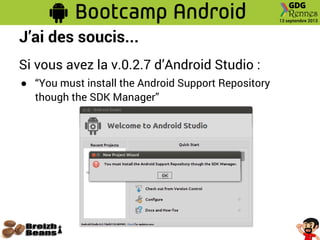
J’ai des soucis...
Si vous avez la v.0.2.7 d’Android Studio :
● “You must install the Android Support Repository
though the SDK Manager”
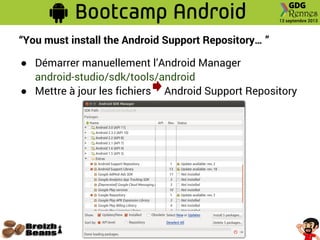
“You must install the Android Support Repository… ”
● Démarrer manuellement l’Android Manager
android-studio/sdk/tools/android
● Mettre à jour les fichiers Android Support Repository
“You must install the Android Support Repository… ”
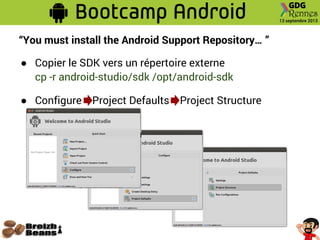
● Copier le SDK vers un répertoire externe
cp -r android-studio/sdk /opt/android-sdk
● Configure Project Defaults Project Structure
“You must install the Android Support Repository… ”
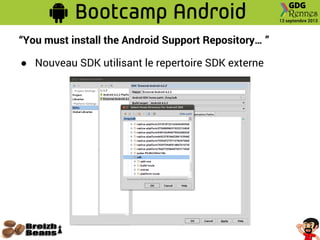
● Nouveau SDK utilisant le repertoire SDK externe
“You must install the Android Support Repository… ”
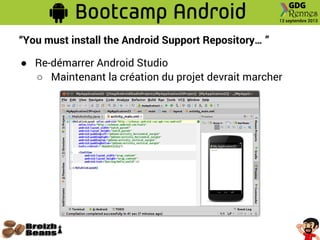
● Re-démarrer Android Studio
○ Maintenant la création du projet devrait marcher
J’ai d’autres soucis...
Si vous avez la v.0.2.7 d’Android Studio :
● Lors du démarrage de l’émulateur vous obtenez
Gradle: : org.gradle.api.plugins. PluginInstantiationException :
Could not create plugin of type 'AppPlugin' .
Gradle: : java.lang. NoClassDefFoundError :
org/gradle/tooling/provider/model/ ToolingModelBuilderRegistry
...
● Il faut une version de Gradle supérieure à 1.5
http://www.gradle.org/
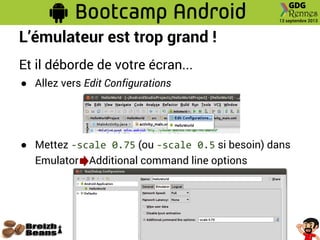
L’émulateur est trop grand !
Et il déborde de votre écran...
● Allez vers Edit Configurations
● Mettez -scale 0.75 (ou -scale 0.5 si besoin) dans
Emulator Additional command line options

GDG Rennes - Bootcamp Initiation Android - Hello World

  • 2.
    LiveCoding : Helloworld! 0. Installer Android Studio : http://developer.android. com/sdk/installing/studio.html
  • 3.
    LiveCoding : Helloworld! 1. Démarrer Android Studio 2. Créer une nouvelle application Hello World!
  • 4.
    LiveCoding : Helloworld! 3. Accepter les options par défaut 4. Créer une activité MainActivity
  • 5.
  • 6.
    LiveCoding : Helloworld! 5. Créer un terminal virtuel Android
  • 7.
    LiveCoding : Helloworld! 6. Exécuter le programme 7. Attendre le boot du terminal
  • 8.
    LiveCoding : Helloworld! 8. S'extasier devant sa première application Android
  • 9.
    Si je veuxutiliser Eclipse ? Des instructions complètes pour ce dans ce Hello World! http://developer.android.com/training/basics/firstapp/index.html
  • 11.
    J’ai des soucis... Sivous avez la v.0.2.7 d’Android Studio : ● “You must install the Android Support Repository though the SDK Manager”
  • 12.
    “You must installthe Android Support Repository… ” ● Démarrer manuellement l’Android Manager android-studio/sdk/tools/android ● Mettre à jour les fichiers Android Support Repository
  • 13.
    “You must installthe Android Support Repository… ” ● Copier le SDK vers un répertoire externe cp -r android-studio/sdk /opt/android-sdk ● Configure Project Defaults Project Structure
  • 14.
    “You must installthe Android Support Repository… ” ● Nouveau SDK utilisant le repertoire SDK externe
  • 15.
    “You must installthe Android Support Repository… ” ● Re-démarrer Android Studio ○ Maintenant la création du projet devrait marcher
  • 16.
    J’ai d’autres soucis... Sivous avez la v.0.2.7 d’Android Studio : ● Lors du démarrage de l’émulateur vous obtenez Gradle: : org.gradle.api.plugins. PluginInstantiationException : Could not create plugin of type 'AppPlugin' . Gradle: : java.lang. NoClassDefFoundError : org/gradle/tooling/provider/model/ ToolingModelBuilderRegistry ... ● Il faut une version de Gradle supérieure à 1.5 http://www.gradle.org/
  • 17.
    L’émulateur est tropgrand ! Et il déborde de votre écran... ● Allez vers Edit Configurations ● Mettez -scale 0.75 (ou -scale 0.5 si besoin) dans Emulator Additional command line options