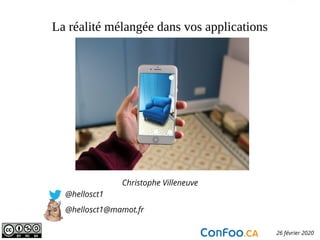
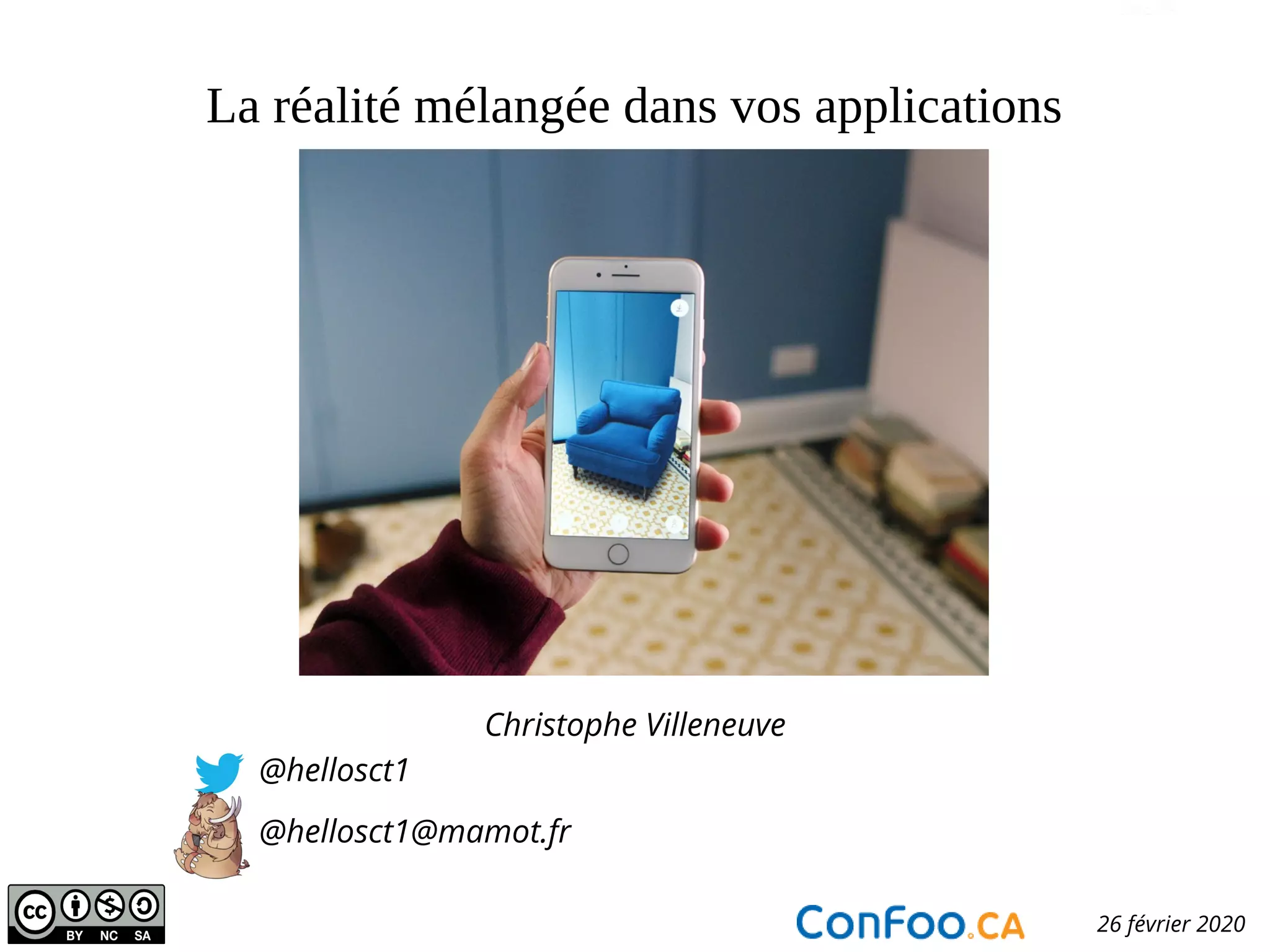
La réalité mélangée dans vos applications
Christophe Villeneuve
@hellosct1
@hellosct1@mamot.fr
Confoo.ca 26 février 2020
Atos open source - afup – lemug.fr – mariadb – drupal – mozilla - firefox – lemugfr - sumo – webextensions – VR – AR – XR - Cause commune 93.1 FM - TechSpeaker - Lizard - eyrolles – editions eni – programmez – linux pratique – webriver – elephpant - CommonVoice – Sécurité - Cybersécurité
Christophe Villeneuve ?
●
Consultant
●
Dresseur animaux Free Software
- @hellosct1 –
La réalité…??xx!?& !!??
● Réalité Augmenté
● Réalité Virtuelle
● MiXte Réalité
- @hellosct1 –
Aujourd’hui
●
On reprend l’origine
●
Les bases
●
La pratique
●
Interface utilisateur
- @hellosct1 –
L’origine
Les fondamentaux
La pratique
Interface utilisateur
- @hellosct1 –
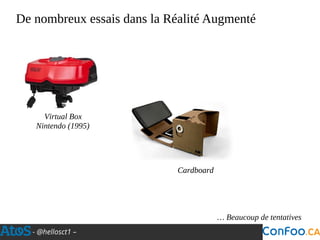
De nombreux essais dans la Réalité Augmenté
Virtual Box
Nintendo (1995)
CardboardCardboard
… Beaucoup de tentatives
- @hellosct1 –
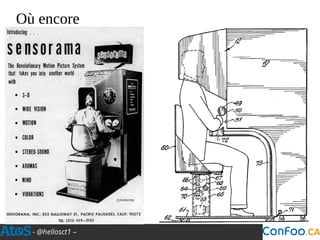
Où encore
- @hellosct1 –
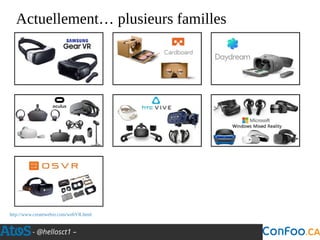
Actuellement… plusieurs familles
http://www.createwebxr.com/webVR.html
- @hellosct1 –
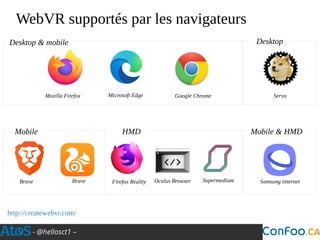
WebVR supportés par les navigateurs
http://createwebvr.com/
Mozilla Firefox Microsoft Edge Google Chrome
Brave
Desktop & mobile Desktop
Servo
Mobile Mobile & HMD
Samsung internet
HMD
Brave Firefox Reality Oculus Browser Supermedium
- @hellosct1 –
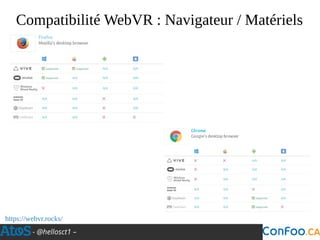
Compatibilité WebVR : Navigateur / Matériels
https://webvr.rocks/
- @hellosct1 –
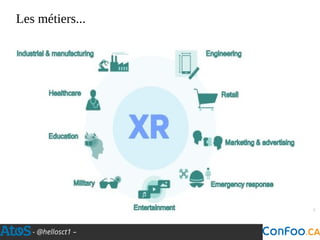
Les métiers...
- @hellosct1 –
L’origine
Les fondamentaux
La pratique
Interface utilisateur
- @hellosct1 –
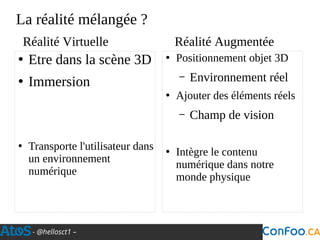
La réalité mélangée ?
●
Etre dans la scène 3D
●
Immersion
●
Transporte l'utilisateur dans
un environnement
numérique
●
Positionnement objet 3D
– Environnement réel
●
Ajouter des éléments réels
– Champ de vision
●
Intègre le contenu
numérique dans notre
monde physique
Réalité Virtuelle Réalité Augmentée
- @hellosct1 –
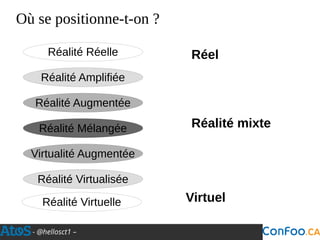
Réalité Amplifiée
Réalité Augmentée
Réalité Mélangée
Virtualité Augmentée
Réalité Virtuelle
Réalité Virtualisée
Réalité Réelle Réel
Réalité mixte
Virtuel
Où se positionne-t-on ?
- @hellosct1 –
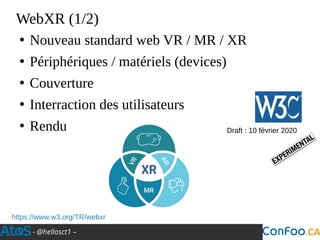
WebXR (1/2)
●
Nouveau standard web VR / MR / XR
●
Périphériques / matériels (devices)
●
Couverture
●
Interraction des utilisateurs
●
Rendu
https://www.w3.org/TR/webxr
Draft : 10 février 2020
- @hellosct1 –
WebXR (2/2)
●
Soutenu par
– Mozilla, Google, Microsoft, Amazon, Samsung…
●
Remplacera l’API WebVR
●
Actuellement compatible
– Chrome
– Firefox Reality
●
Prochainement : Firefox
– Emulator WebXR
- @hellosct1 –
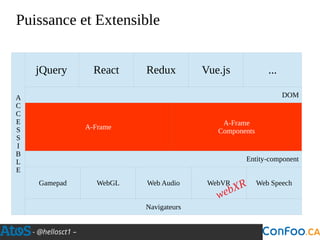
Puissance et Extensible
jQuery React Redux Vue.js ...
DOM
A-Frame
A-Frame
Components
Entity-component
Gamepad
A
C
C
E
S
S
I
B
L
E
Navigateurs
WebGL Web Audio WebVR Web Speech
webXR
- @hellosct1 –
L’origine
Les fondamentaux
La pratique
Interface utilisateur
- @hellosct1 –
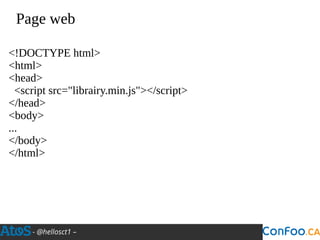
Page web
<!DOCTYPE html>
<html>
<head>
<script src="librairy.min.js"></script>
</head>
<body>
...
</body>
</html>
- @hellosct1 –
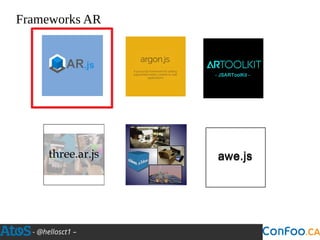
Frameworks AR
- @hellosct1 –
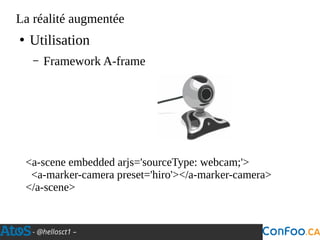
La réalité augmentée
●
Utilisation
– Framework A-frame
<a-scene embedded arjs='sourceType: webcam;'>
<a-marker-camera preset='hiro'></a-marker-camera>
</a-scene>
- @hellosct1 –
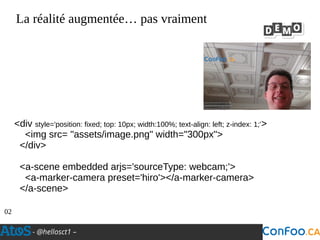
La réalité augmentée… pas vraiment
02
<div style='position: fixed; top: 10px; width:100%; text-align: left; z-index: 1;'>
<img src= "assets/image.png" width="300px">
</div>
<a-scene embedded arjs='sourceType: webcam;'>
<a-marker-camera preset='hiro'></a-marker-camera>
</a-scene>
- @hellosct1 –
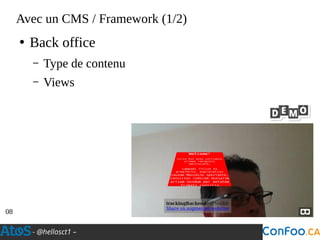
Avec un CMS / Framework (1/2)
●
Back office
– Type de contenu
– Views
08
- @hellosct1 –
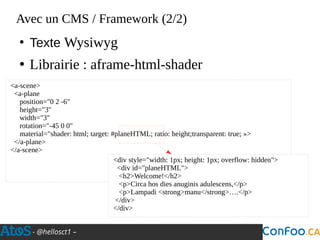
Avec un CMS / Framework (2/2)
●
Texte Wysiwyg
●
Librairie : aframe-html-shader
<a-scene>
<a-plane
position="0 2 -6"
height="3"
width="3"
rotation="-45 0 0"
material="shader: html; target: #planeHTML; ratio: height;transparent: true; »>
</a-plane>
</a-scene>
<div style="width: 1px; height: 1px; overflow: hidden">
<div id="planeHTML">
<h2>Welcome!</h2>
<p>Circa hos dies anuginis adulescens,</p>
<p>Lampadi <strong>manu</strong>….</p>
</div>
</div>
- @hellosct1 –
Frameworks (avec extensions)
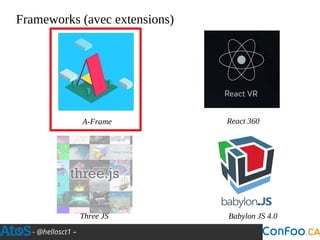
A-Frame React 360
Three JS Babylon JS 4.0
- @hellosct1 –
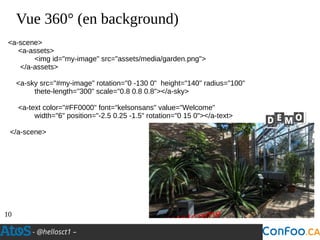
Vue 360° (en background)
10
<a-scene>
<a-assets>
<img id="my-image" src="assets/media/garden.png">
</a-assets>
<a-sky src="#my-image" rotation="0 -130 0" height="140" radius="100"
thete-length="300" scale="0.8 0.8 0.8"></a-sky>
<a-text color="#FF0000" font="kelsonsans" value="Welcome"
width="6" position="-2.5 0.25 -1.5" rotation="0 15 0"></a-text>
</a-scene>
- @hellosct1 –
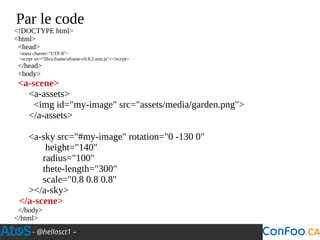
Par le code
<!DOCTYPE html>
<html>
<head>
<meta charset="UTF-8">
<script src="lib/a-frame/aframe-v0.8.2.min.js"></script>
</head>
<body>
<a-scene>
<a-assets>
<img id="my-image" src="assets/media/garden.png">
</a-assets>
<a-sky src="#my-image" rotation="0 -130 0"
height="140"
radius="100"
thete-length="300"
scale="0.8 0.8 0.8"
></a-sky>
</a-scene>
</body>
</html>
- @hellosct1 –
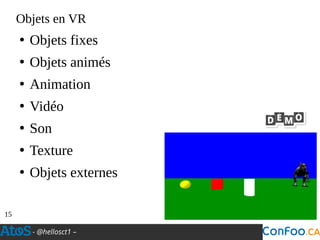
Objets en VR
●
Objets fixes
●
Objets animés
●
Animation
●
Vidéo
●
Son
●
Texture
●
Objets externes
15
- @hellosct1 –
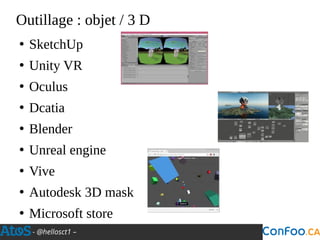
Outillage : objet / 3 D
●
SketchUp
●
Unity VR
●
Oculus
●
Dcatia
●
Blender
●
Unreal engine
●
Vive
●
Autodesk 3D mask
●
Microsoft store
- @hellosct1 –
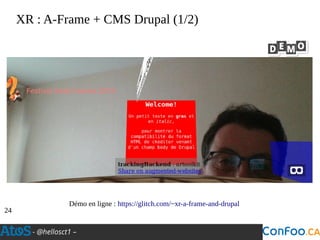
XR : A-Frame + CMS Drupal (1/2)
24
Démo en ligne : https://glitch.com/~xr-a-frame-and-drupal
- @hellosct1 –
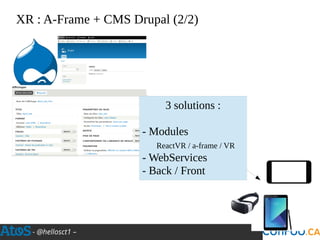
XR : A-Frame + CMS Drupal (2/2)
3 solutions :
- Modules
ReactVR / a-frame / VR
- WebServices
- Back / Front
- @hellosct1 –
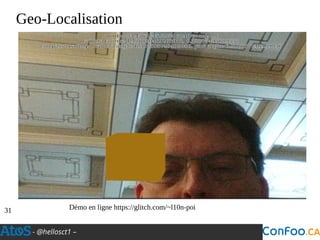
Geo-Localisation
Démo en ligne https://glitch.com/~l10n-poi31
- @hellosct1 –
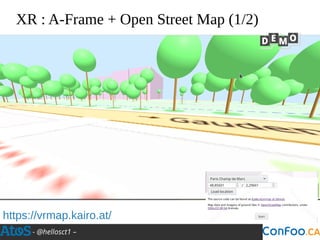
XR : A-Frame + Open Street Map (1/2)
https://vrmap.kairo.at/
- @hellosct1 –
XR : A-Frame + Open Street Map(2/2)
●
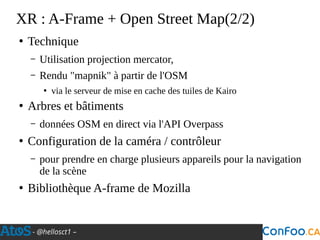
Technique
– Utilisation projection mercator,
– Rendu "mapnik" à partir de l'OSM
●
via le serveur de mise en cache des tuiles de Kairo
●
Arbres et bâtiments
– données OSM en direct via l'API Overpass
●
Configuration de la caméra / contrôleur
– pour prendre en charge plusieurs appareils pour la navigation
de la scène
●
Bibliothèque A-frame de Mozilla
- @hellosct1 –
L’origine
Les fondamentaux
La pratique
Interface utilisateur
- @hellosct1 –
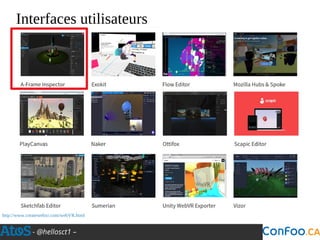
Interfaces utilisateurs
http://www.createwebxr.com/webVR.html
- @hellosct1 –
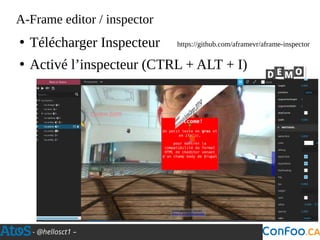
A-Frame editor / inspector
https://github.com/aframevr/aframe-inspector●
Télécharger Inspecteur
●
Activé l’inspecteur (CTRL + ALT + I)
- @hellosct1 –
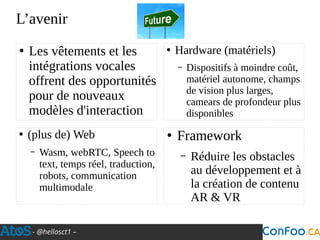
L’avenir
●
Les vêtements et les
intégrations vocales
offrent des opportunités
pour de nouveaux
modèles d'interaction
●
Hardware (matériels)
– Dispositifs à moindre coût,
matériel autonome, champs
de vision plus larges,
camears de profondeur plus
disponibles
●
(plus de) Web
– Wasm, webRTC, Speech to
text, temps réel, traduction,
robots, communication
multimodale
●
Framework
– Réduire les obstacles
au développement et à
la création de contenu
AR & VR
- @hellosct1 –
Plus loin
●
Exemples :
– https://aframe.io/
●
Docs
– http://aframe.io/docs/guide
●
Plugins & showcases
– http://github.com/aframevr/awesome-aframe#guides-and-t
utorials
●
MDN Web docs
●
A-frame doc
– https://aframe.io/docs
●
ThreeJS docs
– https://threejs.org/docs
●
W3C
– https://www.w3.org/TR/
webxr
- @hellosct1 –
Christophe Villeneuve
@hellosct1
@hellosct1@mamot.fr
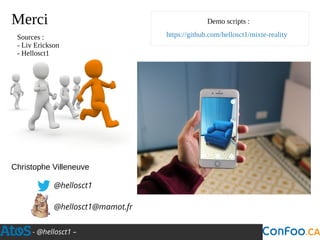
Demo scripts :Merci
https://github.com/hellosct1/mixte-realitySources :
- Liv Erickson
- Hellosct1

La réalité mélangée dans vos applications

  • 1.
    La réalité mélangéedans vos applications Christophe Villeneuve @hellosct1 @hellosct1@mamot.fr Confoo.ca 26 février 2020
  • 2.
    Atos open source- afup – lemug.fr – mariadb – drupal – mozilla - firefox – lemugfr - sumo – webextensions – VR – AR – XR - Cause commune 93.1 FM - TechSpeaker - Lizard - eyrolles – editions eni – programmez – linux pratique – webriver – elephpant - CommonVoice – Sécurité - Cybersécurité Christophe Villeneuve ? ● Consultant ● Dresseur animaux Free Software
  • 3.
    - @hellosct1 – Laréalité…??xx!?& !!?? ● Réalité Augmenté ● Réalité Virtuelle ● MiXte Réalité
  • 4.
    - @hellosct1 – Aujourd’hui ● Onreprend l’origine ● Les bases ● La pratique ● Interface utilisateur
  • 5.
    - @hellosct1 – L’origine Lesfondamentaux La pratique Interface utilisateur
  • 6.
    - @hellosct1 – Denombreux essais dans la Réalité Augmenté Virtual Box Nintendo (1995) CardboardCardboard … Beaucoup de tentatives
  • 7.
  • 8.
    - @hellosct1 – Actuellement…plusieurs familles http://www.createwebxr.com/webVR.html
  • 9.
    - @hellosct1 – WebVRsupportés par les navigateurs http://createwebvr.com/ Mozilla Firefox Microsoft Edge Google Chrome Brave Desktop & mobile Desktop Servo Mobile Mobile & HMD Samsung internet HMD Brave Firefox Reality Oculus Browser Supermedium
  • 10.
    - @hellosct1 – CompatibilitéWebVR : Navigateur / Matériels https://webvr.rocks/
  • 11.
  • 12.
    - @hellosct1 – L’origine Lesfondamentaux La pratique Interface utilisateur
  • 13.
    - @hellosct1 – Laréalité mélangée ? ● Etre dans la scène 3D ● Immersion ● Transporte l'utilisateur dans un environnement numérique ● Positionnement objet 3D – Environnement réel ● Ajouter des éléments réels – Champ de vision ● Intègre le contenu numérique dans notre monde physique Réalité Virtuelle Réalité Augmentée
  • 14.
    - @hellosct1 – RéalitéAmplifiée Réalité Augmentée Réalité Mélangée Virtualité Augmentée Réalité Virtuelle Réalité Virtualisée Réalité Réelle Réel Réalité mixte Virtuel Où se positionne-t-on ?
  • 15.
    - @hellosct1 – WebXR(1/2) ● Nouveau standard web VR / MR / XR ● Périphériques / matériels (devices) ● Couverture ● Interraction des utilisateurs ● Rendu https://www.w3.org/TR/webxr Draft : 10 février 2020
  • 16.
    - @hellosct1 – WebXR(2/2) ● Soutenu par – Mozilla, Google, Microsoft, Amazon, Samsung… ● Remplacera l’API WebVR ● Actuellement compatible – Chrome – Firefox Reality ● Prochainement : Firefox – Emulator WebXR
  • 17.
    - @hellosct1 – Puissanceet Extensible jQuery React Redux Vue.js ... DOM A-Frame A-Frame Components Entity-component Gamepad A C C E S S I B L E Navigateurs WebGL Web Audio WebVR Web Speech webXR
  • 18.
    - @hellosct1 – L’origine Lesfondamentaux La pratique Interface utilisateur
  • 19.
    - @hellosct1 – Pageweb <!DOCTYPE html> <html> <head> <script src="librairy.min.js"></script> </head> <body> ... </body> </html>
  • 20.
  • 21.
    - @hellosct1 – Laréalité augmentée ● Utilisation – Framework A-frame <a-scene embedded arjs='sourceType: webcam;'> <a-marker-camera preset='hiro'></a-marker-camera> </a-scene>
  • 22.
    - @hellosct1 – Laréalité augmentée… pas vraiment 02 <div style='position: fixed; top: 10px; width:100%; text-align: left; z-index: 1;'> <img src= "assets/image.png" width="300px"> </div> <a-scene embedded arjs='sourceType: webcam;'> <a-marker-camera preset='hiro'></a-marker-camera> </a-scene>
  • 23.
    - @hellosct1 – Avecun CMS / Framework (1/2) ● Back office – Type de contenu – Views 08
  • 24.
    - @hellosct1 – Avecun CMS / Framework (2/2) ● Texte Wysiwyg ● Librairie : aframe-html-shader <a-scene> <a-plane position="0 2 -6" height="3" width="3" rotation="-45 0 0" material="shader: html; target: #planeHTML; ratio: height;transparent: true; »> </a-plane> </a-scene> <div style="width: 1px; height: 1px; overflow: hidden"> <div id="planeHTML"> <h2>Welcome!</h2> <p>Circa hos dies anuginis adulescens,</p> <p>Lampadi <strong>manu</strong>….</p> </div> </div>
  • 25.
    - @hellosct1 – Frameworks(avec extensions) A-Frame React 360 Three JS Babylon JS 4.0
  • 26.
    - @hellosct1 – Vue360° (en background) 10 <a-scene> <a-assets> <img id="my-image" src="assets/media/garden.png"> </a-assets> <a-sky src="#my-image" rotation="0 -130 0" height="140" radius="100" thete-length="300" scale="0.8 0.8 0.8"></a-sky> <a-text color="#FF0000" font="kelsonsans" value="Welcome" width="6" position="-2.5 0.25 -1.5" rotation="0 15 0"></a-text> </a-scene>
  • 27.
    - @hellosct1 – Parle code <!DOCTYPE html> <html> <head> <meta charset="UTF-8"> <script src="lib/a-frame/aframe-v0.8.2.min.js"></script> </head> <body> <a-scene> <a-assets> <img id="my-image" src="assets/media/garden.png"> </a-assets> <a-sky src="#my-image" rotation="0 -130 0" height="140" radius="100" thete-length="300" scale="0.8 0.8 0.8" ></a-sky> </a-scene> </body> </html>
  • 28.
    - @hellosct1 – Objetsen VR ● Objets fixes ● Objets animés ● Animation ● Vidéo ● Son ● Texture ● Objets externes 15
  • 29.
    - @hellosct1 – Outillage :objet / 3 D ● SketchUp ● Unity VR ● Oculus ● Dcatia ● Blender ● Unreal engine ● Vive ● Autodesk 3D mask ● Microsoft store
  • 30.
    - @hellosct1 – XR :A-Frame + CMS Drupal (1/2) 24 Démo en ligne : https://glitch.com/~xr-a-frame-and-drupal
  • 31.
    - @hellosct1 – XR :A-Frame + CMS Drupal (2/2) 3 solutions : - Modules ReactVR / a-frame / VR - WebServices - Back / Front
  • 32.
    - @hellosct1 – Geo-Localisation Démoen ligne https://glitch.com/~l10n-poi31
  • 33.
    - @hellosct1 – XR :A-Frame + Open Street Map (1/2) https://vrmap.kairo.at/
  • 34.
    - @hellosct1 – XR :A-Frame + Open Street Map(2/2) ● Technique – Utilisation projection mercator, – Rendu "mapnik" à partir de l'OSM ● via le serveur de mise en cache des tuiles de Kairo ● Arbres et bâtiments – données OSM en direct via l'API Overpass ● Configuration de la caméra / contrôleur – pour prendre en charge plusieurs appareils pour la navigation de la scène ● Bibliothèque A-frame de Mozilla
  • 35.
    - @hellosct1 – L’origine Lesfondamentaux La pratique Interface utilisateur
  • 36.
    - @hellosct1 – Interfacesutilisateurs http://www.createwebxr.com/webVR.html
  • 37.
    - @hellosct1 – A-Frameeditor / inspector https://github.com/aframevr/aframe-inspector● Télécharger Inspecteur ● Activé l’inspecteur (CTRL + ALT + I)
  • 38.
    - @hellosct1 – L’avenir ● Lesvêtements et les intégrations vocales offrent des opportunités pour de nouveaux modèles d'interaction ● Hardware (matériels) – Dispositifs à moindre coût, matériel autonome, champs de vision plus larges, camears de profondeur plus disponibles ● (plus de) Web – Wasm, webRTC, Speech to text, temps réel, traduction, robots, communication multimodale ● Framework – Réduire les obstacles au développement et à la création de contenu AR & VR
  • 39.
    - @hellosct1 – Plusloin ● Exemples : – https://aframe.io/ ● Docs – http://aframe.io/docs/guide ● Plugins & showcases – http://github.com/aframevr/awesome-aframe#guides-and-t utorials ● MDN Web docs ● A-frame doc – https://aframe.io/docs ● ThreeJS docs – https://threejs.org/docs ● W3C – https://www.w3.org/TR/ webxr
  • 40.
    - @hellosct1 – ChristopheVilleneuve @hellosct1 @hellosct1@mamot.fr Demo scripts :Merci https://github.com/hellosct1/mixte-realitySources : - Liv Erickson - Hellosct1