Introduction au Fortran 95
Un programme est un texte constitué d’un ensemble de
directives appelées instructions, qui représentent une
suite d’actions élémentaires que l’ordinateur doit
accomplir sur des données en entrée, afin d’atteindre
le résultat recherché.
Introduction
 L’ordinateur ne sait exécuter que qu’un certain nombre limité
d’opérations codées en binaire (langage machine). Les premiers
programmes étaient écrits en binaire; C’était une tache très difficile et
exposés aux erreurs.
 Par la suite, pour faciliter le travail, on a utilisé des codes
mnémoniques pour définir les opérations (ADD, DIV, SUB, MOVE
…) ses symboles sont traduit en langage machine par un programme
appelé assembleur.
Évolution des langage de programmation
 Le langage assembleur est toujours utilisé, car c’est le seul langage
qui permet d’exploiter au maximum les ressources de la machine.
Mais programmer en assembleur reste tout de même une tache
fastidieuse et présente en plus un problème de portabilité.
 L’apparition des langages évolués tels que le FORTRAN, le
PASCALE, le C….. a apporté une solution aux différents problèmes.
Évolution des langage de programmation
 Un langage évolué est un langage informatique, permettant à un être
humain d'écrire un code source. qui sera analysé par un ordinateur.
Le code source subit ensuite une transformation ou une évaluation
dans une forme exploitable par la machine, ce qui permet d'obtenir
un programme.
 Les programmes écrits en langages évolués doivent également être
traduits en langage machine pour être exécutés. La conversion se
fait de deux manières: la compilation et l’interprétation.
Évolution des langage de programmation
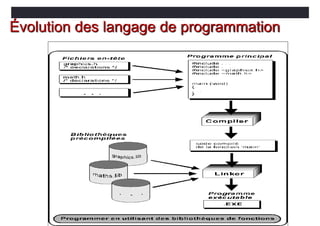
 La compilation consiste à traduire dans un premier temps
l’ensemble du programme en langage machine. Dans un deuxième
temps, le programme est exécuté.
 L’interprétation consiste à traduire chaque instruction du
programme en langage machine avant l’exécuter
Évolution des langage de programmation
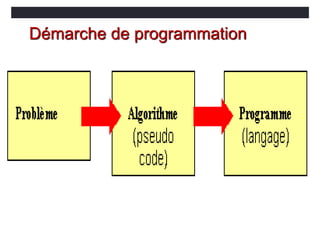
Démarche de programmation
 La façon d'écrire un programme est intimement liée au langage de
programmation que l'on a choisi, mais la démarche programmation
se déroule généralement en deux étapes:
 D’abord on identifie les données du problème, les résultats
recherchés et par quel moyen on peut obtenir ces dernier à
partir des données. C’est l’étape d’analyse qui aboutit à un procédé
de résolution appelé « algorithme ».
Démarche de programmation
 Un algorithme, c’est une suite d’instructions, qui une fois exécutée
correctement, conduit au résultat recherché.
 Un algorithme doit donc contenir uniquement des instructions
compréhensibles par celui qui devra l’exécuter.
 Dans un deuxième temps, on traduit dans le langage de programmation
choisi l’algorithme établi dans la phase précédente. Si l’algorithme est bien
écrit, sans faute logique, l’étape suivante ne doit normalement poser aucun
problème conceptuel. C’est une simple traduction qu’on devoit effectuer.
Démarche de programmation
Fortran
• Fortran vient de FORmula TRANslation
• Défini par une norme internationale
• Chaque mise à jour supprime les fonctionnalités obsolètes, corrige les
éventuelles erreurs, ajoute quelques nouvelles fonctionnalités.
• Premier compilateur écrit à partir de zéro 1954-1957 par une équipe IBM
dirigée par John W. Backus.
• FORTRAN II (1958)
• FORTRAN III (1958) jamais sorti.
• FORTRANIV (1961)
• FORTRAN 66 (premier langage standard de haut niveau.)
Fortran
• FORTRAN 77 – toujours utilisé ! (En fait, le compilateur sur esus est f77.)
• Boucles DO avec contrôle de boucle décroissant
• Blocs des instructions de contrôles IF, IF… THEN… ELSE… ENDIF
• Type de données CHARACTER
• Constantes de chaînes de caractères délimitées par des apostrophes.
• Arrêt du programme principal sans instruction STOP.
Fortran
• FORTRAN 88 - n'est sorti qu'en 1990, le nom a donc été changé en
FORTRAN 90.
• Code source au format libre (indépendant de la colonne)
• Structures de contrôle modernes (case & do-while)
• Enregistrements/structures (types de données dérivés)
• Notation matricielle puissante
• Allocation de mémoire dynamique
• Surcharge de l'opérateur
• Passage d'arguments de mot-clé
• Modules
Format fixe
• Le Format le plus compatible avec les anciens systèmes.
• Col 1 (C ou *) signifie commentaire
• Col 2 – 5 étiquettes de déclaration
• Col 6 Colonne Suite
• Col 7-72 Déclarations
• Col 73-80 Numéros de séquence
Format fixe
• Puisqu’on ne peut pas mettre de caractères dans 72-80, on doit étendre les
instructions en mettant un caractère dans la colonne 6.
• print *, "Le nom est ", NOM,
• 1 "L'adresse est", ADRESSE,
• 2 « La ville est », VILLE
• On doit aligner soigneusement ces suites dans le formulaire de source fixe.
Format fixe
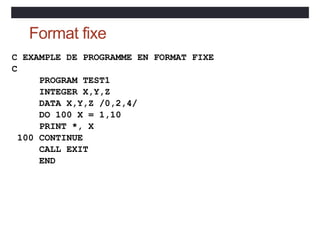
C EXAMPLE DE PROGRAMME EN FORMAT FIXE
C
PROGRAM TEST1
INTEGER X,Y,Z
DATA X,Y,Z /0,2,4/
DO 100 X = 1,10
PRINT *, X
100 CONTINUE
CALL EXIT
END
Format libre
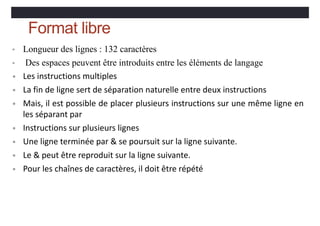
• Longueur des lignes : 132 caractères
• Des espaces peuvent être introduits entre les éléments de langage
• Les instructions multiples
• La fin de ligne sert de séparation naturelle entre deux instructions
• Mais, il est possible de placer plusieurs instructions sur une même ligne en
les séparant par
• Instructions sur plusieurs lignes
• Une ligne terminée par & se poursuit sur la ligne suivante.
• Le & peut être reproduit sur la ligne suivante.
• Pour les chaînes de caractères, il doit être répété
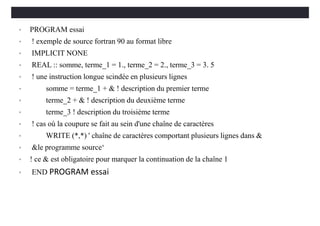
• PROGRAM essai
• ! exemple de source fortran 90 au format libre
• IMPLICIT NONE
• REAL :: somme, terme_1 = 1., terme_2 = 2., terme_3 = 3. 5
• ! une instruction longue scindée en plusieurs lignes
• somme = terme_1 + & ! description du premier terme
• terme_2 + & ! description du deuxième terme
• terme_3 ! description du troisième terme
• ! cas où la coupure se fait au sein d'une chaîne de caractères
• WRITE (*,*) ' chaîne de caractères comportant plusieurs lignes dans &
• &le programme source‘
• ! ce & est obligatoire pour marquer la continuation de la chaîne 1
• END PROGRAM essai
Types, constantes et variables
Au niveau du processeur, toutes les données sont représentées sous leur forme
binaire et la notion de type n'a pas de sens. Cette notion n'a été introduite que
par les langages de haut niveau dans le but de rendre les programmes plus
rationnels et structurés.
Mais même parmi les langages de haut niveau, on distingue ceux qui sont dits
fortement typés (qui offrent une grande variété de types), comme le fortran par
exemple, de ceux qui sont dits faiblement ou moyennement typés (et plus
proches de la machine) comme le C par exemple.
 Un objet (constante, variable tableau ….) est caractérisé par un nom (
identificateur ).
 Un identificateur permet de nommer une variable, une pseudo-constante ou
une fonction. Ils doivent être écrits selon les règles suivantes :
 - 31 caractères maximum - le premier caractère doit obligatoirement être
soit une lettre
 - les autres caractères peuvent être indifféremment des lettres (a-z), des
chiffres ou le souligné.
 - le compilateur Fortran ne fait pas la différence entre majuscules et
minuscules
Types, constantes et variables
 Les variables et les constantes sont les objets de base que les programmes
manipulent.
 Une constante est un objet dont la valeur reste fixe durant l’exécution d’un
programme
 Une variable est un nom qui sert à repérer un emplacement donné de la
mémoire centrale dont on peut faire évoluer la valeur au fil de déroulement
du programme.
 La déclaration donnent les variables à utiliser, et indiquent leur type ainsi que
leur valeur initiales éventuelle.
Types, constantes et variables
 Contrairement aux constantes, les variables ont des contenus changeables.
Pour définir quelle valeur attribuer à une variable, il suffit de savoir le type
de cette dernière. En plus, la connaissance du type informe sur l’ensemble
des opérations qu’on peut appliquer sur la variable en question.
 Il existe plusieurs types de données standard : les types numériques
(nombres), le type booléen et les types caractère.
 Type :: nom de variable ou constante
Types, constantes et variables
 Lorsqu’on déclare une variable, il ne suffit pas de réserver un emplacement
mémoire; il faut préciser ce que l’on voudra mettre dedans, car de cela
dépendent la taille de l’emplacement mémoire et le type de codage utilisé. Si
l’on réserve un octet pour coder un nombre, on ne pourra coder que 28 = 256
valeurs différentes. Cela peut signifier par exemple les nombres entiers de 1 à
256, ou de 0 à 255, ou de –127 à +128. Si l’on réserve deux octets, on a droit à
216 =65 536 valeurs ; avec trois octets, 224 =16 777 216, etc. Les variables et les
constantes peuvent avoir les types suivants :
Le type INTEGER
 Le choix du nombre d’octets retenus pour écrire en mémoire un entier dépend
du couple ordinateur plus logiciel qui l’équipe. Souvent, un octet est utilisé pour
le codage d’un nombre entier. Un bit va servir pour coder le signe du nombre.
 Le type integer permet de représenter des nombres entiers relatifs. Pour ce
faire, on utilise un certain nombre d'octets. Un bit est réservé pour représenter
le signe du nombre (0 correspond à un nombre positif et 1 à un nombre
négatif). Les autres bits servent à représenter la valeur absolue du nombre4
Le type INTEGER
 Les limitations inhérentes au type integu dépendent de la machine. Voici des
valeurs usuelles correspondant à des entiers codés sur 16 ou 32 bits :
 16 bits de -32 768 à 32 767
 32bits de -2 147483648 à 2147483647
 INTEGER :: A,B,C indique que l’on va utiliser trois variables, nommées A,B et
C, qui seront toutes les trois de type “INTEGER”, c’est `a dire de type entier.
Le type REAL (réels)
 Un nombre réel ou flottant est caractérisé par : son signe, son exposant E ou
caractéristique et sa mantisse M. telles que la valeur : M.BE
 Représentation d’un nombre réel sur 32 bits (codage en 4 octets).
 Comme dans la plupart des langages, les constantes de type réel peuvent
s'écrire indifféremment suivant l'une des deux notations:
 - décimale,
 - exponentielle.
Le type REAL (réels)
 voici quelques exemples :
 - décimale: 12.43 -0.38 - .38 4. .27
 - exponentielle. 4.25E4 54.27E-32 -48e13 4.
 real :: alpha, beta indique que l’on va utiliser trois variables, nommées
A,B et C, qui seront toutes les trois de type “INTEGER”, c’est `a dire de
type entier.
Le type DOUBLE PRECISION
 La norme du Fortran 90, comme celle du Fortan77, prévoit que, dans tous les
cas, il existe, outre le type real, un type disposant d'une plus grande précision
nommé double précision.
 Les constantes du type double precision doivent s'écrire obligatoirement sous
forme exponentielle en utilisant la lettre D (ou d) à la place de la lettre E (ou e).
Par exemple O.1e01 et 0.1d01 représentent toutes deux une approximation de
la valeur réelle 0,01 mais la seconde est plus précise.
 double precision :: x,y x et y sont deux variables réelles déclarées en double
précision
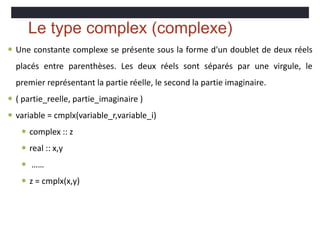
Le type complex (complexe)
 Une constante complexe se présente sous la forme d'un doublet de deux réels
placés entre parenthèses. Les deux réels sont séparés par une virgule, le
premier représentant la partie réelle, le second la partie imaginaire.
 ( partie_reelle, partie_imaginaire )
 variable = cmplx(variable_r,variable_i)
 complex :: z
 real :: x,y
 ……
 z = cmplx(x,y)
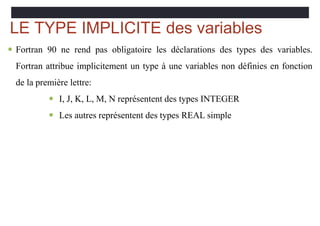
LE TYPE IMPLICITE des variables
 Fortran 90 ne rend pas obligatoire les déclarations des types des variables.
Fortran attribue implicitement un type à une variables non définies en fonction
de la première lettre:
 I, J, K, L, M, N représentent des types INTEGER
 Les autres représentent des types REAL simple
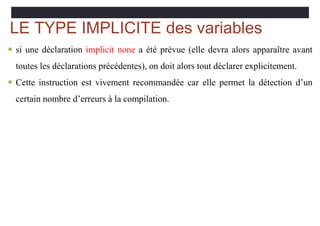
LE TYPE IMPLICITE des variables
 si une déclaration implicit none a été prévue (elle devra alors apparaître avant
toutes les déclarations précédentes), on doit alors tout déclarer explicitement.
 Cette instruction est vivement recommandée car elle permet la détection d’un
certain nombre d’erreurs à la compilation.
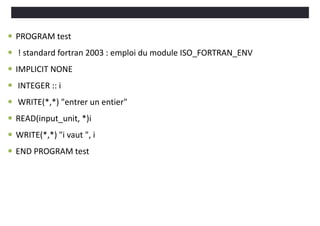
 PROGRAM test
 ! standard fortran 2003 : emploi du module ISO_FORTRAN_ENV
 IMPLICIT NONE
 INTEGER :: i
 WRITE(*,*) "entrer un entier"
 READ(input_unit, *)i
 WRITE(*,*) "i vaut ", i
 END PROGRAM test
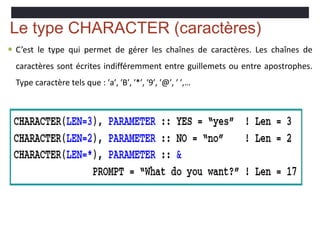
Le type CHARACTER (caractères)
 C’est le type qui permet de gérer les chaînes de caractères. Les chaînes de
caractères sont écrites indifféremment entre guillemets ou entre apostrophes.
Type caractère tels que : ′a′, ′B′, ′*′, ′9′, ′@′, ′ ′,…
Le type LOGICAL (logique)
 C’est le type qui permet de gérer les booléens en Fortran. Les deux valeurs
possibles sont .true. et .false.
Variableetvaleur
• La syntaxe formelle d'une déclaration d'une variable d'un type
donné est
•<type>[,attribute-list] :: &
<variable-list>[=value]
INTEGER :: k = 4
REAL, PARAMETER :: pi = 3.14159
15/11/11
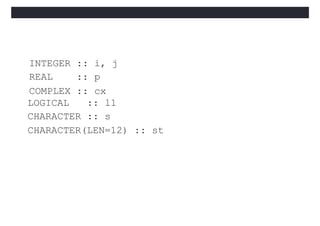
INTEGER :: i, j
REAL :: p
COMPLEX :: cx
LOGICAL :: l1
CHARACTER :: s
CHARACTER(LEN=12) :: st
Initialisation des
valeurs
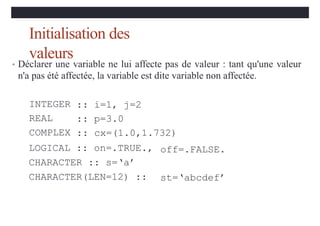
• Déclarer une variable ne lui affecte pas de valeur : tant qu'une valeur
n'a pas été affectée, la variable est dite variable non affectée.
INTEGER
REAL
COMPLEX
:: i=1, j=2
:: p=3.0
:: cx=(1.0,1.732)
LOGICAL :: on=.TRUE.,
CHARACTER :: s=‘a’
CHARACTER(LEN=12) ::
off=.FALSE.
st=‘abcdef’
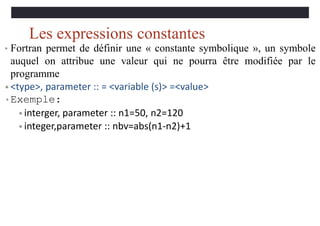
Les expressions constantes
• Fortran permet de définir une « constante symbolique », un symbole
auquel on attribue une valeur qui ne pourra être modifiée par le
programme
• <type>, parameter :: = <variable (s)> =<value>
•Exemple:
• interger, parameter :: n1=50, n2=120
• integer,parameter :: nbv=abs(n1-n2)+1
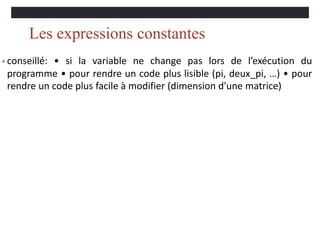
Les expressions constantes
• conseillé: • si la variable ne change pas lors de l’exécution du
programme • pour rendre un code plus lisible (pi, deux_pi, …) • pour
rendre un code plus facile à modifier (dimension d’une matrice)
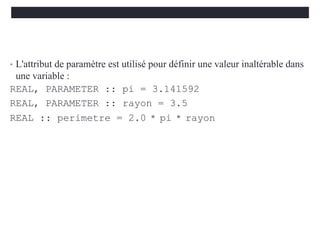
• L'attribut de paramètre est utilisé pour définir une valeur inaltérable dans
une variable :
REAL, PARAMETER :: pi = 3.141592
REAL, PARAMETER :: rayon = 3.5
REAL :: perimetre = 2.0 * pi * rayon
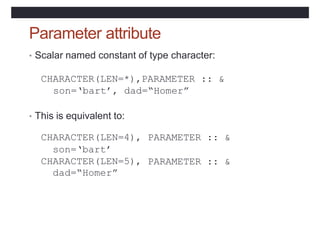
Parameter attribute
• Scalar named constant of type character:
CHARACTER(LEN=*),PARAMETER :: &
son=‘bart’, dad=“Homer”
• This is equivalent to:
CHARACTER(LEN=4),
son=‘bart’
CHARACTER(LEN=5),
dad=“Homer”
PARAMETER :: &
PARAMETER :: &
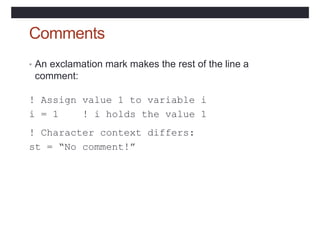
Comments
• An exclamation mark makes the rest of the line a
comment:
! Assign value 1 to variable i
i = 1 ! i holds the value 1
! Character context differs:
st = “No comment!”
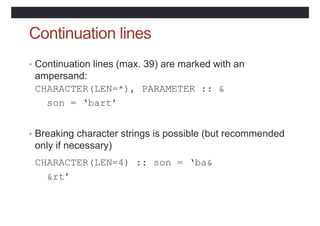
Continuation lines
• Continuation lines (max. 39) are marked with an
ampersand:
CHARACTER(LEN=*), PARAMETER :: &
son = ‘bart’
• Breaking character strings is possible (but recommended
only if necessary)
CHARACTER(LEN=4) :: son = ‘ba&
&rt’
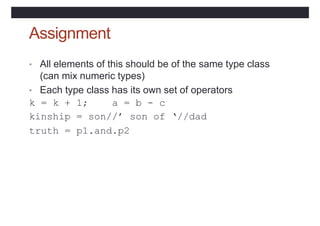
Assignment
• All elements of this should be of the same type class
(can mix numeric types)
• Each type class has its own set of operators
k = k + 1; a = b - c
kinship = son//’ son of ‘//dad
truth = p1.and.p2
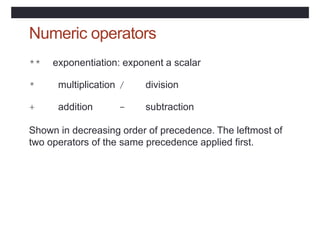
Numeric operators
** exponentiation: exponent a scalar
* multiplication / division
+ addition - subtraction
Shown in decreasing order of precedence. The leftmost of
two operators of the same precedence applied first.
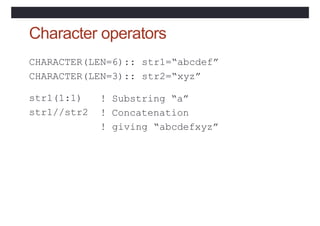
Character operators
CHARACTER(LEN=6)::
CHARACTER(LEN=3)::
str1=“abcdef”
str2=“xyz”
str1(1:1)
str1//str2
! Substring “a”
! Concatenation
! giving “abcdefxyz”
Operator precedence
• Operators have the precedence shown in descending
order in the table on page 11
• Parentheses () may be used
• Operators of equal precedence are applied in left to right
sequence
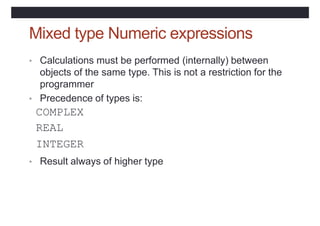
Mixed type Numeric expressions
• Calculations must be performed (internally) between
objects of the same type. This is not a restriction for the
programmer
• Precedence of types is:
COMPLEX
REAL
INTEGER
• Result always of higher type
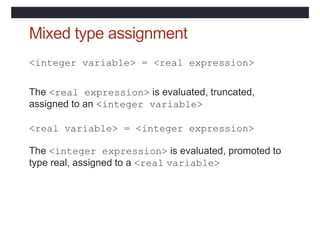
Mixed type assignment
<integer variable> = <real expression>
The <real expression> is evaluated, truncated,
assigned to an <integer variable>
<real variable> = <integer expression>
The <integer expression> is evaluated, promoted to
type real, assigned to a <real variable>
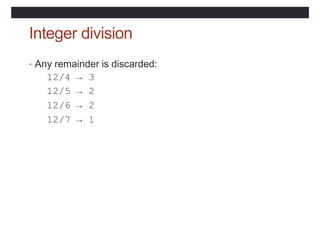
Integer division
• Any remainder is discarded:
12/4 → 3
12/5 → 2
12/6 → 2
12/7 → 1
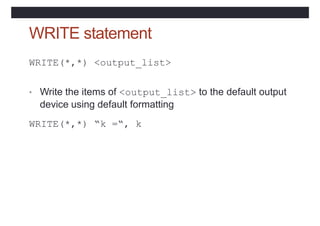
WRITE statement
WRITE(*,*) <output_list>
• Write the items of <output_list> to the default output
device using default formatting
WRITE(*,*) “k =“, k
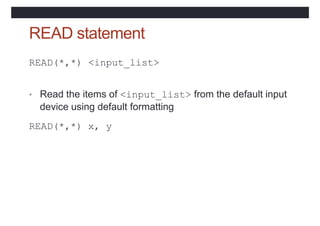
READ statement
READ(*,*) <input_list>
• Read the items of <input_list> from the default input
device using default formatting
READ(*,*) x, y
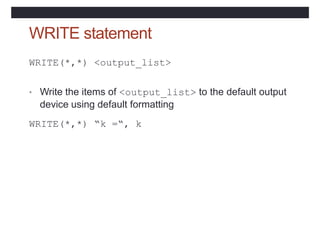
WRITE statement
WRITE(*,*) <output_list>
• Write the items of <output_list> to the default output
device using default formatting
WRITE(*,*) “k =“, k
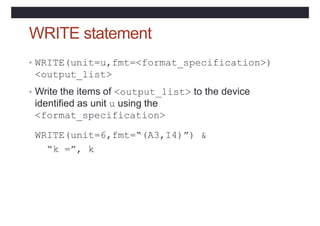
WRITE statement
• WRITE(unit=u,fmt=<format_specification>)
<output_list>
• Write the items of <output_list> to the device
identified as unit u using the
<format_specification>
WRITE(unit=6,fmt=“(A3,I4)”) &
“k =”, k
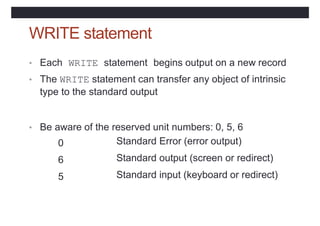
WRITE statement
• Each WRITE statement begins output on a new record
• The WRITE statement can transfer any object of intrinsic
type to the standard output
• Be aware of the reserved unit numbers: 0, 5, 6
0
6
5
Standard Error (error output)
Standard output (screen or redirect)
Standard input (keyboard or redirect)
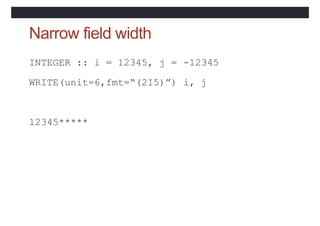
Narrow field width
INTEGER :: i = 12345, j =
WRITE(unit=6,fmt=“(2I5)”)
-12345
i, j
12345*****
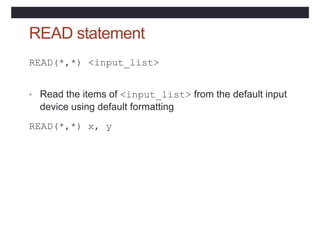
READ statement
READ(*,*) <input_list>
• Read the items of <input_list> from the default input
device using default formatting
READ(*,*) x, y
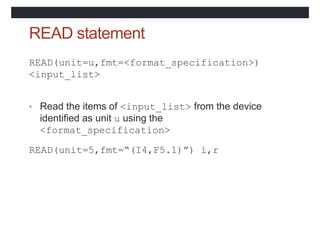
READ statement
READ(unit=u,fmt=<format_specification>)
<input_list>
• Read the items of <input_list> from the device
identified as unit u using the
<format_specification>
READ(unit=5,fmt=“(I4,F5.1)”) i,r
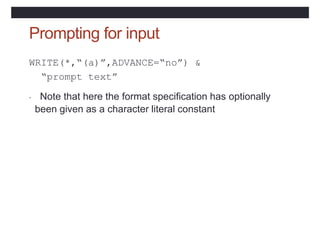
Prompting for input
WRITE(*,“(a)”,ADVANCE=“no”) &
“prompt text”
• Note that here the format specification has optionally
been given as a character literal constant
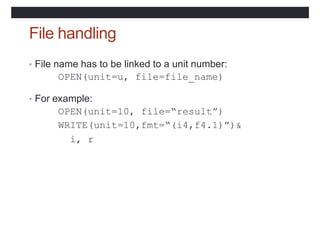
File handling
• File name has to be linked to a unit number:
OPEN(unit=u, file=file_name)
• For example:
OPEN(unit=10, file=“result”)
WRITE(unit=10,fmt=“(i4,f4.1)”)&
i, r
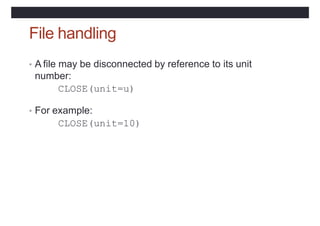
File handling
• A file may be disconnected by reference to its unit
number:
CLOSE(unit=u)
• For example:
CLOSE(unit=10)
Formatting input and output
• Conversion between computer code for storing items and
the characters on keyboard or screen
• An edit descriptor is needed for each item to be
converted
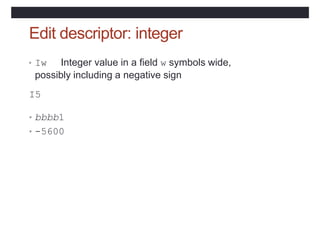
Edit descriptor: integer
• Iw Integer value in a field w symbols wide,
possibly including a negative sign
I5
• bbbb1
• -5600
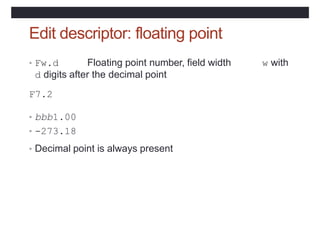
Edit descriptor: floating point
• Fw.d Floating point number, field width
d digits after the decimal point
w with
F7.2
• bbb1.00
• -273.18
• Decimal point is always present
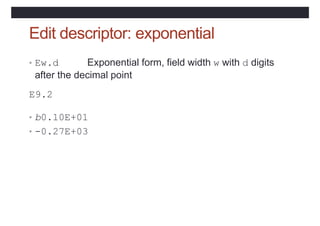
Edit descriptor: exponential
• Ew.d Exponential form, field width w with d digits
after the decimal point
E9.2
• b0.10E+01
• -0.27E+03
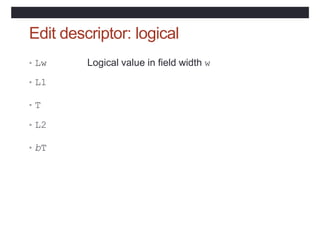
Edit descriptor: logical
• Lw Logical value in field width w
• L1
• T
• L2
• bT
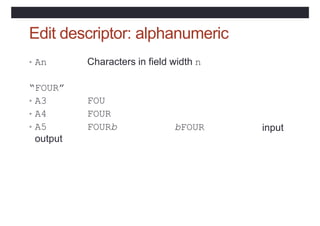
Edit descriptor: alphanumeric
• An Characters in field width n
“FOUR”
• A3
• A4
• A5
output
FOU
FOUR
FOURb bFOUR input
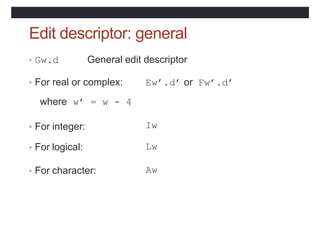
Edit descriptor: general
• Gw.d General edit descriptor
• For real or complex: Ew’.d’ or Fw’.d’
where w’ = w - 4
• For integer: Iw
• For logical: Lw
• For character: Aw
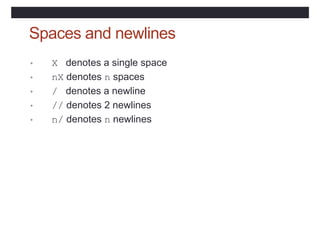
Spaces and newlines
• X denotes a single space
• nX denotes n spaces
• / denotes a newline
• // denotes 2 newlines
• n/ denotes n newlines
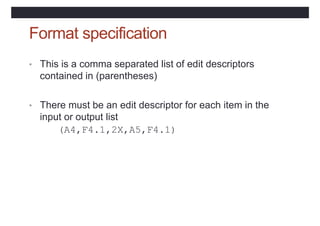
Format specification
• This is a comma separated list of edit descriptors
contained in (parentheses)
• There must be an edit descriptor for each item in the
input or output list
(A4,F4.1,2X,A5,F4.1)
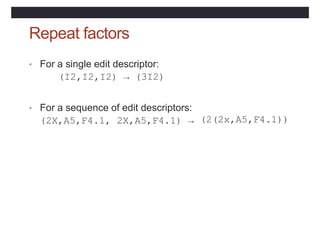
Repeat factors
• For a single edit descriptor:
(I2,I2,I2) → (3I2)
• For a sequence of edit descriptors:
(2X,A5,F4.1, 2X,A5,F4.1) → (2(2x,A5,F4.1))
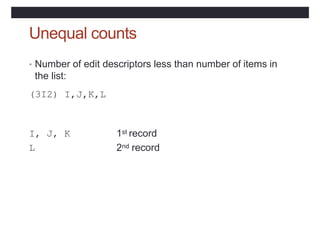
Unequal counts
• Number of edit descriptors less than number of items in
the list:
(3I2) I,J,K,L
I, J, K
L
1st record
2nd record
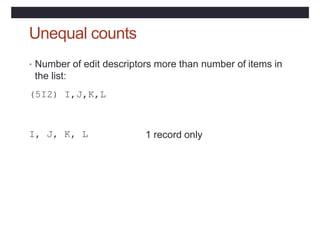
Unequal counts
• Number of edit descriptors more than number of items in
the list:
(5I2) I,J,K,L
I, J, K, L 1 record only
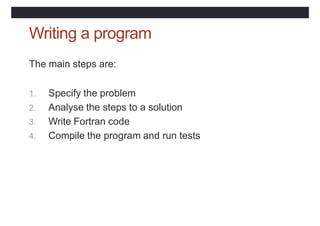
Writing a program
The main steps are:
1. Specify the problem
2. Analyse the steps to a solution
3. Write Fortran code
4. Compile the program and run tests
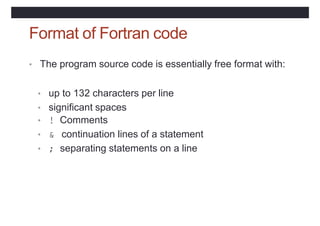
Format of Fortran code
• The program source code is essentially free format with:
• up to 132 characters per line
• significant spaces
• ! Comments
• & continuation lines of a statement
• ; separating statements on a line
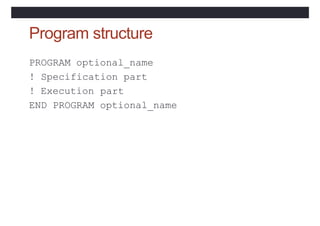
Program structure
PROGRAM optional_name
! Specification part
! Execution part
END PROGRAM optional_name
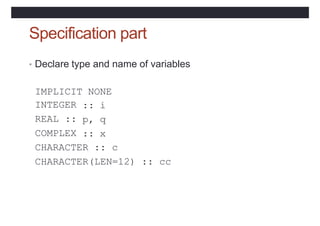
Specification part
• Declare type and name of variables
IMPLICIT NONE
INTEGER
REAL ::
COMPLEX
:: i
p, q
:: x
CHARACTER :: c
CHARACTER(LEN=12) :: cc
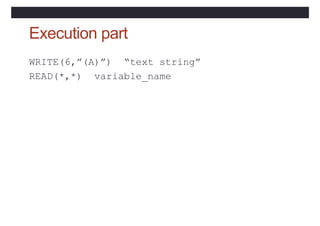
Execution part
WRITE(6,”(A)”) “text string”
READ(*,*) variable_name
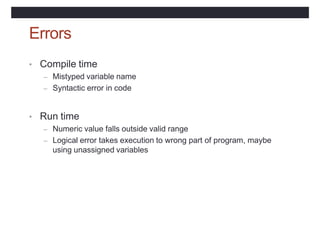
Errors
• Compile time
– Mistyped variable name
– Syntactic error in code
• Run time
– Numeric value falls outside valid range
– Logical error takes execution to wrong part of program, maybe
using unassigned variables
Practical 1
• Try the questions on page 22
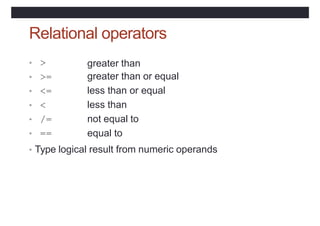
Relational operators
• >
• >=
• <=
• <
• /=
• ==
greater than
greater than or equal
less than or equal
less than
not equal to
equal to
• Type logical result from numeric operands
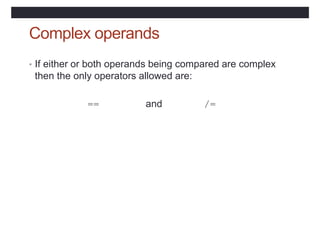
Complex operands
• If either or both operands being compared are complex
then the only operators allowed are:
== and /=
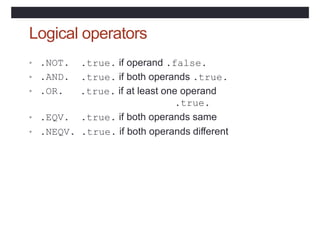
Logical operators
• .NOT.
• .AND.
• .OR.
.true. if operand .false.
.true. if both operands .true.
.true. if at least one operand
.true.
.true. if both operands same
• .EQV.
• .NEQV. .true. if both operands different
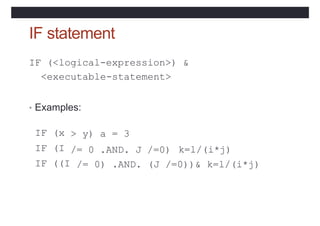
IF statement
IF (<logical-expression>) &
<executable-statement>
• Examples:
> y) a = 3
/= 0 .AND. J /=0)
IF (x
IF (I
IF ((I
k=l/(i*j)
/= 0) .AND. (J /=0))& k=l/(i*j)
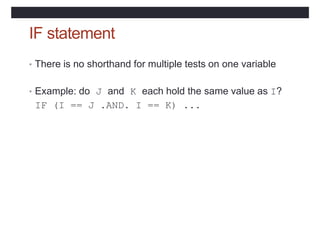
IF statement
• There is no shorthand for multiple tests on one variable
• Example: do J and K each hold the same value as I?
IF (I == J .AND. I == K) ...
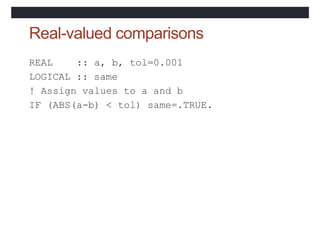
Real-valued comparisons
REAL :: a, b, tol=0.001
LOGICAL :: same
! Assign values to a and b
IF (ABS(a-b) < tol) same=.TRUE.
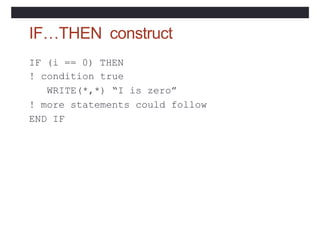
IF…THEN construct
IF (i == 0) THEN
! condition true
WRITE(*,*) “I is zero”
! more statements could follow
END IF
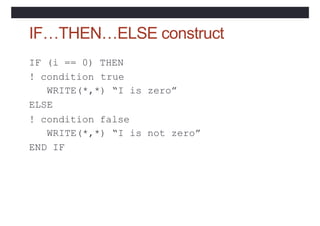
IF…THEN…ELSE construct
! condition
IF (i == 0) THEN
true
WRITE(*,*) “I is zero”
ELSE
! condition false
WRITE(*,*) “I is not zero”
END IF
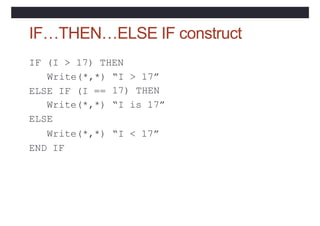
IF…THEN…ELSE IF construct
IF (I > 17) THEN
Write(*,*) “I > 17”
17) THEN
“I is 17”
ELSE IF (I ==
Write(*,*)
ELSE
Write(*,*) “I < 17”
END IF
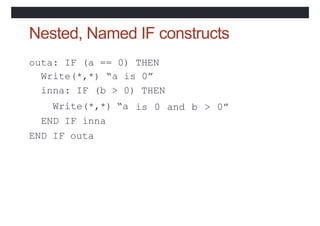
Nested, Named IF constructs
outa: IF (a == 0) THEN
Write(*,*) “a is 0”
inna: IF (b > 0) THEN
Write(*,*) “a
END IF inna
END IF outa
is 0 and b > 0”
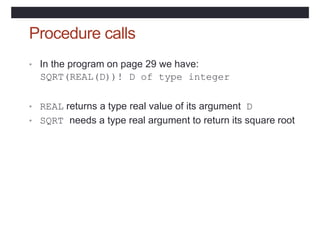
Procedure calls
• In the program on page 29 we have:
SQRT(REAL(D))! D of type integer
• REAL returns a type real value of its argument D
• SQRT needs a type real argument to return its square root
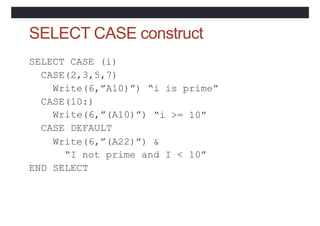
SELECT CASE construct
SELECT CASE (i)
CASE(2,3,5,7)
Write(6,”A10)”)
CASE(10:)
“i is prime”
“i >= 10”
Write(6,”(A10)”)
CASE DEFAULT
Write(6,”(A22)”) &
“I not prime and I < 10”
END SELECT
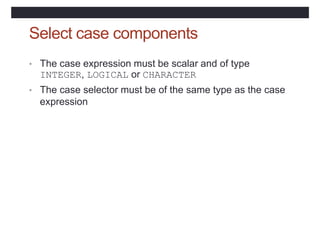
Select case components
• The case expression must be scalar and of type
INTEGER, LOGICAL or CHARACTER
• The case selector must be of the same type as the case
expression
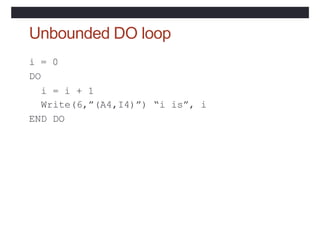
Unbounded DO loop
i = 0
DO
i = i + 1
Write(6,”(A4,I4)”) “i is”, i
END DO
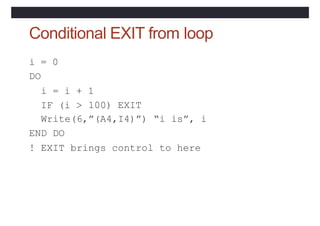
Conditional EXIT from loop
IF (i >
i = 0
DO
i = i + 1
100) EXIT
Write(6,”(A4,I4)”) “i is”, i
END DO
! EXIT brings control to here
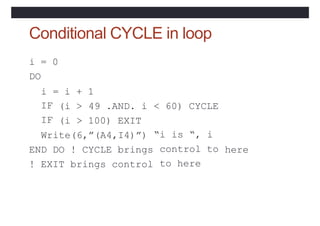
Conditional CYCLE in loop
i = 0
DO
i = i + 1
49 .AND. i
IF
IF
(i >
(i > 100) EXIT
< 60) CYCLE
Write(6,”(A4,I4)”)
END DO ! CYCLE brings
! EXIT brings control
“i is “, i
control to
to here
here
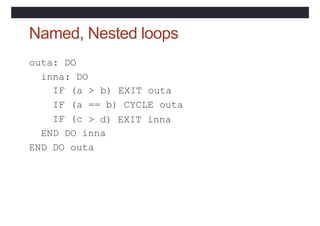
Named, Nested loops
outa: DO
inna: DO
IF (a > b) EXIT outa
IF (a == b) CYCLE outa
IF (c > d) EXIT inna
END DO inna
END DO outa
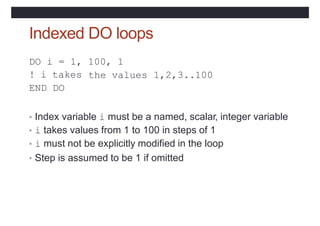
Indexed DO loops
DO i = 1, 100, 1
the values
! i takes
END DO
1,2,3..100
• Index variable i must be a named, scalar, integer variable
• i takes values from 1 to 100 in steps of 1
• i must not be explicitly modified in the loop
• Step is assumed to be 1 if omitted
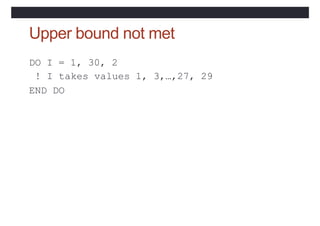
Upper bound not met
DO I = 1, 30, 2
! I takes values 1, 3,…,27, 29
END DO
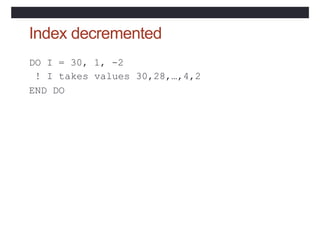
Index decremented
DO I = 30, 1, -2
! I takes values 30,28,…,4,2
END DO
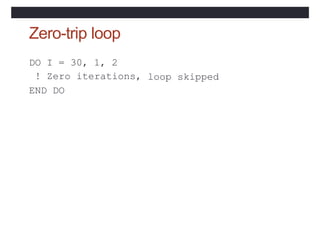
Zero-trip loop
DO I = 30, 1, 2
! Zero iterations,
END DO
loop skipped
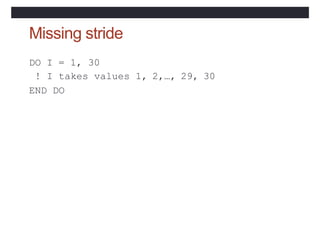
Missing stride
DO I = 1, 30
! I takes values 1, 2,…, 29, 30
END DO
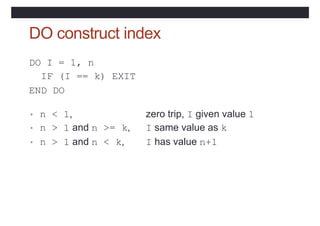
DO construct index
DO I = 1, n
IF (I == k) EXIT
END DO
• n < 1, zero trip, I given value 1
• n > 1 and n >= k, I same value as k
• n > 1 and n < k, I has value n+1
Practical 2
• Try the questions on page 36
• You will need the two files: statsa and statsb
• http://tinyurl.com/archerf95files
Arrays
• An array is a collection of values of the same type
• Particular elements in an array are identified by
subscripting
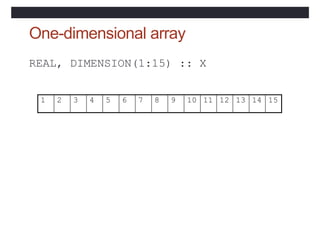
One-dimensional array
REAL, DIMENSION(1:15) :: X
1 2 3 4 5 6 7 8 9 10 11 12 13 14 15
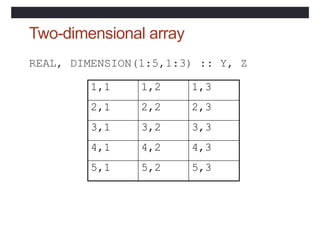
Two-dimensional array
REAL, DIMENSION(1:5,1:3) :: Y, Z
1,1 1,2 1,3
2,1 2,2 2,3
3,1 3,2 3,3
4,1 4,2 4,3
5,1 5,2 5,3
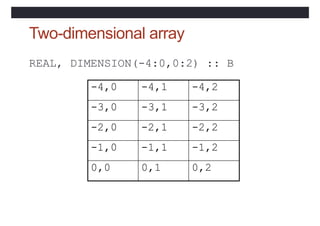
Two-dimensional array
REAL, DIMENSION(-4:0,0:2) :: B
-4,0 -4,1 -4,2
-3,0 -3,1 -3,2
-2,0 -2,1 -2,2
-1,0 -1,1 -1,2
0,0 0,1 0,2
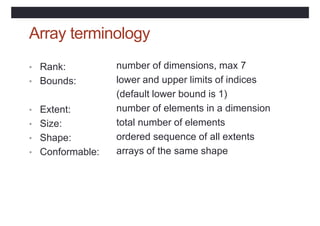
Array terminology
• Rank:
• Bounds:
number of dimensions, max 7
lower and upper limits of indices
(default lower bound is 1)
number of elements in a dimension
total number of elements
ordered sequence of all extents
arrays of the same shape
• Extent:
• Size:
• Shape:
• Conformable:
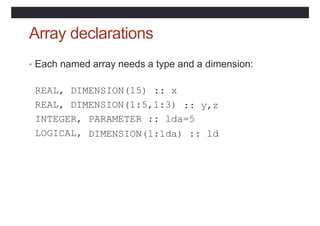
Array declarations
• Each named array needs a type and a dimension:
REAL, DIMENSION(15) :: x
REAL, DIMENSION(1:5,1:3) :: y,z
INTEGER, PARAMETER :: lda=5
LOGICAL, DIMENSION(1:lda) :: ld
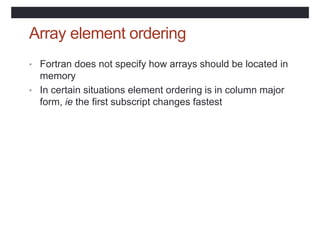
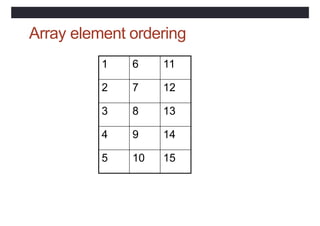
Array element ordering
• Fortran does not specify how arrays should be located in
memory
• In certain situations element ordering is in column major
form, ie the first subscript changes fastest
Array element ordering
1 6 11
2 7 12
3 8 13
4 9 14
5 10 15
Array Sections
• Specified by subscript-triplets for each dimension:
• [<bound1>]:[<bound2>]:[<stride>]
• <bound1>, <bound2> and <stride>
• must each be scalar integer expressions
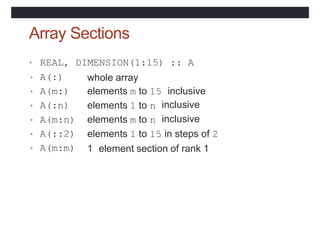
Array Sections
• REAL,
• A(:)
• A(m:)
• A(:n)
DIMENSION(1:15) :: A
whole array
elements m to 15 inclusive
elements 1 to n
elements m to n
inclusive
inclusive
• A(m:n)
• A(::2)
• A(m:m)
elements 1 to 15 in steps of 2
1 element section of rank 1
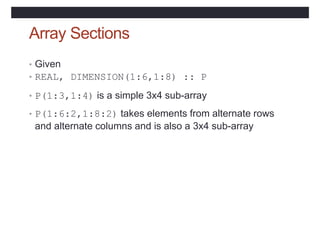
Array Sections
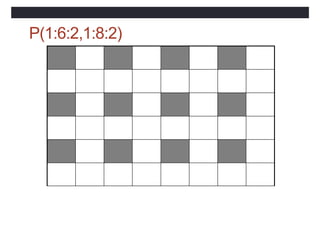
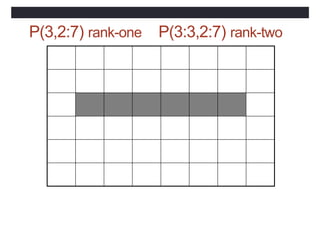
• Given
• REAL, DIMENSION(1:6,1:8) :: P
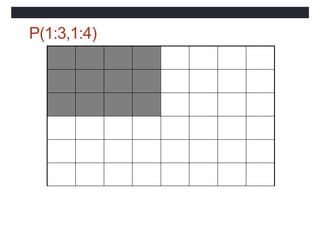
• P(1:3,1:4) is a simple 3x4 sub-array
• P(1:6:2,1:8:2) takes elements from alternate rows
and alternate columns and is also a 3x4 sub-array
P(1:3,1:4)
P(1:6:2,1:8:2)
P(3,2:7) rank-one P(3:3,2:7) rank-two
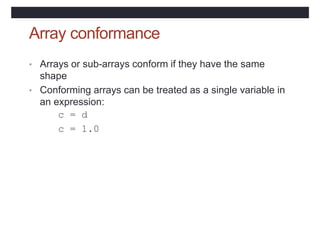
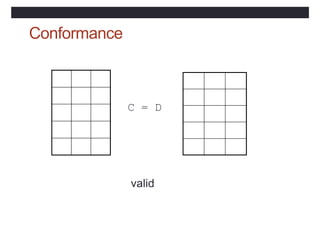
Array conformance
• Arrays or sub-arrays conform if they have the same
shape
• Conforming arrays can be treated as a single variable in
an expression:
c = d
c = 1.0
Conformance
C = D
valid
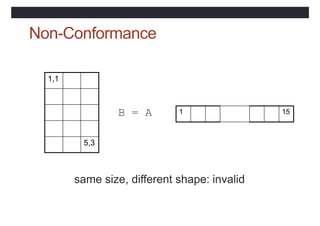
Non-Conformance
B = A
same size, different shape: invalid
1,1
5,3
1 15
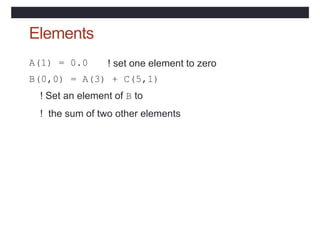
Elements
A(1) = 0.0 ! set one element to zero
B(0,0) = A(3) + C(5,1)
! Set an element of B to
! the sum of two other elements
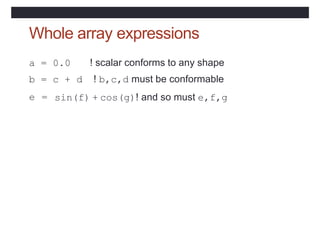
Whole array expressions
a = 0.0 ! scalar conforms to any shape
b = c + d ! b,c,d must be conformable
e = sin(f) + cos(g)! and so must e,f,g
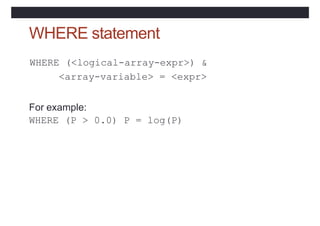
WHERE statement
WHERE (<logical-array-expr>) &
<array-variable> = <expr>
For example:
WHERE (P > 0.0) P = log(P)
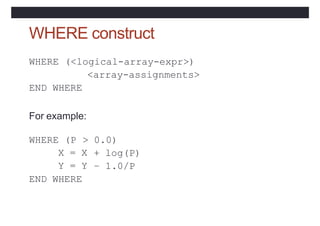
WHERE construct
WHERE (<logical-array-expr>)
<array-assignments>
END WHERE
For example:
> 0.0)
WHERE (P
X = X
Y = Y
+ log(P)
– 1.0/P
END WHERE
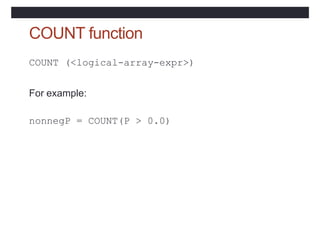
COUNT function
COUNT (<logical-array-expr>)
For example:
nonnegP = COUNT(P > 0.0)
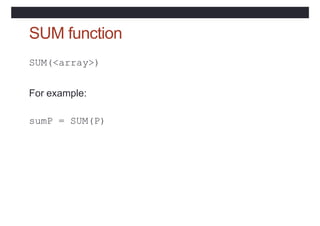
SUM function
SUM(<array>)
For example:
sumP = SUM(P)
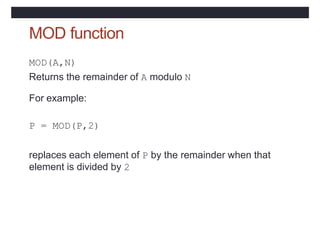
MOD function
MOD(A,N)
Returns the remainder of A modulo N
For example:
P = MOD(P,2)
replaces each element of P by the remainder when that
element is divided by 2
Program old_times (page 46)
• Uses where, sum, count (and mod)
• T
akes array sections r1(1:n) and r2(1:n)
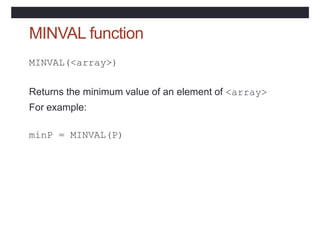
MINVAL function
MINVAL(<array>)
Returns the minimum value of an element of <array>
For example:
minP = MINVAL(P)
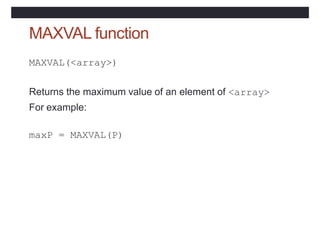
MAXVAL function
MAXVAL(<array>)
Returns the maximum value of an element of <array>
For example:
maxP = MAXVAL(P)
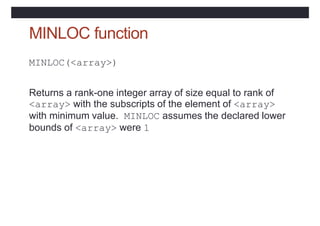
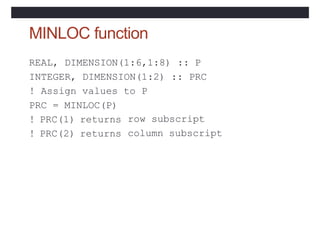
MINLOC function
MINLOC(<array>)
Returns a rank-one integer array of size equal to rank of
<array> with the subscripts of the element of <array>
with minimum value. MINLOC assumes the declared lower
bounds of <array> were 1
MINLOC function
REAL, DIMENSION(1:6,1:8) :: P
INTEGER, DIMENSION(1:2) :: PRC
! Assign values to P
PRC = MINLOC(P)
! PRC(1) returns
! PRC(2) returns
row subscript
column subscript
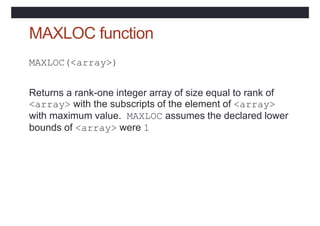
MAXLOC function
MAXLOC(<array>)
Returns a rank-one integer array of size equal to rank of
<array> with the subscripts of the element of <array>
with maximum value. MAXLOC assumes the declared lower
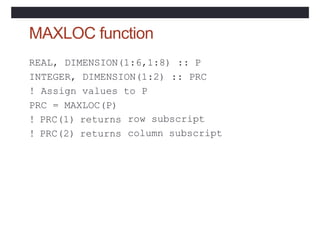
bounds of <array> were 1
MAXLOC function
REAL, DIMENSION(1:6,1:8) :: P
INTEGER, DIMENSION(1:2) :: PRC
! Assign values to P
PRC = MAXLOC(P)
! PRC(1) returns
! PRC(2) returns
row subscript
column subscript
Program seek_extremes (p48)
• Uses minval, maxval, minloc and maxloc on the
whole rank 2 array magi
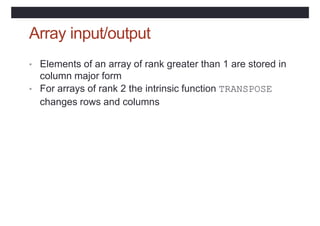
Array input/output
• Elements of an array of rank greater than 1 are stored in
column major form
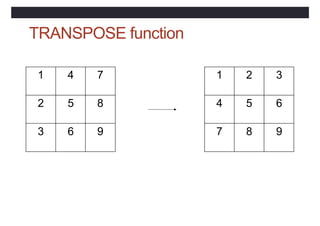
• For arrays of rank 2 the intrinsic function TRANSPOSE
changes rows and columns
TRANSPOSE function
1 4 7
2 5 8
3 6 9
1 2 3
4 5 6
7 8 9
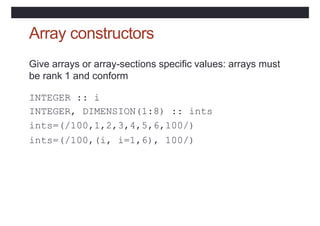
Array constructors
Give arrays or array-sections specific values: arrays must
be rank 1 and conform
INTEGER :: i
INTEGER, DIMENSION(1:8) :: ints
ints=(/100,1,2,3,4,5,6,100/)
ints=(/100,(i, i=1,6), 100/)
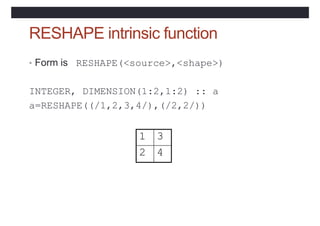
RESHAPE intrinsic function
• Form is RESHAPE(<source>,<shape>)
INTEGER, DIMENSION(1:2,1:2) :: a
a=RESHAPE((/1,2,3,4/),(/2,2/))
1 3
2 4
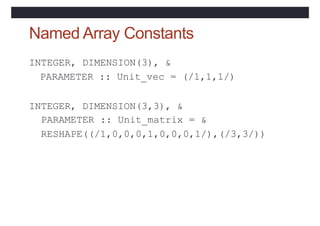
Named Array Constants
INTEGER, DIMENSION(3), &
PARAMETER :: Unit_vec = (/1,1,1/)
INTEGER, DIMENSION(3,3), &
PARAMETER :: Unit_matrix = &
RESHAPE((/1,0,0,0,1,0,0,0,1/),(/3,3/))
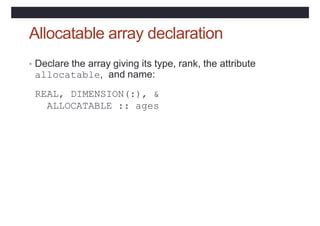
Allocatable array declaration
• Declare the array giving its type, rank, the attribute
allocatable, and name:
REAL, DIMENSION(:), &
ALLOCATABLE :: ages
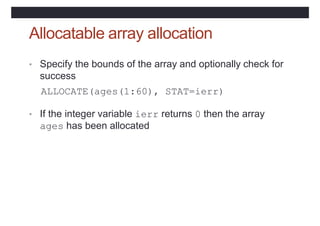
Allocatable array allocation
• Specify the bounds of the array and optionally check for
success
ALLOCATE(ages(1:60), STAT=ierr)
• If the integer variable ierr returns 0 then the array
ages has been allocated
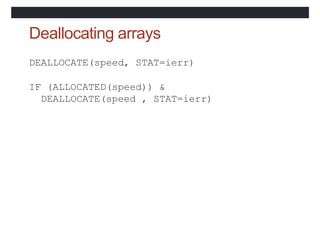
Deallocating arrays
DEALLOCATE(speed, STAT=ierr)
IF (ALLOCATED(speed)) &
DEALLOCATE(speed , STAT=ierr)
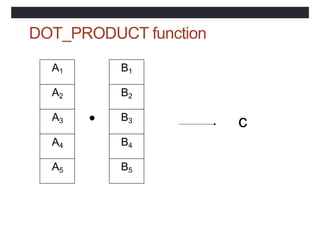
DOT_PRODUCT function
A1
A2
A3
A4
A5
B1
B2
B3
B4
B5
●
c
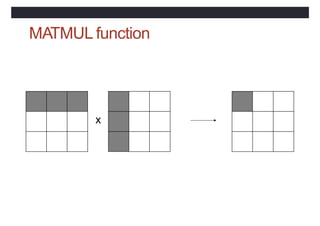
MATMUL function
x
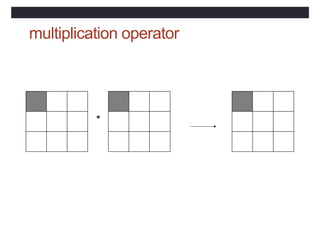
multiplication operator
*
Practical 3
• Try the exercises on page 52
Program units
• Fortran has two main program units:
• The main program, which can contain procedures
• A module, which can contain declarations and
procedures
• Modules will be described in the next lecture
Procedures
• There are two types of procedure:
• function: a subprogram returning a result through the
function name
• subroutine: a parameterised, named sub-program
performing a particular task
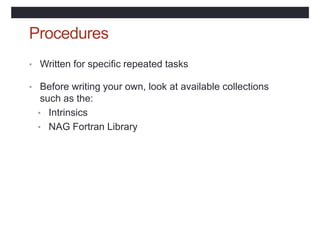
Procedures
• Written for specific repeated tasks
• Before writing your own, look at available collections
such as the:
• Intrinsics
• NAG Fortran Library
Intrinsic procedures
• Elemental
• mathematical:
• numeric:
• character:
• Inquiry
• array:
• numeric:
SIN(x), LOG(x)
MAX(x1,x2), CEILING(x)
ADJUSTL(str1)
ALLOCATED(a),
PRECISION(x),
SIZE(a)
RANGE(x)
• Transformational
• array:
• Non-elemental
RESHAPE(a1,a2), SUM(a)
DATE_AND_TIME, SYSTEM_CLOCK
Type conversion functions
• REAL(i) converts the integer type value i to real type
• INT(x) converts the real type value x to integer type (by
truncation)
• NINT(x) returns the integer value nearest to the real
type value x (by rounding)
Main program syntax
[PROGRAM [<main program name>] ]
<declaration of local objects>
<executable statements>
[ CONTAINS
<internal procedure definitions> ]
END [PROGRAM [<main program name>]]
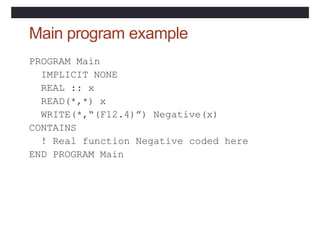
Main program example
PROGRAM Main
IMPLICIT NONE
REAL :: x
READ(*,*) x
WRITE(*,“(F12.4)”) Negative(x)
CONTAINS
! Real function Negative coded here
END PROGRAM Main
Function syntax
[<prefix>] FUNCTION <proc-name> ([<dummy
args>])
<declaration of dummy args>
<declaration of local objects>
<executable statements, assigning result to
proc-name>
END [FUNCTION [<proc-name>] ]
Function example
PROGRAM Main
IMPLICIT NONE
! Specification part
! Execution part
CONTAINS
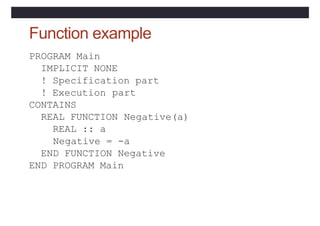
REAL FUNCTION
REAL :: a
Negative(a)
Negative = -a
END FUNCTION Negative
END PROGRAM Main
Function example
PROGRAM Main
IMPLICIT NONE
! Specification part
! Execution part
CONTAINS
FUNCTION Negative(a)
REAL :: a,
Negative =
END FUNCTION
Negative
-a
Negative
END PROGRAM Main
Function facts
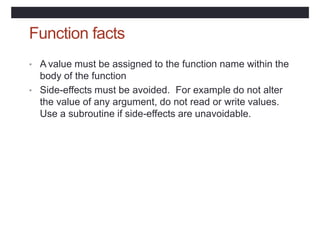
• A value must be assigned to the function name within the
body of the function
• Side-effects must be avoided. For example do not alter
the value of any argument, do not read or write values.
Use a subroutine if side-effects are unavoidable.
Subroutine syntax
SUBROUTINE <proc-name>[(<dummy args>)]
<declaration of dummy args>
<declaration of local objects>
<executable statements>
END [ SUBROUTINE [<proc-name>]]
Subroutine example
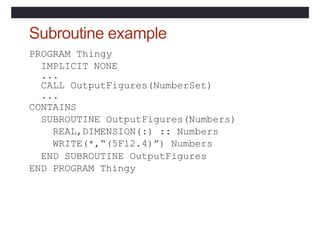
PROGRAM Thingy
IMPLICIT NONE
...
CALL OutputFigures(NumberSet)
...
CONTAINS
SUBROUTINE OutputFigures(Numbers)
REAL,DIMENSION(:) :: Numbers
WRITE(*,“(5F12.4)”) Numbers
END SUBROUTINE OutputFigures
END PROGRAM Thingy
Argument association
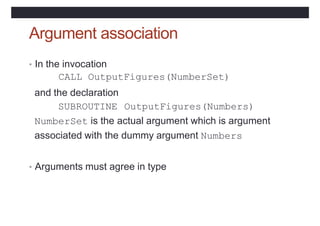
• In the invocation
CALL OutputFigures(NumberSet)
and the declaration
SUBROUTINE OutputFigures(Numbers)
NumberSet is the actual argument which is argument
associated with the dummy argument Numbers
• Arguments must agree in type
Dummy argument intent
• INTENT(IN) can only be referenced - necessary if
actual argument is a literal
• INTENT(OUT) must be assigned to before use
• INTENT(INOUT)
to
can be referenced and assigned
Local objects
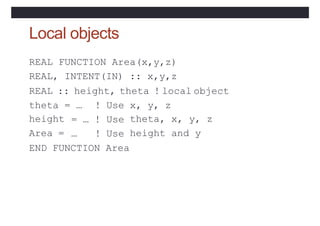
REAL FUNCTION Area(x,y,z)
REAL, INTENT(IN) :: x,y,z
REAL :: height, theta ! local object
theta = … x, y, z
height
Area =
! Use
= … ! Use
… ! Use
theta, x, y, z
height and y
END FUNCTION Area
Local objects
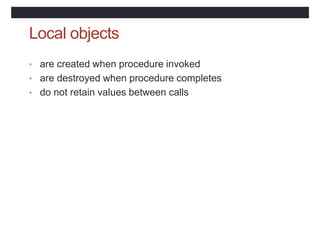
• are created when procedure invoked
• are destroyed when procedure completes
• do not retain values between calls
SAVE attribute
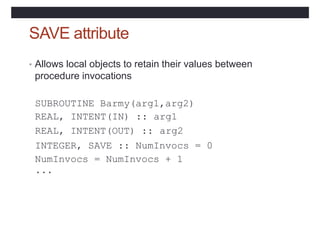
• Allows local objects to retain their values between
procedure invocations
SUBROUTINE Barmy(arg1,arg2)
REAL, INTENT(IN) ::
REAL, INTENT(OUT) ::
arg1
arg2
INTEGER, SAVE :: NumInvocs = 0
NumInvocs = NumInvocs + 1
...
Scoping rules
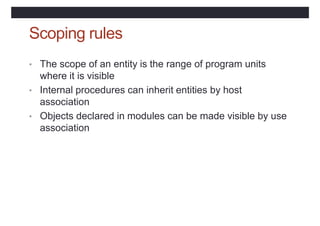
• The scope of an entity is the range of program units
where it is visible
• Internal procedures can inherit entities by host
association
• Objects declared in modules can be made visible by use
association
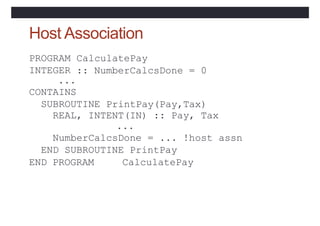
Host Association
CalculatePay
:: NumberCalcsDone = 0
PROGRAM
INTEGER
...
CONTAINS
SUBROUTINE PrintPay(Pay,Tax)
REAL, INTENT(IN) :: Pay, Tax
...
NumberCalcsDone = ... !host assn
END SUBROUTINE PrintPay
END PROGRAM CalculatePay
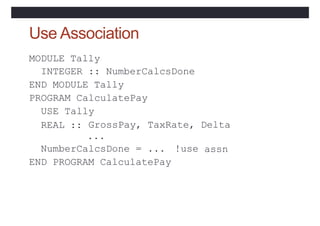
Use Association
MODULE Tally
INTEGER :: NumberCalcsDone
END MODULE Tally
PROGRAM CalculatePay
USE Tally
REAL :: GrossPay, TaxRate, Delta
...
NumberCalcsDone = ... !use
END PROGRAM CalculatePay
assn
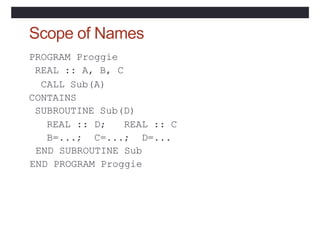
Scope of Names
PROGRAM Proggie
REAL :: A, B, C
CALL Sub(A)
CONTAINS
SUBROUTINE Sub(D)
REAL :: D; REAL :: C
B=...; C=...; D=...
END SUBROUTINE Sub
END PROGRAM Proggie
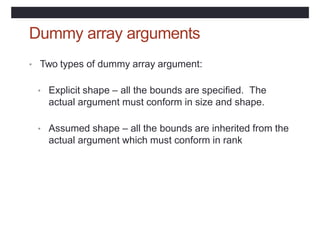
Dummy array arguments
• Two types of dummy array argument:
• Explicit shape – all the bounds are specified. The
actual argument must conform in size and shape.
• Assumed shape – all the bounds are inherited from the
actual argument which must conform in rank
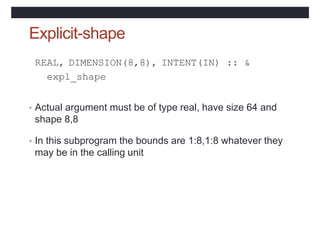
Explicit-shape
REAL, DIMENSION(8,8), INTENT(IN) :: &
expl_shape
• Actual argument must be of type real, have size 64 and
shape 8,8
• In this subprogram the bounds are 1:8,1:8 whatever they
may be in the calling unit
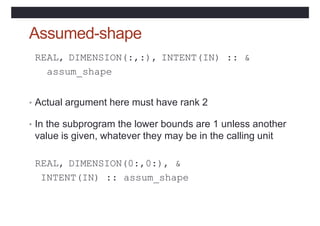
Assumed-shape
REAL, DIMENSION(:,:), INTENT(IN) :: &
assum_shape
• Actual argument here must have rank 2
• In the subprogram the lower bounds are 1 unless another
value is given, whatever they may be in the calling unit
REAL, DIMENSION(0:,0:), &
INTENT(IN) :: assum_shape
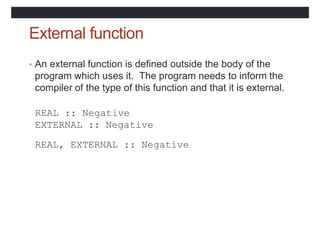
External function
• An external function is defined outside the body of the
program which uses it. The program needs to inform the
compiler of the type of this function and that it is external.
REAL :: Negative
EXTERNAL :: Negative
REAL, EXTERNAL :: Negative
Practical 4
• Try the questions on page 67
Modules
• Constants and procedures can be encapsulated in
modules for use in one or more programs
Points about modules
• Within a module, functions and subroutines are known as
module procedures
• Module procedures can contain internal procedures
• Module objects can be given the SAVE attribute
• Modules can be USEd by procedures and modules
• Modules must be compiled before the program unit
which uses them.
Module syntax
MODULE module-name
[ <declarations and specification statements> ]
[ CONTAINS
<module-procedures> ]
END [ MODULE [ module-name ]]
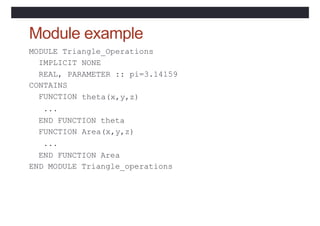
MODULE Triangle_Operations
IMPLICIT NONE
REAL, PARAMETER :: pi=3.14159
CONTAINS
FUNCTION
...
theta(x,y,z)
END FUNCTION theta
FUNCTION
...
Area(x,y,z)
END FUNCTION Area
END MODULE Triangle_operations
Module example
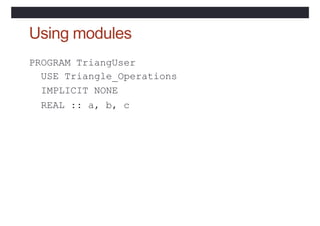
Using modules
PROGRAM TriangUser
USE Triangle_Operations
IMPLICIT NONE
REAL :: a, b, c
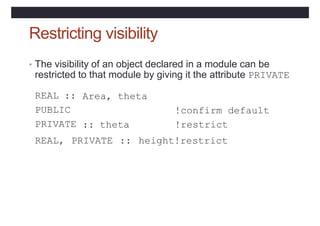
Restricting visibility
• The visibility of an object declared in a module can be
restricted to that module by giving it the attribute PRIVATE
REAL ::
PUBLIC
PRIVATE
Area, theta
!confirm default
!restrict
height!restrict
:: theta
REAL, PRIVATE ::
USE rename syntax
USE <module-name> &
[,<new-name> => <use-name>]
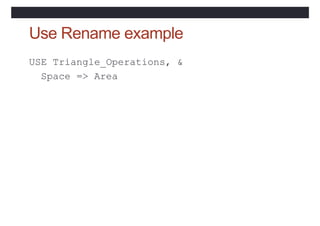
Use Rename example
USE Triangle_Operations, &
Space => Area
USE ONLY syntax
USE <module-name> [, ONLY : <only-list>]
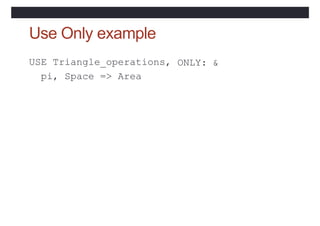
Use Only example
USE Triangle_operations,
pi, Space => Area
ONLY: &
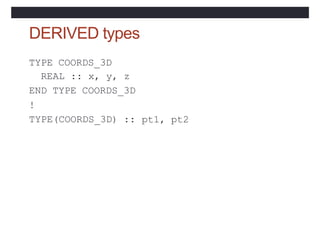
DERIVED types
TYPE COORDS_3D
REAL :: x, y, z
END TYPE COORDS_3D
!
TYPE(COORDS_3D) :: pt1, pt2
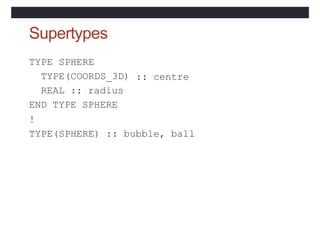
Supertypes
TYPE SPHERE
TYPE(COORDS_3D)
REAL :: radius
END TYPE SPHERE
!
:: centre
TYPE(SPHERE) :: bubble, ball
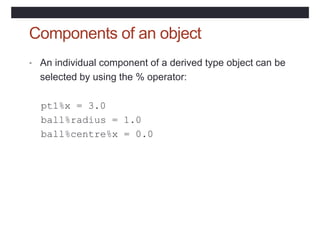
Components of an object
• An individual component of a derived type object can be
selected by using the % operator:
pt1%x = 3.0
ball%radius = 1.0
ball%centre%x = 0.0
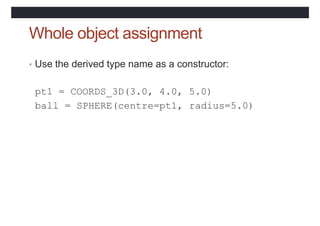
Whole object assignment
• Use the derived type name as a constructor:
pt1 = COORDS_3D(3.0, 4.0, 5.0)
ball = SPHERE(centre=pt1, radius=5.0)
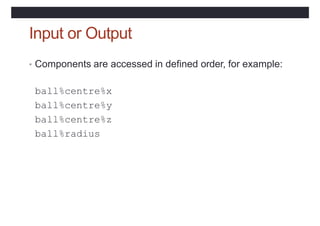
Input or Output
• Components are accessed in defined order, for example:
ball%centre%x
ball%centre%y
ball%centre%z
ball%radius
True portability
• The range and precision of numeric values are not
defined in the language but are dependent on the
computer system used
• For integers, RANGE(i), and for reals RANGE(x) return
the range of values supported
• For reals, PRECISION(x) returns the precision to which
values are held
Properties of integers
• Integer values are always stored exactly so it is only
necessary to define their range.
• The intrinsic function SELECTED_INT_KIND(<range>)
• returns an integer KIND value which can be used to
declare integers of this kind.
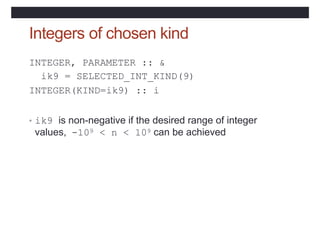
Integers of chosen kind
INTEGER, PARAMETER :: &
ik9 = SELECTED_INT_KIND(9)
INTEGER(KIND=ik9) :: i
• ik9 is non-negative if the desired range of integer
values, -109 < n < 109 can be achieved
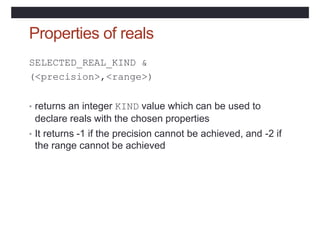
Properties of reals
SELECTED_REAL_KIND &
(<precision>,<range>)
• returns an integer KIND value which can be used to
declare reals with the chosen properties
• It returns -1 if the precision cannot be achieved, and -2 if
the range cannot be achieved
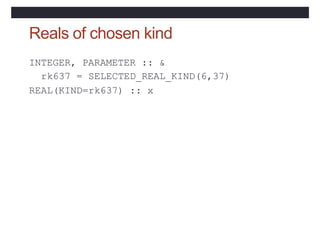
Reals of chosen kind
INTEGER, PARAMETER :: &
rk637 = SELECTED_REAL_KIND(6,37)
REAL(KIND=rk637) :: x
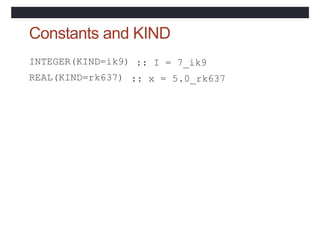
Constants and KIND
INTEGER(KIND=ik9)
REAL(KIND=rk637)
:: I = 7_ik9
:: x = 5.0_rk637
Practical 5
• Try the questions on page 77
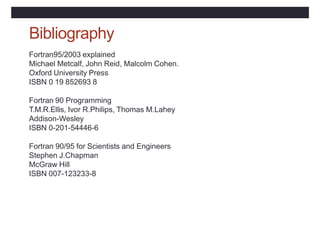
Bibliography
Fortran95/2003 explained
Michael Metcalf, John Reid, Malcolm Cohen.
Oxford University Press
ISBN 0 19 852693 8
Fortran 90 Programming
T.M.R.Ellis, Ivor R.Philips, Thomas M.Lahey
Addison-Wesley
ISBN 0-201-54446-6
Fortran 90/95 for Scientists and Engineers
Stephen J.Chapman
McGraw Hill
ISBN 007-123233-8

cours fortran.pptx

  • 1.
  • 2.
    Un programme estun texte constitué d’un ensemble de directives appelées instructions, qui représentent une suite d’actions élémentaires que l’ordinateur doit accomplir sur des données en entrée, afin d’atteindre le résultat recherché. Introduction
  • 3.
     L’ordinateur nesait exécuter que qu’un certain nombre limité d’opérations codées en binaire (langage machine). Les premiers programmes étaient écrits en binaire; C’était une tache très difficile et exposés aux erreurs.  Par la suite, pour faciliter le travail, on a utilisé des codes mnémoniques pour définir les opérations (ADD, DIV, SUB, MOVE …) ses symboles sont traduit en langage machine par un programme appelé assembleur. Évolution des langage de programmation
  • 4.
     Le langageassembleur est toujours utilisé, car c’est le seul langage qui permet d’exploiter au maximum les ressources de la machine. Mais programmer en assembleur reste tout de même une tache fastidieuse et présente en plus un problème de portabilité.  L’apparition des langages évolués tels que le FORTRAN, le PASCALE, le C….. a apporté une solution aux différents problèmes. Évolution des langage de programmation
  • 5.
     Un langageévolué est un langage informatique, permettant à un être humain d'écrire un code source. qui sera analysé par un ordinateur. Le code source subit ensuite une transformation ou une évaluation dans une forme exploitable par la machine, ce qui permet d'obtenir un programme.  Les programmes écrits en langages évolués doivent également être traduits en langage machine pour être exécutés. La conversion se fait de deux manières: la compilation et l’interprétation. Évolution des langage de programmation
  • 6.
     La compilationconsiste à traduire dans un premier temps l’ensemble du programme en langage machine. Dans un deuxième temps, le programme est exécuté.  L’interprétation consiste à traduire chaque instruction du programme en langage machine avant l’exécuter Évolution des langage de programmation
  • 7.
    Évolution des langagede programmation
  • 8.
    Démarche de programmation La façon d'écrire un programme est intimement liée au langage de programmation que l'on a choisi, mais la démarche programmation se déroule généralement en deux étapes:  D’abord on identifie les données du problème, les résultats recherchés et par quel moyen on peut obtenir ces dernier à partir des données. C’est l’étape d’analyse qui aboutit à un procédé de résolution appelé « algorithme ».
  • 9.
    Démarche de programmation Un algorithme, c’est une suite d’instructions, qui une fois exécutée correctement, conduit au résultat recherché.  Un algorithme doit donc contenir uniquement des instructions compréhensibles par celui qui devra l’exécuter.  Dans un deuxième temps, on traduit dans le langage de programmation choisi l’algorithme établi dans la phase précédente. Si l’algorithme est bien écrit, sans faute logique, l’étape suivante ne doit normalement poser aucun problème conceptuel. C’est une simple traduction qu’on devoit effectuer.
  • 10.
  • 11.
    Fortran • Fortran vientde FORmula TRANslation • Défini par une norme internationale • Chaque mise à jour supprime les fonctionnalités obsolètes, corrige les éventuelles erreurs, ajoute quelques nouvelles fonctionnalités. • Premier compilateur écrit à partir de zéro 1954-1957 par une équipe IBM dirigée par John W. Backus. • FORTRAN II (1958) • FORTRAN III (1958) jamais sorti. • FORTRANIV (1961) • FORTRAN 66 (premier langage standard de haut niveau.)
  • 12.
    Fortran • FORTRAN 77– toujours utilisé ! (En fait, le compilateur sur esus est f77.) • Boucles DO avec contrôle de boucle décroissant • Blocs des instructions de contrôles IF, IF… THEN… ELSE… ENDIF • Type de données CHARACTER • Constantes de chaînes de caractères délimitées par des apostrophes. • Arrêt du programme principal sans instruction STOP.
  • 13.
    Fortran • FORTRAN 88- n'est sorti qu'en 1990, le nom a donc été changé en FORTRAN 90. • Code source au format libre (indépendant de la colonne) • Structures de contrôle modernes (case & do-while) • Enregistrements/structures (types de données dérivés) • Notation matricielle puissante • Allocation de mémoire dynamique • Surcharge de l'opérateur • Passage d'arguments de mot-clé • Modules
  • 14.
    Format fixe • LeFormat le plus compatible avec les anciens systèmes. • Col 1 (C ou *) signifie commentaire • Col 2 – 5 étiquettes de déclaration • Col 6 Colonne Suite • Col 7-72 Déclarations • Col 73-80 Numéros de séquence
  • 15.
    Format fixe • Puisqu’onne peut pas mettre de caractères dans 72-80, on doit étendre les instructions en mettant un caractère dans la colonne 6. • print *, "Le nom est ", NOM, • 1 "L'adresse est", ADRESSE, • 2 « La ville est », VILLE • On doit aligner soigneusement ces suites dans le formulaire de source fixe.
  • 16.
    Format fixe C EXAMPLEDE PROGRAMME EN FORMAT FIXE C PROGRAM TEST1 INTEGER X,Y,Z DATA X,Y,Z /0,2,4/ DO 100 X = 1,10 PRINT *, X 100 CONTINUE CALL EXIT END
  • 17.
    Format libre • Longueurdes lignes : 132 caractères • Des espaces peuvent être introduits entre les éléments de langage • Les instructions multiples • La fin de ligne sert de séparation naturelle entre deux instructions • Mais, il est possible de placer plusieurs instructions sur une même ligne en les séparant par • Instructions sur plusieurs lignes • Une ligne terminée par & se poursuit sur la ligne suivante. • Le & peut être reproduit sur la ligne suivante. • Pour les chaînes de caractères, il doit être répété
  • 18.
    • PROGRAM essai •! exemple de source fortran 90 au format libre • IMPLICIT NONE • REAL :: somme, terme_1 = 1., terme_2 = 2., terme_3 = 3. 5 • ! une instruction longue scindée en plusieurs lignes • somme = terme_1 + & ! description du premier terme • terme_2 + & ! description du deuxième terme • terme_3 ! description du troisième terme • ! cas où la coupure se fait au sein d'une chaîne de caractères • WRITE (*,*) ' chaîne de caractères comportant plusieurs lignes dans & • &le programme source‘ • ! ce & est obligatoire pour marquer la continuation de la chaîne 1 • END PROGRAM essai
  • 19.
    Types, constantes etvariables Au niveau du processeur, toutes les données sont représentées sous leur forme binaire et la notion de type n'a pas de sens. Cette notion n'a été introduite que par les langages de haut niveau dans le but de rendre les programmes plus rationnels et structurés. Mais même parmi les langages de haut niveau, on distingue ceux qui sont dits fortement typés (qui offrent une grande variété de types), comme le fortran par exemple, de ceux qui sont dits faiblement ou moyennement typés (et plus proches de la machine) comme le C par exemple.
  • 20.
     Un objet(constante, variable tableau ….) est caractérisé par un nom ( identificateur ).  Un identificateur permet de nommer une variable, une pseudo-constante ou une fonction. Ils doivent être écrits selon les règles suivantes :  - 31 caractères maximum - le premier caractère doit obligatoirement être soit une lettre  - les autres caractères peuvent être indifféremment des lettres (a-z), des chiffres ou le souligné.  - le compilateur Fortran ne fait pas la différence entre majuscules et minuscules
  • 21.
    Types, constantes etvariables  Les variables et les constantes sont les objets de base que les programmes manipulent.  Une constante est un objet dont la valeur reste fixe durant l’exécution d’un programme  Une variable est un nom qui sert à repérer un emplacement donné de la mémoire centrale dont on peut faire évoluer la valeur au fil de déroulement du programme.  La déclaration donnent les variables à utiliser, et indiquent leur type ainsi que leur valeur initiales éventuelle.
  • 22.
    Types, constantes etvariables  Contrairement aux constantes, les variables ont des contenus changeables. Pour définir quelle valeur attribuer à une variable, il suffit de savoir le type de cette dernière. En plus, la connaissance du type informe sur l’ensemble des opérations qu’on peut appliquer sur la variable en question.  Il existe plusieurs types de données standard : les types numériques (nombres), le type booléen et les types caractère.  Type :: nom de variable ou constante
  • 23.
    Types, constantes etvariables  Lorsqu’on déclare une variable, il ne suffit pas de réserver un emplacement mémoire; il faut préciser ce que l’on voudra mettre dedans, car de cela dépendent la taille de l’emplacement mémoire et le type de codage utilisé. Si l’on réserve un octet pour coder un nombre, on ne pourra coder que 28 = 256 valeurs différentes. Cela peut signifier par exemple les nombres entiers de 1 à 256, ou de 0 à 255, ou de –127 à +128. Si l’on réserve deux octets, on a droit à 216 =65 536 valeurs ; avec trois octets, 224 =16 777 216, etc. Les variables et les constantes peuvent avoir les types suivants :
  • 24.
    Le type INTEGER Le choix du nombre d’octets retenus pour écrire en mémoire un entier dépend du couple ordinateur plus logiciel qui l’équipe. Souvent, un octet est utilisé pour le codage d’un nombre entier. Un bit va servir pour coder le signe du nombre.  Le type integer permet de représenter des nombres entiers relatifs. Pour ce faire, on utilise un certain nombre d'octets. Un bit est réservé pour représenter le signe du nombre (0 correspond à un nombre positif et 1 à un nombre négatif). Les autres bits servent à représenter la valeur absolue du nombre4
  • 25.
    Le type INTEGER Les limitations inhérentes au type integu dépendent de la machine. Voici des valeurs usuelles correspondant à des entiers codés sur 16 ou 32 bits :  16 bits de -32 768 à 32 767  32bits de -2 147483648 à 2147483647  INTEGER :: A,B,C indique que l’on va utiliser trois variables, nommées A,B et C, qui seront toutes les trois de type “INTEGER”, c’est `a dire de type entier.
  • 26.
    Le type REAL(réels)  Un nombre réel ou flottant est caractérisé par : son signe, son exposant E ou caractéristique et sa mantisse M. telles que la valeur : M.BE  Représentation d’un nombre réel sur 32 bits (codage en 4 octets).  Comme dans la plupart des langages, les constantes de type réel peuvent s'écrire indifféremment suivant l'une des deux notations:  - décimale,  - exponentielle.
  • 27.
    Le type REAL(réels)  voici quelques exemples :  - décimale: 12.43 -0.38 - .38 4. .27  - exponentielle. 4.25E4 54.27E-32 -48e13 4.  real :: alpha, beta indique que l’on va utiliser trois variables, nommées A,B et C, qui seront toutes les trois de type “INTEGER”, c’est `a dire de type entier.
  • 28.
    Le type DOUBLEPRECISION  La norme du Fortran 90, comme celle du Fortan77, prévoit que, dans tous les cas, il existe, outre le type real, un type disposant d'une plus grande précision nommé double précision.  Les constantes du type double precision doivent s'écrire obligatoirement sous forme exponentielle en utilisant la lettre D (ou d) à la place de la lettre E (ou e). Par exemple O.1e01 et 0.1d01 représentent toutes deux une approximation de la valeur réelle 0,01 mais la seconde est plus précise.  double precision :: x,y x et y sont deux variables réelles déclarées en double précision
  • 29.
    Le type complex(complexe)  Une constante complexe se présente sous la forme d'un doublet de deux réels placés entre parenthèses. Les deux réels sont séparés par une virgule, le premier représentant la partie réelle, le second la partie imaginaire.  ( partie_reelle, partie_imaginaire )  variable = cmplx(variable_r,variable_i)  complex :: z  real :: x,y  ……  z = cmplx(x,y)
  • 30.
    LE TYPE IMPLICITEdes variables  Fortran 90 ne rend pas obligatoire les déclarations des types des variables. Fortran attribue implicitement un type à une variables non définies en fonction de la première lettre:  I, J, K, L, M, N représentent des types INTEGER  Les autres représentent des types REAL simple
  • 31.
    LE TYPE IMPLICITEdes variables  si une déclaration implicit none a été prévue (elle devra alors apparaître avant toutes les déclarations précédentes), on doit alors tout déclarer explicitement.  Cette instruction est vivement recommandée car elle permet la détection d’un certain nombre d’erreurs à la compilation.
  • 32.
     PROGRAM test ! standard fortran 2003 : emploi du module ISO_FORTRAN_ENV  IMPLICIT NONE  INTEGER :: i  WRITE(*,*) "entrer un entier"  READ(input_unit, *)i  WRITE(*,*) "i vaut ", i  END PROGRAM test
  • 33.
    Le type CHARACTER(caractères)  C’est le type qui permet de gérer les chaînes de caractères. Les chaînes de caractères sont écrites indifféremment entre guillemets ou entre apostrophes. Type caractère tels que : ′a′, ′B′, ′*′, ′9′, ′@′, ′ ′,…
  • 34.
    Le type LOGICAL(logique)  C’est le type qui permet de gérer les booléens en Fortran. Les deux valeurs possibles sont .true. et .false.
  • 35.
    Variableetvaleur • La syntaxeformelle d'une déclaration d'une variable d'un type donné est •<type>[,attribute-list] :: & <variable-list>[=value] INTEGER :: k = 4 REAL, PARAMETER :: pi = 3.14159
  • 36.
    15/11/11 INTEGER :: i,j REAL :: p COMPLEX :: cx LOGICAL :: l1 CHARACTER :: s CHARACTER(LEN=12) :: st
  • 37.
    Initialisation des valeurs • Déclarerune variable ne lui affecte pas de valeur : tant qu'une valeur n'a pas été affectée, la variable est dite variable non affectée. INTEGER REAL COMPLEX :: i=1, j=2 :: p=3.0 :: cx=(1.0,1.732) LOGICAL :: on=.TRUE., CHARACTER :: s=‘a’ CHARACTER(LEN=12) :: off=.FALSE. st=‘abcdef’
  • 38.
    Les expressions constantes •Fortran permet de définir une « constante symbolique », un symbole auquel on attribue une valeur qui ne pourra être modifiée par le programme • <type>, parameter :: = <variable (s)> =<value> •Exemple: • interger, parameter :: n1=50, n2=120 • integer,parameter :: nbv=abs(n1-n2)+1
  • 39.
    Les expressions constantes •conseillé: • si la variable ne change pas lors de l’exécution du programme • pour rendre un code plus lisible (pi, deux_pi, …) • pour rendre un code plus facile à modifier (dimension d’une matrice)
  • 40.
    • L'attribut deparamètre est utilisé pour définir une valeur inaltérable dans une variable : REAL, PARAMETER :: pi = 3.141592 REAL, PARAMETER :: rayon = 3.5 REAL :: perimetre = 2.0 * pi * rayon
  • 41.
    Parameter attribute • Scalarnamed constant of type character: CHARACTER(LEN=*),PARAMETER :: & son=‘bart’, dad=“Homer” • This is equivalent to: CHARACTER(LEN=4), son=‘bart’ CHARACTER(LEN=5), dad=“Homer” PARAMETER :: & PARAMETER :: &
  • 42.
    Comments • An exclamationmark makes the rest of the line a comment: ! Assign value 1 to variable i i = 1 ! i holds the value 1 ! Character context differs: st = “No comment!”
  • 43.
    Continuation lines • Continuationlines (max. 39) are marked with an ampersand: CHARACTER(LEN=*), PARAMETER :: & son = ‘bart’ • Breaking character strings is possible (but recommended only if necessary) CHARACTER(LEN=4) :: son = ‘ba& &rt’
  • 44.
    Assignment • All elementsof this should be of the same type class (can mix numeric types) • Each type class has its own set of operators k = k + 1; a = b - c kinship = son//’ son of ‘//dad truth = p1.and.p2
  • 45.
    Numeric operators ** exponentiation:exponent a scalar * multiplication / division + addition - subtraction Shown in decreasing order of precedence. The leftmost of two operators of the same precedence applied first.
  • 46.
  • 47.
    Operator precedence • Operatorshave the precedence shown in descending order in the table on page 11 • Parentheses () may be used • Operators of equal precedence are applied in left to right sequence
  • 48.
    Mixed type Numericexpressions • Calculations must be performed (internally) between objects of the same type. This is not a restriction for the programmer • Precedence of types is: COMPLEX REAL INTEGER • Result always of higher type
  • 49.
    Mixed type assignment <integervariable> = <real expression> The <real expression> is evaluated, truncated, assigned to an <integer variable> <real variable> = <integer expression> The <integer expression> is evaluated, promoted to type real, assigned to a <real variable>
  • 50.
    Integer division • Anyremainder is discarded: 12/4 → 3 12/5 → 2 12/6 → 2 12/7 → 1
  • 51.
    WRITE statement WRITE(*,*) <output_list> •Write the items of <output_list> to the default output device using default formatting WRITE(*,*) “k =“, k
  • 52.
    READ statement READ(*,*) <input_list> •Read the items of <input_list> from the default input device using default formatting READ(*,*) x, y
  • 53.
    WRITE statement WRITE(*,*) <output_list> •Write the items of <output_list> to the default output device using default formatting WRITE(*,*) “k =“, k
  • 54.
    WRITE statement • WRITE(unit=u,fmt=<format_specification>) <output_list> •Write the items of <output_list> to the device identified as unit u using the <format_specification> WRITE(unit=6,fmt=“(A3,I4)”) & “k =”, k
  • 55.
    WRITE statement • EachWRITE statement begins output on a new record • The WRITE statement can transfer any object of intrinsic type to the standard output • Be aware of the reserved unit numbers: 0, 5, 6 0 6 5 Standard Error (error output) Standard output (screen or redirect) Standard input (keyboard or redirect)
  • 56.
    Narrow field width INTEGER:: i = 12345, j = WRITE(unit=6,fmt=“(2I5)”) -12345 i, j 12345*****
  • 57.
    READ statement READ(*,*) <input_list> •Read the items of <input_list> from the default input device using default formatting READ(*,*) x, y
  • 58.
    READ statement READ(unit=u,fmt=<format_specification>) <input_list> • Readthe items of <input_list> from the device identified as unit u using the <format_specification> READ(unit=5,fmt=“(I4,F5.1)”) i,r
  • 59.
    Prompting for input WRITE(*,“(a)”,ADVANCE=“no”)& “prompt text” • Note that here the format specification has optionally been given as a character literal constant
  • 60.
    File handling • Filename has to be linked to a unit number: OPEN(unit=u, file=file_name) • For example: OPEN(unit=10, file=“result”) WRITE(unit=10,fmt=“(i4,f4.1)”)& i, r
  • 61.
    File handling • Afile may be disconnected by reference to its unit number: CLOSE(unit=u) • For example: CLOSE(unit=10)
  • 62.
    Formatting input andoutput • Conversion between computer code for storing items and the characters on keyboard or screen • An edit descriptor is needed for each item to be converted
  • 63.
    Edit descriptor: integer •Iw Integer value in a field w symbols wide, possibly including a negative sign I5 • bbbb1 • -5600
  • 64.
    Edit descriptor: floatingpoint • Fw.d Floating point number, field width d digits after the decimal point w with F7.2 • bbb1.00 • -273.18 • Decimal point is always present
  • 65.
    Edit descriptor: exponential •Ew.d Exponential form, field width w with d digits after the decimal point E9.2 • b0.10E+01 • -0.27E+03
  • 66.
    Edit descriptor: logical •Lw Logical value in field width w • L1 • T • L2 • bT
  • 67.
    Edit descriptor: alphanumeric •An Characters in field width n “FOUR” • A3 • A4 • A5 output FOU FOUR FOURb bFOUR input
  • 68.
    Edit descriptor: general •Gw.d General edit descriptor • For real or complex: Ew’.d’ or Fw’.d’ where w’ = w - 4 • For integer: Iw • For logical: Lw • For character: Aw
  • 69.
    Spaces and newlines •X denotes a single space • nX denotes n spaces • / denotes a newline • // denotes 2 newlines • n/ denotes n newlines
  • 70.
    Format specification • Thisis a comma separated list of edit descriptors contained in (parentheses) • There must be an edit descriptor for each item in the input or output list (A4,F4.1,2X,A5,F4.1)
  • 71.
    Repeat factors • Fora single edit descriptor: (I2,I2,I2) → (3I2) • For a sequence of edit descriptors: (2X,A5,F4.1, 2X,A5,F4.1) → (2(2x,A5,F4.1))
  • 72.
    Unequal counts • Numberof edit descriptors less than number of items in the list: (3I2) I,J,K,L I, J, K L 1st record 2nd record
  • 73.
    Unequal counts • Numberof edit descriptors more than number of items in the list: (5I2) I,J,K,L I, J, K, L 1 record only
  • 74.
    Writing a program Themain steps are: 1. Specify the problem 2. Analyse the steps to a solution 3. Write Fortran code 4. Compile the program and run tests
  • 75.
    Format of Fortrancode • The program source code is essentially free format with: • up to 132 characters per line • significant spaces • ! Comments • & continuation lines of a statement • ; separating statements on a line
  • 76.
    Program structure PROGRAM optional_name !Specification part ! Execution part END PROGRAM optional_name
  • 77.
    Specification part • Declaretype and name of variables IMPLICIT NONE INTEGER REAL :: COMPLEX :: i p, q :: x CHARACTER :: c CHARACTER(LEN=12) :: cc
  • 78.
    Execution part WRITE(6,”(A)”) “textstring” READ(*,*) variable_name
  • 79.
    Errors • Compile time –Mistyped variable name – Syntactic error in code • Run time – Numeric value falls outside valid range – Logical error takes execution to wrong part of program, maybe using unassigned variables
  • 80.
    Practical 1 • Trythe questions on page 22
  • 81.
    Relational operators • > •>= • <= • < • /= • == greater than greater than or equal less than or equal less than not equal to equal to • Type logical result from numeric operands
  • 82.
    Complex operands • Ifeither or both operands being compared are complex then the only operators allowed are: == and /=
  • 83.
    Logical operators • .NOT. •.AND. • .OR. .true. if operand .false. .true. if both operands .true. .true. if at least one operand .true. .true. if both operands same • .EQV. • .NEQV. .true. if both operands different
  • 84.
    IF statement IF (<logical-expression>)& <executable-statement> • Examples: > y) a = 3 /= 0 .AND. J /=0) IF (x IF (I IF ((I k=l/(i*j) /= 0) .AND. (J /=0))& k=l/(i*j)
  • 85.
    IF statement • Thereis no shorthand for multiple tests on one variable • Example: do J and K each hold the same value as I? IF (I == J .AND. I == K) ...
  • 86.
    Real-valued comparisons REAL ::a, b, tol=0.001 LOGICAL :: same ! Assign values to a and b IF (ABS(a-b) < tol) same=.TRUE.
  • 87.
    IF…THEN construct IF (i== 0) THEN ! condition true WRITE(*,*) “I is zero” ! more statements could follow END IF
  • 88.
    IF…THEN…ELSE construct ! condition IF(i == 0) THEN true WRITE(*,*) “I is zero” ELSE ! condition false WRITE(*,*) “I is not zero” END IF
  • 89.
    IF…THEN…ELSE IF construct IF(I > 17) THEN Write(*,*) “I > 17” 17) THEN “I is 17” ELSE IF (I == Write(*,*) ELSE Write(*,*) “I < 17” END IF
  • 90.
    Nested, Named IFconstructs outa: IF (a == 0) THEN Write(*,*) “a is 0” inna: IF (b > 0) THEN Write(*,*) “a END IF inna END IF outa is 0 and b > 0”
  • 91.
    Procedure calls • Inthe program on page 29 we have: SQRT(REAL(D))! D of type integer • REAL returns a type real value of its argument D • SQRT needs a type real argument to return its square root
  • 92.
    SELECT CASE construct SELECTCASE (i) CASE(2,3,5,7) Write(6,”A10)”) CASE(10:) “i is prime” “i >= 10” Write(6,”(A10)”) CASE DEFAULT Write(6,”(A22)”) & “I not prime and I < 10” END SELECT
  • 93.
    Select case components •The case expression must be scalar and of type INTEGER, LOGICAL or CHARACTER • The case selector must be of the same type as the case expression
  • 94.
    Unbounded DO loop i= 0 DO i = i + 1 Write(6,”(A4,I4)”) “i is”, i END DO
  • 95.
    Conditional EXIT fromloop IF (i > i = 0 DO i = i + 1 100) EXIT Write(6,”(A4,I4)”) “i is”, i END DO ! EXIT brings control to here
  • 96.
    Conditional CYCLE inloop i = 0 DO i = i + 1 49 .AND. i IF IF (i > (i > 100) EXIT < 60) CYCLE Write(6,”(A4,I4)”) END DO ! CYCLE brings ! EXIT brings control “i is “, i control to to here here
  • 97.
    Named, Nested loops outa:DO inna: DO IF (a > b) EXIT outa IF (a == b) CYCLE outa IF (c > d) EXIT inna END DO inna END DO outa
  • 98.
    Indexed DO loops DOi = 1, 100, 1 the values ! i takes END DO 1,2,3..100 • Index variable i must be a named, scalar, integer variable • i takes values from 1 to 100 in steps of 1 • i must not be explicitly modified in the loop • Step is assumed to be 1 if omitted
  • 99.
    Upper bound notmet DO I = 1, 30, 2 ! I takes values 1, 3,…,27, 29 END DO
  • 100.
    Index decremented DO I= 30, 1, -2 ! I takes values 30,28,…,4,2 END DO
  • 101.
    Zero-trip loop DO I= 30, 1, 2 ! Zero iterations, END DO loop skipped
  • 102.
    Missing stride DO I= 1, 30 ! I takes values 1, 2,…, 29, 30 END DO
  • 103.
    DO construct index DOI = 1, n IF (I == k) EXIT END DO • n < 1, zero trip, I given value 1 • n > 1 and n >= k, I same value as k • n > 1 and n < k, I has value n+1
  • 104.
    Practical 2 • Trythe questions on page 36 • You will need the two files: statsa and statsb • http://tinyurl.com/archerf95files
  • 105.
    Arrays • An arrayis a collection of values of the same type • Particular elements in an array are identified by subscripting
  • 106.
    One-dimensional array REAL, DIMENSION(1:15):: X 1 2 3 4 5 6 7 8 9 10 11 12 13 14 15
  • 107.
    Two-dimensional array REAL, DIMENSION(1:5,1:3):: Y, Z 1,1 1,2 1,3 2,1 2,2 2,3 3,1 3,2 3,3 4,1 4,2 4,3 5,1 5,2 5,3
  • 108.
    Two-dimensional array REAL, DIMENSION(-4:0,0:2):: B -4,0 -4,1 -4,2 -3,0 -3,1 -3,2 -2,0 -2,1 -2,2 -1,0 -1,1 -1,2 0,0 0,1 0,2
  • 109.
    Array terminology • Rank: •Bounds: number of dimensions, max 7 lower and upper limits of indices (default lower bound is 1) number of elements in a dimension total number of elements ordered sequence of all extents arrays of the same shape • Extent: • Size: • Shape: • Conformable:
  • 110.
    Array declarations • Eachnamed array needs a type and a dimension: REAL, DIMENSION(15) :: x REAL, DIMENSION(1:5,1:3) :: y,z INTEGER, PARAMETER :: lda=5 LOGICAL, DIMENSION(1:lda) :: ld
  • 111.
    Array element ordering •Fortran does not specify how arrays should be located in memory • In certain situations element ordering is in column major form, ie the first subscript changes fastest
  • 112.
    Array element ordering 16 11 2 7 12 3 8 13 4 9 14 5 10 15
  • 113.
    Array Sections • Specifiedby subscript-triplets for each dimension: • [<bound1>]:[<bound2>]:[<stride>] • <bound1>, <bound2> and <stride> • must each be scalar integer expressions
  • 114.
    Array Sections • REAL, •A(:) • A(m:) • A(:n) DIMENSION(1:15) :: A whole array elements m to 15 inclusive elements 1 to n elements m to n inclusive inclusive • A(m:n) • A(::2) • A(m:m) elements 1 to 15 in steps of 2 1 element section of rank 1
  • 115.
    Array Sections • Given •REAL, DIMENSION(1:6,1:8) :: P • P(1:3,1:4) is a simple 3x4 sub-array • P(1:6:2,1:8:2) takes elements from alternate rows and alternate columns and is also a 3x4 sub-array
  • 116.
  • 117.
  • 118.
  • 119.
    Array conformance • Arraysor sub-arrays conform if they have the same shape • Conforming arrays can be treated as a single variable in an expression: c = d c = 1.0
  • 120.
  • 121.
    Non-Conformance B = A samesize, different shape: invalid 1,1 5,3 1 15
  • 122.
    Elements A(1) = 0.0! set one element to zero B(0,0) = A(3) + C(5,1) ! Set an element of B to ! the sum of two other elements
  • 123.
    Whole array expressions a= 0.0 ! scalar conforms to any shape b = c + d ! b,c,d must be conformable e = sin(f) + cos(g)! and so must e,f,g
  • 124.
    WHERE statement WHERE (<logical-array-expr>)& <array-variable> = <expr> For example: WHERE (P > 0.0) P = log(P)
  • 125.
    WHERE construct WHERE (<logical-array-expr>) <array-assignments> ENDWHERE For example: > 0.0) WHERE (P X = X Y = Y + log(P) – 1.0/P END WHERE
  • 126.
    COUNT function COUNT (<logical-array-expr>) Forexample: nonnegP = COUNT(P > 0.0)
  • 127.
  • 128.
    MOD function MOD(A,N) Returns theremainder of A modulo N For example: P = MOD(P,2) replaces each element of P by the remainder when that element is divided by 2
  • 129.
    Program old_times (page46) • Uses where, sum, count (and mod) • T akes array sections r1(1:n) and r2(1:n)
  • 130.
    MINVAL function MINVAL(<array>) Returns theminimum value of an element of <array> For example: minP = MINVAL(P)
  • 131.
    MAXVAL function MAXVAL(<array>) Returns themaximum value of an element of <array> For example: maxP = MAXVAL(P)
  • 132.
    MINLOC function MINLOC(<array>) Returns arank-one integer array of size equal to rank of <array> with the subscripts of the element of <array> with minimum value. MINLOC assumes the declared lower bounds of <array> were 1
  • 133.
    MINLOC function REAL, DIMENSION(1:6,1:8):: P INTEGER, DIMENSION(1:2) :: PRC ! Assign values to P PRC = MINLOC(P) ! PRC(1) returns ! PRC(2) returns row subscript column subscript
  • 134.
    MAXLOC function MAXLOC(<array>) Returns arank-one integer array of size equal to rank of <array> with the subscripts of the element of <array> with maximum value. MAXLOC assumes the declared lower bounds of <array> were 1
  • 135.
    MAXLOC function REAL, DIMENSION(1:6,1:8):: P INTEGER, DIMENSION(1:2) :: PRC ! Assign values to P PRC = MAXLOC(P) ! PRC(1) returns ! PRC(2) returns row subscript column subscript
  • 136.
    Program seek_extremes (p48) •Uses minval, maxval, minloc and maxloc on the whole rank 2 array magi
  • 137.
    Array input/output • Elementsof an array of rank greater than 1 are stored in column major form • For arrays of rank 2 the intrinsic function TRANSPOSE changes rows and columns
  • 138.
    TRANSPOSE function 1 47 2 5 8 3 6 9 1 2 3 4 5 6 7 8 9
  • 139.
    Array constructors Give arraysor array-sections specific values: arrays must be rank 1 and conform INTEGER :: i INTEGER, DIMENSION(1:8) :: ints ints=(/100,1,2,3,4,5,6,100/) ints=(/100,(i, i=1,6), 100/)
  • 140.
    RESHAPE intrinsic function •Form is RESHAPE(<source>,<shape>) INTEGER, DIMENSION(1:2,1:2) :: a a=RESHAPE((/1,2,3,4/),(/2,2/)) 1 3 2 4
  • 141.
    Named Array Constants INTEGER,DIMENSION(3), & PARAMETER :: Unit_vec = (/1,1,1/) INTEGER, DIMENSION(3,3), & PARAMETER :: Unit_matrix = & RESHAPE((/1,0,0,0,1,0,0,0,1/),(/3,3/))
  • 142.
    Allocatable array declaration •Declare the array giving its type, rank, the attribute allocatable, and name: REAL, DIMENSION(:), & ALLOCATABLE :: ages
  • 143.
    Allocatable array allocation •Specify the bounds of the array and optionally check for success ALLOCATE(ages(1:60), STAT=ierr) • If the integer variable ierr returns 0 then the array ages has been allocated
  • 144.
    Deallocating arrays DEALLOCATE(speed, STAT=ierr) IF(ALLOCATED(speed)) & DEALLOCATE(speed , STAT=ierr)
  • 145.
  • 146.
  • 147.
  • 148.
    Practical 3 • Trythe exercises on page 52
  • 149.
    Program units • Fortranhas two main program units: • The main program, which can contain procedures • A module, which can contain declarations and procedures • Modules will be described in the next lecture
  • 150.
    Procedures • There aretwo types of procedure: • function: a subprogram returning a result through the function name • subroutine: a parameterised, named sub-program performing a particular task
  • 151.
    Procedures • Written forspecific repeated tasks • Before writing your own, look at available collections such as the: • Intrinsics • NAG Fortran Library
  • 152.
    Intrinsic procedures • Elemental •mathematical: • numeric: • character: • Inquiry • array: • numeric: SIN(x), LOG(x) MAX(x1,x2), CEILING(x) ADJUSTL(str1) ALLOCATED(a), PRECISION(x), SIZE(a) RANGE(x) • Transformational • array: • Non-elemental RESHAPE(a1,a2), SUM(a) DATE_AND_TIME, SYSTEM_CLOCK
  • 153.
    Type conversion functions •REAL(i) converts the integer type value i to real type • INT(x) converts the real type value x to integer type (by truncation) • NINT(x) returns the integer value nearest to the real type value x (by rounding)
  • 154.
    Main program syntax [PROGRAM[<main program name>] ] <declaration of local objects> <executable statements> [ CONTAINS <internal procedure definitions> ] END [PROGRAM [<main program name>]]
  • 155.
    Main program example PROGRAMMain IMPLICIT NONE REAL :: x READ(*,*) x WRITE(*,“(F12.4)”) Negative(x) CONTAINS ! Real function Negative coded here END PROGRAM Main
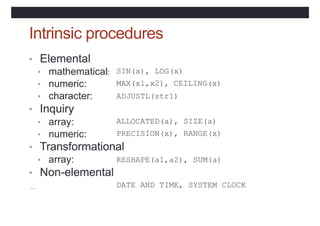
  • 156.
    Function syntax [<prefix>] FUNCTION<proc-name> ([<dummy args>]) <declaration of dummy args> <declaration of local objects> <executable statements, assigning result to proc-name> END [FUNCTION [<proc-name>] ]
  • 157.
    Function example PROGRAM Main IMPLICITNONE ! Specification part ! Execution part CONTAINS REAL FUNCTION REAL :: a Negative(a) Negative = -a END FUNCTION Negative END PROGRAM Main
  • 158.
    Function example PROGRAM Main IMPLICITNONE ! Specification part ! Execution part CONTAINS FUNCTION Negative(a) REAL :: a, Negative = END FUNCTION Negative -a Negative END PROGRAM Main
  • 159.
    Function facts • Avalue must be assigned to the function name within the body of the function • Side-effects must be avoided. For example do not alter the value of any argument, do not read or write values. Use a subroutine if side-effects are unavoidable.
  • 160.
    Subroutine syntax SUBROUTINE <proc-name>[(<dummyargs>)] <declaration of dummy args> <declaration of local objects> <executable statements> END [ SUBROUTINE [<proc-name>]]
  • 161.
    Subroutine example PROGRAM Thingy IMPLICITNONE ... CALL OutputFigures(NumberSet) ... CONTAINS SUBROUTINE OutputFigures(Numbers) REAL,DIMENSION(:) :: Numbers WRITE(*,“(5F12.4)”) Numbers END SUBROUTINE OutputFigures END PROGRAM Thingy
  • 162.
    Argument association • Inthe invocation CALL OutputFigures(NumberSet) and the declaration SUBROUTINE OutputFigures(Numbers) NumberSet is the actual argument which is argument associated with the dummy argument Numbers • Arguments must agree in type
  • 163.
    Dummy argument intent •INTENT(IN) can only be referenced - necessary if actual argument is a literal • INTENT(OUT) must be assigned to before use • INTENT(INOUT) to can be referenced and assigned
  • 164.
    Local objects REAL FUNCTIONArea(x,y,z) REAL, INTENT(IN) :: x,y,z REAL :: height, theta ! local object theta = … x, y, z height Area = ! Use = … ! Use … ! Use theta, x, y, z height and y END FUNCTION Area
  • 165.
    Local objects • arecreated when procedure invoked • are destroyed when procedure completes • do not retain values between calls
  • 166.
    SAVE attribute • Allowslocal objects to retain their values between procedure invocations SUBROUTINE Barmy(arg1,arg2) REAL, INTENT(IN) :: REAL, INTENT(OUT) :: arg1 arg2 INTEGER, SAVE :: NumInvocs = 0 NumInvocs = NumInvocs + 1 ...
  • 167.
    Scoping rules • Thescope of an entity is the range of program units where it is visible • Internal procedures can inherit entities by host association • Objects declared in modules can be made visible by use association
  • 168.
    Host Association CalculatePay :: NumberCalcsDone= 0 PROGRAM INTEGER ... CONTAINS SUBROUTINE PrintPay(Pay,Tax) REAL, INTENT(IN) :: Pay, Tax ... NumberCalcsDone = ... !host assn END SUBROUTINE PrintPay END PROGRAM CalculatePay
  • 169.
    Use Association MODULE Tally INTEGER:: NumberCalcsDone END MODULE Tally PROGRAM CalculatePay USE Tally REAL :: GrossPay, TaxRate, Delta ... NumberCalcsDone = ... !use END PROGRAM CalculatePay assn
  • 170.
    Scope of Names PROGRAMProggie REAL :: A, B, C CALL Sub(A) CONTAINS SUBROUTINE Sub(D) REAL :: D; REAL :: C B=...; C=...; D=... END SUBROUTINE Sub END PROGRAM Proggie
  • 171.
    Dummy array arguments •Two types of dummy array argument: • Explicit shape – all the bounds are specified. The actual argument must conform in size and shape. • Assumed shape – all the bounds are inherited from the actual argument which must conform in rank
  • 172.
    Explicit-shape REAL, DIMENSION(8,8), INTENT(IN):: & expl_shape • Actual argument must be of type real, have size 64 and shape 8,8 • In this subprogram the bounds are 1:8,1:8 whatever they may be in the calling unit
  • 173.
    Assumed-shape REAL, DIMENSION(:,:), INTENT(IN):: & assum_shape • Actual argument here must have rank 2 • In the subprogram the lower bounds are 1 unless another value is given, whatever they may be in the calling unit REAL, DIMENSION(0:,0:), & INTENT(IN) :: assum_shape
  • 174.
    External function • Anexternal function is defined outside the body of the program which uses it. The program needs to inform the compiler of the type of this function and that it is external. REAL :: Negative EXTERNAL :: Negative REAL, EXTERNAL :: Negative
  • 175.
    Practical 4 • Trythe questions on page 67
  • 176.
    Modules • Constants andprocedures can be encapsulated in modules for use in one or more programs
  • 177.
    Points about modules •Within a module, functions and subroutines are known as module procedures • Module procedures can contain internal procedures • Module objects can be given the SAVE attribute • Modules can be USEd by procedures and modules • Modules must be compiled before the program unit which uses them.
  • 178.
    Module syntax MODULE module-name [<declarations and specification statements> ] [ CONTAINS <module-procedures> ] END [ MODULE [ module-name ]]
  • 179.
    MODULE Triangle_Operations IMPLICIT NONE REAL,PARAMETER :: pi=3.14159 CONTAINS FUNCTION ... theta(x,y,z) END FUNCTION theta FUNCTION ... Area(x,y,z) END FUNCTION Area END MODULE Triangle_operations Module example
  • 180.
    Using modules PROGRAM TriangUser USETriangle_Operations IMPLICIT NONE REAL :: a, b, c
  • 181.
    Restricting visibility • Thevisibility of an object declared in a module can be restricted to that module by giving it the attribute PRIVATE REAL :: PUBLIC PRIVATE Area, theta !confirm default !restrict height!restrict :: theta REAL, PRIVATE ::
  • 182.
    USE rename syntax USE<module-name> & [,<new-name> => <use-name>]
  • 183.
    Use Rename example USETriangle_Operations, & Space => Area
  • 184.
    USE ONLY syntax USE<module-name> [, ONLY : <only-list>]
  • 185.
    Use Only example USETriangle_operations, pi, Space => Area ONLY: &
  • 186.
    DERIVED types TYPE COORDS_3D REAL:: x, y, z END TYPE COORDS_3D ! TYPE(COORDS_3D) :: pt1, pt2
  • 187.
    Supertypes TYPE SPHERE TYPE(COORDS_3D) REAL ::radius END TYPE SPHERE ! :: centre TYPE(SPHERE) :: bubble, ball
  • 188.
    Components of anobject • An individual component of a derived type object can be selected by using the % operator: pt1%x = 3.0 ball%radius = 1.0 ball%centre%x = 0.0
  • 189.
    Whole object assignment •Use the derived type name as a constructor: pt1 = COORDS_3D(3.0, 4.0, 5.0) ball = SPHERE(centre=pt1, radius=5.0)
  • 190.
    Input or Output •Components are accessed in defined order, for example: ball%centre%x ball%centre%y ball%centre%z ball%radius
  • 191.
    True portability • Therange and precision of numeric values are not defined in the language but are dependent on the computer system used • For integers, RANGE(i), and for reals RANGE(x) return the range of values supported • For reals, PRECISION(x) returns the precision to which values are held
  • 192.
    Properties of integers •Integer values are always stored exactly so it is only necessary to define their range. • The intrinsic function SELECTED_INT_KIND(<range>) • returns an integer KIND value which can be used to declare integers of this kind.
  • 193.
    Integers of chosenkind INTEGER, PARAMETER :: & ik9 = SELECTED_INT_KIND(9) INTEGER(KIND=ik9) :: i • ik9 is non-negative if the desired range of integer values, -109 < n < 109 can be achieved
  • 194.
    Properties of reals SELECTED_REAL_KIND& (<precision>,<range>) • returns an integer KIND value which can be used to declare reals with the chosen properties • It returns -1 if the precision cannot be achieved, and -2 if the range cannot be achieved
  • 195.
    Reals of chosenkind INTEGER, PARAMETER :: & rk637 = SELECTED_REAL_KIND(6,37) REAL(KIND=rk637) :: x
  • 196.
  • 197.
    Practical 5 • Trythe questions on page 77
  • 198.
    Bibliography Fortran95/2003 explained Michael Metcalf,John Reid, Malcolm Cohen. Oxford University Press ISBN 0 19 852693 8 Fortran 90 Programming T.M.R.Ellis, Ivor R.Philips, Thomas M.Lahey Addison-Wesley ISBN 0-201-54446-6 Fortran 90/95 for Scientists and Engineers Stephen J.Chapman McGraw Hill ISBN 007-123233-8