

Introduction à
l’utilisation de
Sharepoint 2013
Module 1 : Introduction
Mostefai Mohammed Amine
Expert Senior Outils Collaboratifs
2018
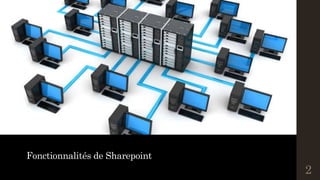
Fonctionnalités de Sharepoint
2
Fonctionnalités
--------------------------------------------------------------
UtilisationdeSharepoint|Introduction
©MostefaiMohahhedAmine2017
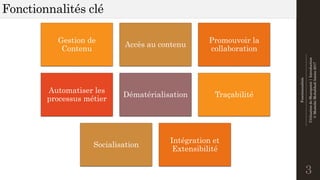
Fonctionnalités clé
3
Gestion de
Contenu
Accès au contenu
Promouvoir la
collaboration
Automatiser les
processus métier
Dématérialisation Traçabilité
Socialisation
Intégration et
Extensibilité
Fonctionnalités
--------------------------------------------------------------
UtilisationdeSharepoint|Introduction
©MostefaiMohahhedAmine2017
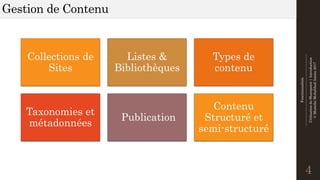
Gestion de Contenu
4
Collections de
Sites
Listes &
Bibliothèques
Types de
contenu
Taxonomies et
métadonnées
Publication
Contenu
Structuré et
semi-structuré
Fonctionnalités
--------------------------------------------------------------
UtilisationdeSharepoint|Introduction
©MostefaiMohahhedAmine2017
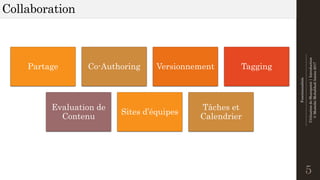
Collaboration
5
Partage Co-Authoring Versionnement Tagging
Evaluation de
Contenu
Sites d’équipes
Tâches et
Calendrier
Fonctionnalités
--------------------------------------------------------------
UtilisationdeSharepoint|Introduction
©MostefaiMohahhedAmine2017
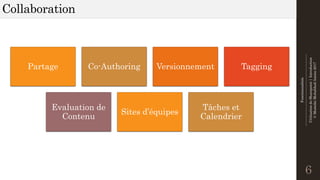
Collaboration
6
Partage Co-Authoring Versionnement Tagging
Evaluation de
Contenu
Sites d’équipes
Tâches et
Calendrier
Fonctionnalités
--------------------------------------------------------------
UtilisationdeSharepoint|Introduction
©MostefaiMohahhedAmine2017
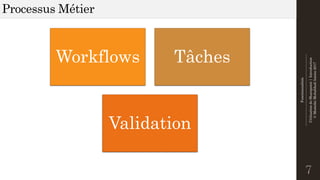
Processus Métier
7
Workflows Tâches
Validation
Fonctionnalités
--------------------------------------------------------------
UtilisationdeSharepoint|Introduction
©MostefaiMohahhedAmine2017
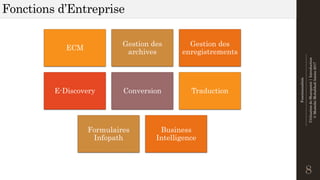
Fonctions d’Entreprise
8
ECM
Gestion des
archives
Gestion des
enregistrements
E-Discovery Conversion Traduction
Formulaires
Infopath
Business
Intelligence
Fonctionnalités
--------------------------------------------------------------
UtilisationdeSharepoint|Introduction
©MostefaiMohahhedAmine2017
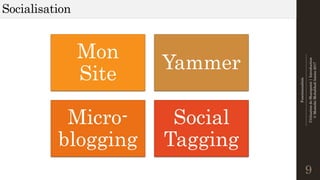
Socialisation
9
Mon
Site
Yammer
Micro-
blogging
Social
Tagging
Fonctionnalités
--------------------------------------------------------------
UtilisationdeSharepoint|Introduction
©MostefaiMohahhedAmine2017
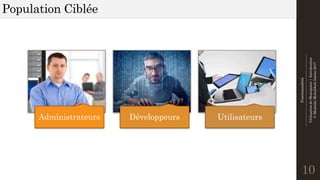
Population Ciblée
10
Administrateurs Développeurs Utilisateurs
Fonctionnalités
--------------------------------------------------------------
UtilisationdeSharepoint|Introduction
©MostefaiMohahhedAmine2017
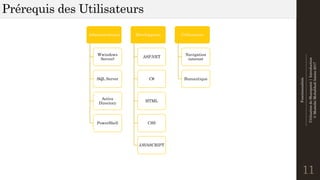
Prérequis des Utilisateurs
11
Administrateurs
Wwindows
Server)
SQL Server
Active
Directory
PowerShell
Développeurs
ASP.NET
C#
HTML
CSS
JAVASCRIPT
Utilisateurs
Navigation
internet
Bureautique
Intranet
12
Intranet
--------------------------------------------------------------
UtilisationdeSharepoint|Introduction
©MostefaiMohahhedAmine2017
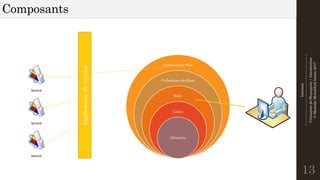
Composants
13
Applications Web
Collections de Sites
Sites
Listes
éléments
Service
Service
Service
Applicationdeservice
Intranet
--------------------------------------------------------------
UtilisationdeSharepoint|Introduction
©MostefaiMohahhedAmine2017
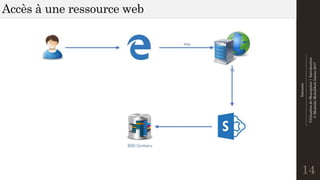
Accès à une ressource web
14
Intranet
--------------------------------------------------------------
UtilisationdeSharepoint|Introduction
©MostefaiMohahhedAmine2017
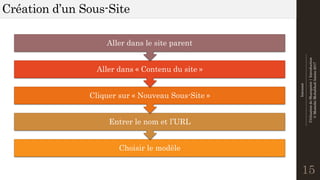
Création d’un Sous-Site
15
Choisir le modèle
Entrer le nom et l’URL
Cliquer sur « Nouveau Sous-Site »
Aller dans « Contenu du site »
Aller dans le site parent
Intranet
--------------------------------------------------------------
UtilisationdeSharepoint|Introduction
©MostefaiMohahhedAmine2017
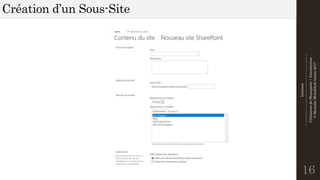
Création d’un Sous-Site
16
Intranet
--------------------------------------------------------------
UtilisationdeSharepoint|Introduction
©MostefaiMohahhedAmine2017
Atelier
17
Création Sous-Site
(10 mns)
Merci pour votre attention !
18

Utilisation de Sharepoiunt - Introduction