PyMite
ou p14p (python on a chip)
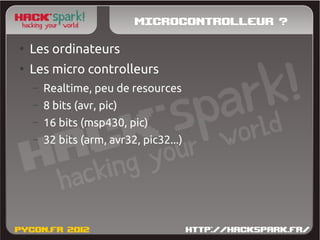
Microcontrolleur ?
●
    Les ordinateurs
●
    Les micro controlleurs
    –   Realtime, peu de resources
    –   8 bits (avr, pic)
    –   16 bits (msp430, pic)
    –   32 bits (arm, avr32, pic32...)
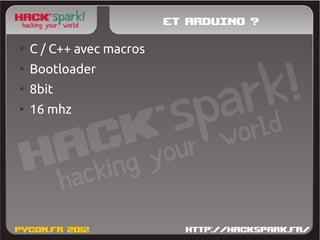
Et Arduino ?
●
    C / C++ avec macros
●
    Bootloader
●
    8bit
●
    16 mhz
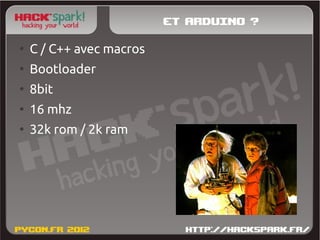
Et Arduino ?
●
    C / C++ avec macros
●
    Bootloader
●
    8bit
●
    16 mhz
●
    32k rom / 2k ram
Et Arduino ?
●
    Facile
●
    Grand eco-système
●
    Beaucoup de tutoriels
Et Arduino ?
●
    Facile
●
    Grand eco-système
●
    Beaucoup de tutoriels


        Beginners friendly !
Python ?
●
    Langage lisible
●
    Maintenable
●
    Simple
Python ?
●
    Langage lisible   ●
                          Lourd
●
    Maintenable       ●
                          Lent
●
    Simple            ●
                          Pas adapté
Pymite !
●
    Très léger
●
    Rapide
Pymite !
●
    Très léger
●
    Rapide

●
    Mais toujours pas assez...
Pymite !
●
    Très léger
●
    Rapide

●
    Mais toujours pas assez...
        Pour du 8bit !
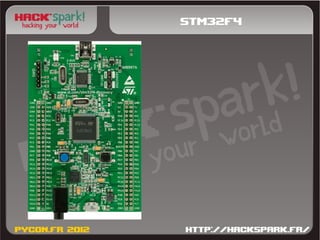
stm32f4
stm32f4
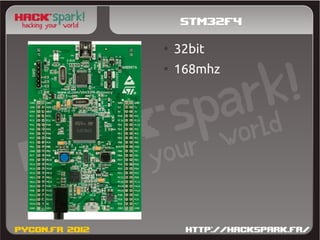
●
    32bit
●
    168mhz
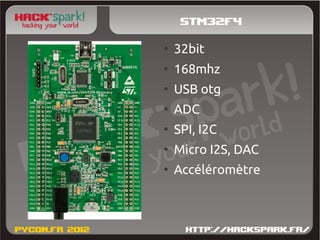
stm32f4
●
    32bit
●
    168mhz
●
    USB otg
●
    ADC
●
    SPI, I2C
●
    Micro I2S, DAC
●
    Accéléromètre
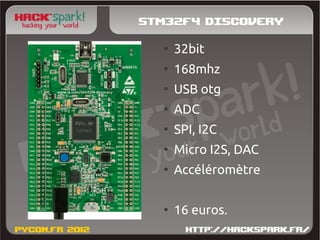
Stm32f4 Discovery
  ●
      32bit
  ●
      168mhz
  ●
      USB otg
  ●
      ADC
  ●
      SPI, I2C
  ●
      Micro I2S, DAC
  ●
      Accéléromètre

  ●
      16 euros.
Etat du portage
●
    Marche (hello world)
Etat du portage
●
    Marche (hello world)
●
    GPIO
Etat du portage
●
    Marche (hello world)
●
    GPIO
●
    Accéléromètre
Etat du portage
●
    Marche (hello world)
●
    GPIO
●
    Accéléromètre

●
    Reste à mapper :
    –   ADC
    –   PWM générique
    –   SPI, I2C, etc.
    –   GDB / PDB
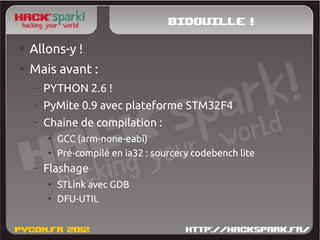
Bidouille !
●
    Allons-y !
●
    Mais avant :
    –   PYTHON 2.6 !
    –   PyMite 0.9 avec plateforme STM32F4
    –   Chaine de compilation :
        ●
            GCC (arm-none-eabi)
        ●
            Pré-compilé en ia32 : sourcery codebench lite
    –   Flashage
        ●
            STLink avec GDB
        ●
            DFU-UTIL
●
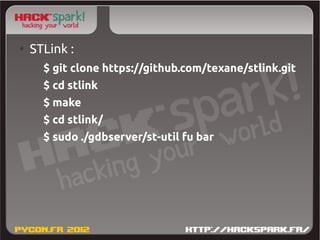
    STLink :
      $ git clone https://github.com/texane/stlink.git
      $ cd stlink
      $ make
      $ cd stlink/
      $ sudo ./gdbserver/st-util fu bar
●
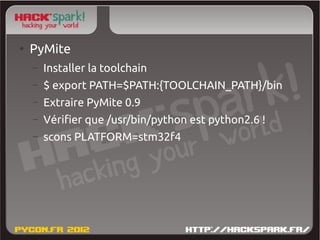
    PyMite
    –   Installer la toolchain
    –   $ export PATH=$PATH:{TOOLCHAIN_PATH}/bin
    –   Extraire PyMite 0.9
    –   Vérifier que /usr/bin/python est python2.6 !
    –   scons PLATFORM=stm32f4
●
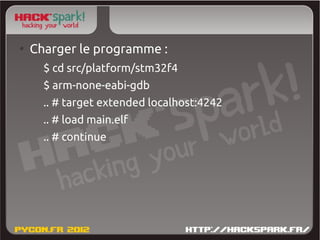
    Charger le programme :
      $ cd src/platform/stm32f4
      $ arm-none-eabi-gdb
      .. # target extended localhost:4242
      .. # load main.elf
      .. # continue
●
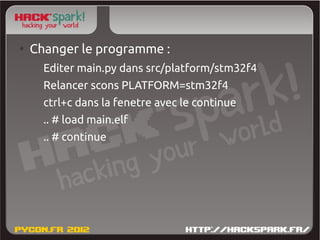
    Changer le programme :
      Editer main.py dans src/platform/stm32f4
      Relancer scons PLATFORM=stm32f4
      ctrl+c dans la fenetre avec le continue
      .. # load main.elf
      .. # continue

Atelier PyMite sur STM32F4 à PyconFR 2012

  • 1.
  • 2.
    Microcontrolleur ? ● Les ordinateurs ● Les micro controlleurs – Realtime, peu de resources – 8 bits (avr, pic) – 16 bits (msp430, pic) – 32 bits (arm, avr32, pic32...)
  • 3.
    Et Arduino ? ● C / C++ avec macros ● Bootloader ● 8bit ● 16 mhz
  • 4.
    Et Arduino ? ● C / C++ avec macros ● Bootloader ● 8bit ● 16 mhz ● 32k rom / 2k ram
  • 5.
    Et Arduino ? ● Facile ● Grand eco-système ● Beaucoup de tutoriels
  • 6.
    Et Arduino ? ● Facile ● Grand eco-système ● Beaucoup de tutoriels Beginners friendly !
  • 7.
    Python ? ● Langage lisible ● Maintenable ● Simple
  • 8.
    Python ? ● Langage lisible ● Lourd ● Maintenable ● Lent ● Simple ● Pas adapté
  • 9.
    Pymite ! ● Très léger ● Rapide
  • 10.
    Pymite ! ● Très léger ● Rapide ● Mais toujours pas assez...
  • 11.
    Pymite ! ● Très léger ● Rapide ● Mais toujours pas assez... Pour du 8bit !
  • 12.
  • 13.
    stm32f4 ● 32bit ● 168mhz
  • 14.
    stm32f4 ● 32bit ● 168mhz ● USB otg ● ADC ● SPI, I2C ● Micro I2S, DAC ● Accéléromètre
  • 15.
    Stm32f4 Discovery ● 32bit ● 168mhz ● USB otg ● ADC ● SPI, I2C ● Micro I2S, DAC ● Accéléromètre ● 16 euros.
  • 16.
    Etat du portage ● Marche (hello world)
  • 17.
    Etat du portage ● Marche (hello world) ● GPIO
  • 18.
    Etat du portage ● Marche (hello world) ● GPIO ● Accéléromètre
  • 19.
    Etat du portage ● Marche (hello world) ● GPIO ● Accéléromètre ● Reste à mapper : – ADC – PWM générique – SPI, I2C, etc. – GDB / PDB
  • 20.
    Bidouille ! ● Allons-y ! ● Mais avant : – PYTHON 2.6 ! – PyMite 0.9 avec plateforme STM32F4 – Chaine de compilation : ● GCC (arm-none-eabi) ● Pré-compilé en ia32 : sourcery codebench lite – Flashage ● STLink avec GDB ● DFU-UTIL
  • 21.
    STLink : $ git clone https://github.com/texane/stlink.git $ cd stlink $ make $ cd stlink/ $ sudo ./gdbserver/st-util fu bar
  • 22.
    PyMite – Installer la toolchain – $ export PATH=$PATH:{TOOLCHAIN_PATH}/bin – Extraire PyMite 0.9 – Vérifier que /usr/bin/python est python2.6 ! – scons PLATFORM=stm32f4
  • 23.
    Charger le programme : $ cd src/platform/stm32f4 $ arm-none-eabi-gdb .. # target extended localhost:4242 .. # load main.elf .. # continue
  • 24.
    Changer le programme : Editer main.py dans src/platform/stm32f4 Relancer scons PLATFORM=stm32f4 ctrl+c dans la fenetre avec le continue .. # load main.elf .. # continue