
HTML 101 : Back to Basics
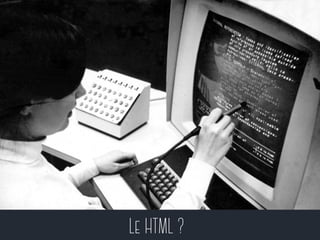
Le HTML ?
Une définition ? 
L’Hypertext Markup Language, 
généralement abrégé HTML, est 
le format de données conçu 
pour représenter les pages 
web. 
Source : wikipedia.org
Hypertext ? 
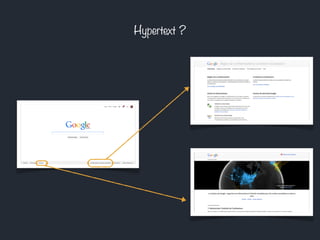
Un système hypertexte est un système 
contenant des noeuds liés entre eux par des 
hyperliens permettant de passer 
automatiquement d'un noeud à un autre. 
Source : wikipedia.org
Hypertext ?
Markup Language ? 
Les langages de balisage représentent une classe de 
langages spécialisés dans l'enrichissement 
d'information textuelle. Ils utilisent des balises, 
unités syntaxiques délimitant des séquences de 
caractères à l'intérieur d'un flux de caractères. 
Source : wikipedia.org
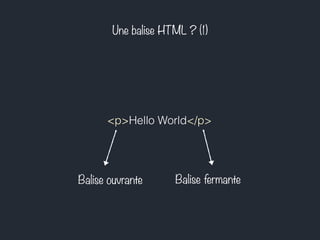
Une balise HTML ? (1) 
<p>Hello World</p> 
Balise ouvrante Balise fermante
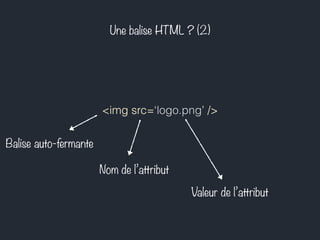
Une balise HTML ? (2) 
<img src=‘logo.png’ /> 
Nom de l’attribut 
Valeur de l’attribut 
Balise auto-fermante
Balises & règles syntaxiques 
Noms de balise standards 
Balise & attributs en minuscule 
Cohérence des inclusions
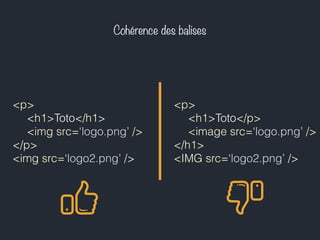
Cohérence des balises 
<p> 
<h1>Toto</h1> 
<img src=‘logo.png’ /> 
</p> 
<img src=‘logo2.png’ /> 
<p> 
<h1>Toto</p> 
<image src=‘logo.png’ /> 
</h1> 
<IMG src=‘logo2.png’ />
Quelques balises
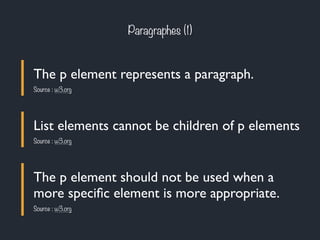
Paragraphes (1) 
The p element represents a paragraph. 
Source : w3.org 
List elements cannot be children of p elements 
Source : w3.org 
The p element should not be used when a 
more specific element is more appropriate. 
Source : w3.org
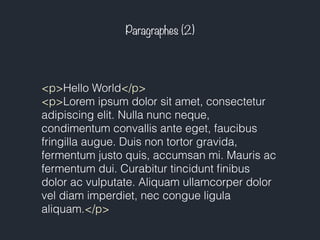
Paragraphes (2) 
<p>Hello World</p> 
<p>Lorem ipsum dolor sit amet, consectetur 
adipiscing elit. Nulla nunc neque, 
condimentum convallis ante eget, faucibus 
fringilla augue. Duis non tortor gravida, 
fermentum justo quis, accumsan mi. Mauris ac 
fermentum dui. Curabitur tincidunt finibus 
dolor ac vulputate. Aliquam ullamcorper dolor 
vel diam imperdiet, nec congue ligula 
aliquam.</p>
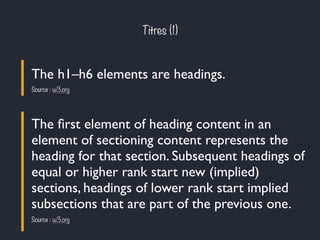
Titres (1) 
The h1–h6 elements are headings. 
Source : w3.org 
The first element of heading content in an 
element of sectioning content represents the 
heading for that section. Subsequent headings of 
equal or higher rank start new (implied) 
sections, headings of lower rank start implied 
subsections that are part of the previous one. 
Source : w3.org
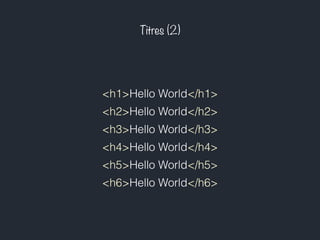
Titres (2) 
<h1>Hello World</h1> 
<h2>Hello World</h2> 
<h3>Hello World</h3> 
<h4>Hello World</h4> 
<h5>Hello World</h5> 
<h6>Hello World</h6>
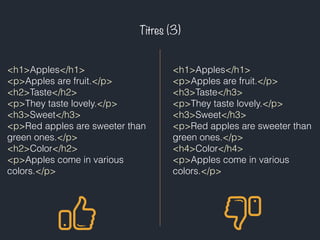
Titres (3) 
<h1>Apples</h1> 
<p>Apples are fruit.</p> 
<h2>Taste</h2> 
<p>They taste lovely.</p> 
<h3>Sweet</h3> 
<p>Red apples are sweeter than 
green ones.</p> 
<h2>Color</h2> 
<p>Apples come in various 
colors.</p> 
<h1>Apples</h1> 
<p>Apples are fruit.</p> 
<h3>Taste</h3> 
<p>They taste lovely.</p> 
<h3>Sweet</h3> 
<p>Red apples are sweeter than 
green ones.</p> 
<h4>Color</h4> 
<p>Apples come in various 
colors.</p>
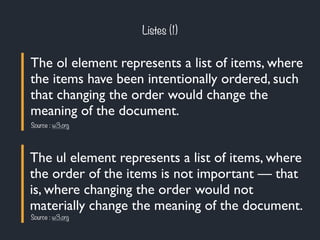
Listes (1) 
The ol element represents a list of items, where 
the items have been intentionally ordered, such 
that changing the order would change the 
meaning of the document. 
Source : w3.org 
The ul element represents a list of items, where 
the order of the items is not important — that 
is, where changing the order would not 
materially change the meaning of the document. 
Source : w3.org
Listes (2) 
The li element represents a list item. If its parent 
element is an ol, or ul, then the element is an 
item of the parent element's list, as defined for 
those elements. Otherwise, the list item has no 
defined list-related relationship to any other li 
element. 
Source : w3.org
Listes (3) 
<p>I have lived in the following 
countries (given in the order of 
when I first lived there):</p> 
<ol> 
<li>Switzerland</li> 
<li>United Kingdom</li> 
<li>United States</li> 
<li>Norway</li> 
</ol> 
<p>I have lived in the following 
countries:</p> 
<ul> 
<li>Norway</li> 
<li>Switzerland</li> 
<li>United Kingdom</li> 
<li>United States</li> 
</ul>
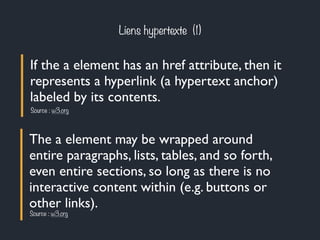
Liens hypertexte (1) 
If the a element has an href attribute, then it 
represents a hyperlink (a hypertext anchor) 
labeled by its contents. 
Source : w3.org 
The a element may be wrapped around 
entire paragraphs, lists, tables, and so forth, 
even entire sections, so long as there is no 
interactive content within (e.g. buttons or 
other links). 
Source : w3.org
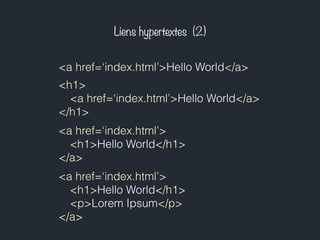
Liens hypertextes (2) 
<a href=‘index.html’>Hello World</a> 
<h1> 
<a href=‘index.html’>Hello World</a> 
</h1> 
<a href=‘index.html’> 
<h1>Hello World</h1> 
</a> 
<a href=‘index.html’> 
<h1>Hello World</h1> 
<p>Lorem Ipsum</p> 
</a>
Chemins & arborescence (1) 
Chemin relatif Chemin absolu 
site/index.html 
La cible va être cherchée par le 
navigateur à partir de la page 
html qu'il interprète, dans le 
sous-répertoire "site". 
/site/index.html 
La cible va être cherchée par le 
navigateur à partir de la racine 
dans le sous-répertoire "site".
Chemins & arborescence (2.1) 
Dossier www / racine du serveur 
Dossier articles 
Dossier templates 
page.html footer.html 
news.html 
list.html 
index.html about.html 
Dossier portfolio 
projet.html ref.html 
A partir de list.html - /about.html
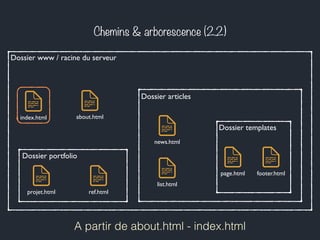
Chemins & arborescence (2.2) 
Dossier www / racine du serveur 
Dossier articles 
Dossier templates 
page.html footer.html 
news.html 
list.html 
index.html about.html 
Dossier portfolio 
projet.html ref.html 
A partir de about.html - index.html
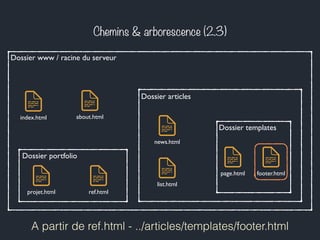
Chemins & arborescence (2.3) 
Dossier www / racine du serveur 
Dossier articles 
Dossier templates 
page.html footer.html 
news.html 
list.html 
index.html about.html 
Dossier portfolio 
projet.html ref.html 
A partir de ref.html - ../articles/templates/footer.html
Chemins & arborescence (2.4) 
Dossier www / racine du serveur 
Dossier articles 
Dossier templates 
page.html footer.html 
news.html 
list.html 
index.html about.html 
Dossier portfolio 
projet.html ref.html 
A partir de news.html - ./templates/page.html
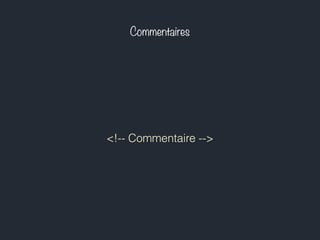
Commentaires 
<!-- Commentaire -->
Structure d’une page html
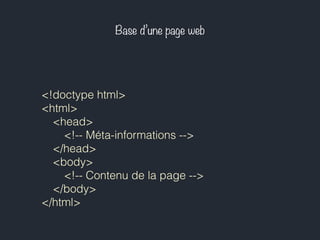
Base d’une page web 
<!doctype html> 
<html> 
<head> 
<!-- Méta-informations --> 
</head> 
<body> 
<!-- Contenu de la page --> 
</body> 
</html>
Doctype ? 
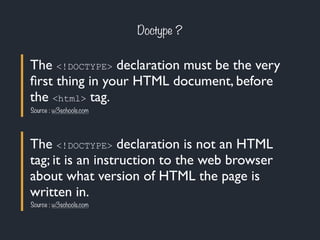
The <!DOCTYPE> declaration must be the very 
first thing in your HTML document, before 
the <html> tag. 
Source : w3schools.com 
The <!DOCTYPE> declaration is not an HTML 
tag; it is an instruction to the web browser 
about what version of HTML the page is 
written in. 
Source : w3schools.com
Méta-informations (1) 
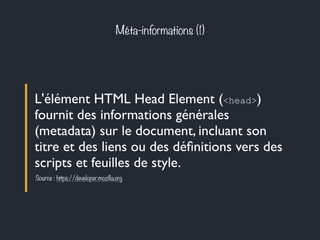
L'élément HTML Head Element (<head>) 
fournit des informations générales 
(metadata) sur le document, incluant son 
titre et des liens ou des définitions vers des 
scripts et feuilles de style. 
Source : https://developer.mozilla.org
Méta-informations (2) 
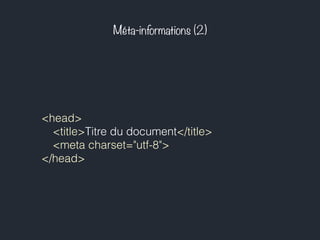
<head> 
<title>Titre du document</title> 
<meta charset="utf-8"> 
</head>
Contenu de la page (1) 
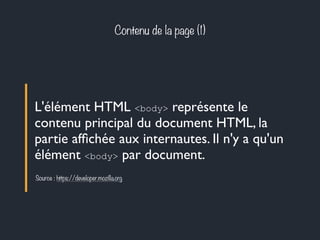
L'élément HTML <body> représente le 
contenu principal du document HTML, la 
partie affichée aux internautes. Il n'y a qu'un 
élément <body> par document. 
Source : https://developer.mozilla.org
Contenu de la page (2) 
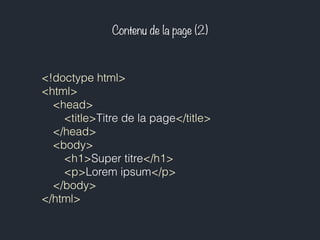
<!doctype html> 
<html> 
<head> 
<title>Titre de la page</title> 
</head> 
<body> 
<h1>Super titre</h1> 
<p>Lorem ipsum</p> 
</body> 
</html>
Mise en pratique
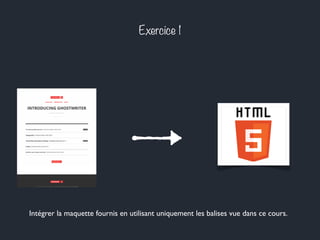
Exercice 1 
Intégrer la maquette fournis en utilisant uniquement les balises vue dans ce cours.
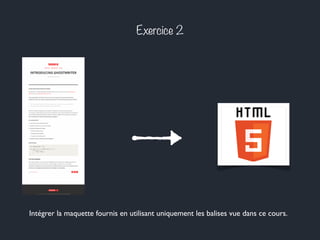
Exercice 2 
Intégrer la maquette fournis en utilisant uniquement les balises vue dans ce cours.
Merci pour votre attention.
Bibliographie 
Bien construire sa hiérarchie de titres - Laurie-Anne 
http://www.alsacreations.com/astuce/lire/952-bien-construire-sa-hirarchie-de-titres.html 
La hiérarchie des balises H1, H2, Hn... et le référencement- AxeNet 
http://blog.axe-net.fr/hierarchie-balises-h1-h2-hn-referencement/ 
A vocabulary and associated APIs for HTML and XHTML - W3C 
http://www.w3.org/TR/html5/ 
HTML5 : structure globale du document -Simon-K 
http://www.alsacreations.com/article/lire/1374-html-5-structure-globale-du-document.html
Crédits 
HTML5 - Erick Dimas 
http://commons.wikimedia.org/wiki/File:HTML5_de_Erick_Dimas.jpg 
Hypertext Editing System (HES) console - Greg Lloyd 
http://commons.wikimedia.org/wiki/File:HypertextEditingSystemConsoleBrownUniv1969.jpg

Intégration #2 : HTML 101 : Back to Basics

  • 1.
    HTML 101 :Back to Basics
  • 2.
  • 3.
    Une définition ? L’Hypertext Markup Language, généralement abrégé HTML, est le format de données conçu pour représenter les pages web. Source : wikipedia.org
  • 4.
    Hypertext ? Unsystème hypertexte est un système contenant des noeuds liés entre eux par des hyperliens permettant de passer automatiquement d'un noeud à un autre. Source : wikipedia.org
  • 5.
  • 6.
    Markup Language ? Les langages de balisage représentent une classe de langages spécialisés dans l'enrichissement d'information textuelle. Ils utilisent des balises, unités syntaxiques délimitant des séquences de caractères à l'intérieur d'un flux de caractères. Source : wikipedia.org
  • 7.
    Une balise HTML? (1) <p>Hello World</p> Balise ouvrante Balise fermante
  • 8.
    Une balise HTML? (2) <img src=‘logo.png’ /> Nom de l’attribut Valeur de l’attribut Balise auto-fermante
  • 9.
    Balises & règlessyntaxiques Noms de balise standards Balise & attributs en minuscule Cohérence des inclusions
  • 10.
    Cohérence des balises <p> <h1>Toto</h1> <img src=‘logo.png’ /> </p> <img src=‘logo2.png’ /> <p> <h1>Toto</p> <image src=‘logo.png’ /> </h1> <IMG src=‘logo2.png’ />
  • 11.
  • 12.
    Paragraphes (1) Thep element represents a paragraph. Source : w3.org List elements cannot be children of p elements Source : w3.org The p element should not be used when a more specific element is more appropriate. Source : w3.org
  • 13.
    Paragraphes (2) <p>HelloWorld</p> <p>Lorem ipsum dolor sit amet, consectetur adipiscing elit. Nulla nunc neque, condimentum convallis ante eget, faucibus fringilla augue. Duis non tortor gravida, fermentum justo quis, accumsan mi. Mauris ac fermentum dui. Curabitur tincidunt finibus dolor ac vulputate. Aliquam ullamcorper dolor vel diam imperdiet, nec congue ligula aliquam.</p>
  • 14.
    Titres (1) Theh1–h6 elements are headings. Source : w3.org The first element of heading content in an element of sectioning content represents the heading for that section. Subsequent headings of equal or higher rank start new (implied) sections, headings of lower rank start implied subsections that are part of the previous one. Source : w3.org
  • 15.
    Titres (2) <h1>HelloWorld</h1> <h2>Hello World</h2> <h3>Hello World</h3> <h4>Hello World</h4> <h5>Hello World</h5> <h6>Hello World</h6>
  • 16.
    Titres (3) <h1>Apples</h1> <p>Apples are fruit.</p> <h2>Taste</h2> <p>They taste lovely.</p> <h3>Sweet</h3> <p>Red apples are sweeter than green ones.</p> <h2>Color</h2> <p>Apples come in various colors.</p> <h1>Apples</h1> <p>Apples are fruit.</p> <h3>Taste</h3> <p>They taste lovely.</p> <h3>Sweet</h3> <p>Red apples are sweeter than green ones.</p> <h4>Color</h4> <p>Apples come in various colors.</p>
  • 17.
    Listes (1) Theol element represents a list of items, where the items have been intentionally ordered, such that changing the order would change the meaning of the document. Source : w3.org The ul element represents a list of items, where the order of the items is not important — that is, where changing the order would not materially change the meaning of the document. Source : w3.org
  • 18.
    Listes (2) Theli element represents a list item. If its parent element is an ol, or ul, then the element is an item of the parent element's list, as defined for those elements. Otherwise, the list item has no defined list-related relationship to any other li element. Source : w3.org
  • 19.
    Listes (3) <p>Ihave lived in the following countries (given in the order of when I first lived there):</p> <ol> <li>Switzerland</li> <li>United Kingdom</li> <li>United States</li> <li>Norway</li> </ol> <p>I have lived in the following countries:</p> <ul> <li>Norway</li> <li>Switzerland</li> <li>United Kingdom</li> <li>United States</li> </ul>
  • 20.
    Liens hypertexte (1) If the a element has an href attribute, then it represents a hyperlink (a hypertext anchor) labeled by its contents. Source : w3.org The a element may be wrapped around entire paragraphs, lists, tables, and so forth, even entire sections, so long as there is no interactive content within (e.g. buttons or other links). Source : w3.org
  • 21.
    Liens hypertextes (2) <a href=‘index.html’>Hello World</a> <h1> <a href=‘index.html’>Hello World</a> </h1> <a href=‘index.html’> <h1>Hello World</h1> </a> <a href=‘index.html’> <h1>Hello World</h1> <p>Lorem Ipsum</p> </a>
  • 22.
    Chemins & arborescence(1) Chemin relatif Chemin absolu site/index.html La cible va être cherchée par le navigateur à partir de la page html qu'il interprète, dans le sous-répertoire "site". /site/index.html La cible va être cherchée par le navigateur à partir de la racine dans le sous-répertoire "site".
  • 23.
    Chemins & arborescence(2.1) Dossier www / racine du serveur Dossier articles Dossier templates page.html footer.html news.html list.html index.html about.html Dossier portfolio projet.html ref.html A partir de list.html - /about.html
  • 24.
    Chemins & arborescence(2.2) Dossier www / racine du serveur Dossier articles Dossier templates page.html footer.html news.html list.html index.html about.html Dossier portfolio projet.html ref.html A partir de about.html - index.html
  • 25.
    Chemins & arborescence(2.3) Dossier www / racine du serveur Dossier articles Dossier templates page.html footer.html news.html list.html index.html about.html Dossier portfolio projet.html ref.html A partir de ref.html - ../articles/templates/footer.html
  • 26.
    Chemins & arborescence(2.4) Dossier www / racine du serveur Dossier articles Dossier templates page.html footer.html news.html list.html index.html about.html Dossier portfolio projet.html ref.html A partir de news.html - ./templates/page.html
  • 27.
  • 28.
  • 29.
    Base d’une pageweb <!doctype html> <html> <head> <!-- Méta-informations --> </head> <body> <!-- Contenu de la page --> </body> </html>
  • 30.
    Doctype ? The<!DOCTYPE> declaration must be the very first thing in your HTML document, before the <html> tag. Source : w3schools.com The <!DOCTYPE> declaration is not an HTML tag; it is an instruction to the web browser about what version of HTML the page is written in. Source : w3schools.com
  • 31.
    Méta-informations (1) L'élémentHTML Head Element (<head>) fournit des informations générales (metadata) sur le document, incluant son titre et des liens ou des définitions vers des scripts et feuilles de style. Source : https://developer.mozilla.org
  • 32.
    Méta-informations (2) <head> <title>Titre du document</title> <meta charset="utf-8"> </head>
  • 33.
    Contenu de lapage (1) L'élément HTML <body> représente le contenu principal du document HTML, la partie affichée aux internautes. Il n'y a qu'un élément <body> par document. Source : https://developer.mozilla.org
  • 34.
    Contenu de lapage (2) <!doctype html> <html> <head> <title>Titre de la page</title> </head> <body> <h1>Super titre</h1> <p>Lorem ipsum</p> </body> </html>
  • 35.
  • 36.
    Exercice 1 Intégrerla maquette fournis en utilisant uniquement les balises vue dans ce cours.
  • 37.
    Exercice 2 Intégrerla maquette fournis en utilisant uniquement les balises vue dans ce cours.
  • 38.
    Merci pour votreattention.
  • 39.
    Bibliographie Bien construiresa hiérarchie de titres - Laurie-Anne http://www.alsacreations.com/astuce/lire/952-bien-construire-sa-hirarchie-de-titres.html La hiérarchie des balises H1, H2, Hn... et le référencement- AxeNet http://blog.axe-net.fr/hierarchie-balises-h1-h2-hn-referencement/ A vocabulary and associated APIs for HTML and XHTML - W3C http://www.w3.org/TR/html5/ HTML5 : structure globale du document -Simon-K http://www.alsacreations.com/article/lire/1374-html-5-structure-globale-du-document.html
  • 40.
    Crédits HTML5 -Erick Dimas http://commons.wikimedia.org/wiki/File:HTML5_de_Erick_Dimas.jpg Hypertext Editing System (HES) console - Greg Lloyd http://commons.wikimedia.org/wiki/File:HypertextEditingSystemConsoleBrownUniv1969.jpg