07 Novembre
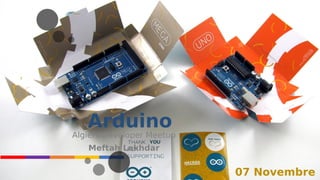
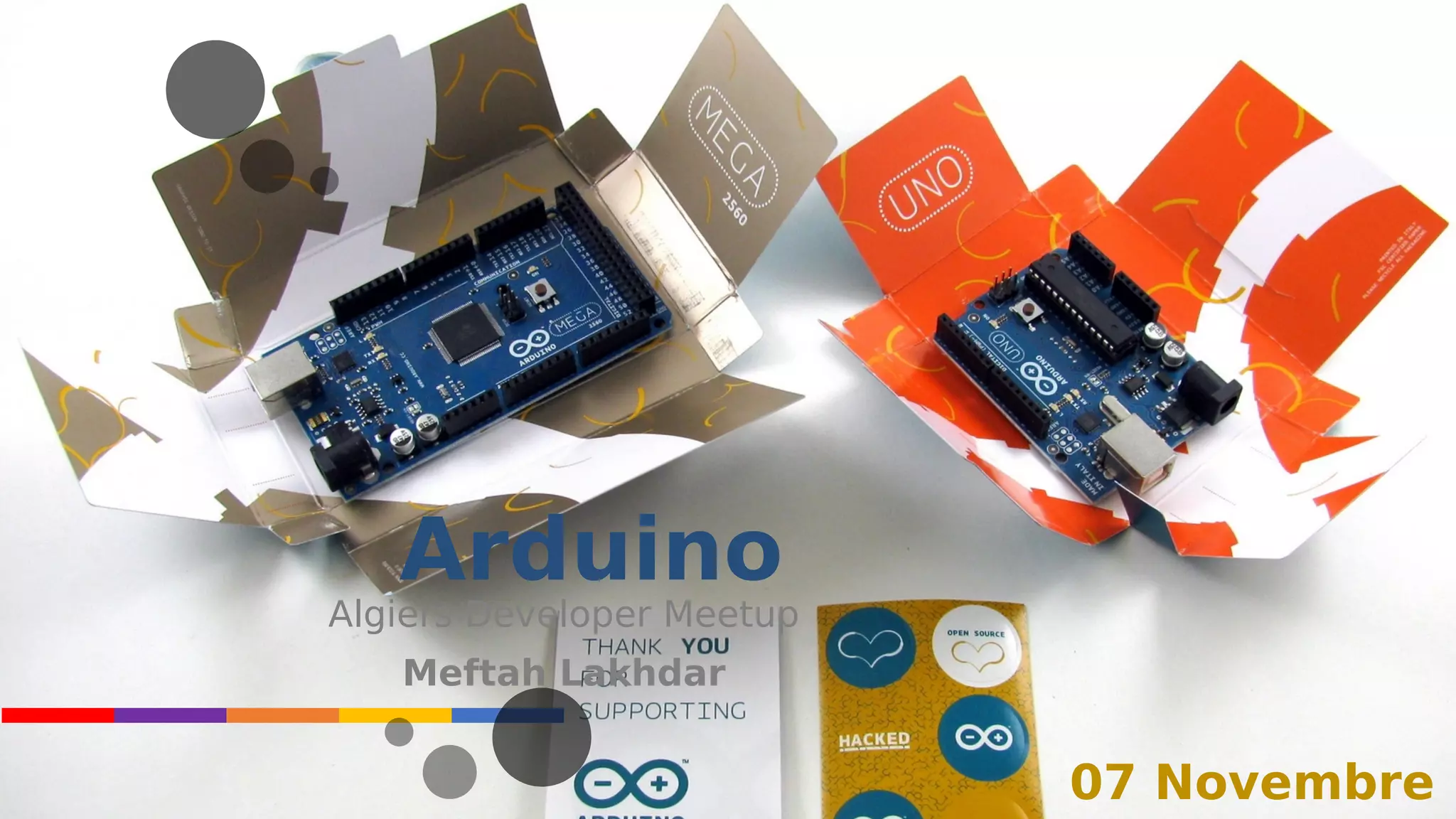
Arduino
Algiers Developer Meetup
Meftah Lakhdar
INTRODUCTI
ON
INTRODUCTION
03
Wikipedia.
org
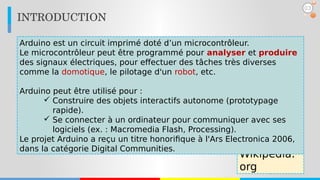
Arduino est un circuit imprimé doté d’un microcontrôleur.
Le microcontrôleur peut être programmé pour analyser et produire
des signaux électriques, pour effectuer des tâches très diverses
comme la domotique, le pilotage d'un robot, etc.
Arduino peut être utilisé pour :
 Construire des objets interactifs autonome (prototypage
rapide).
 Se connecter à un ordinateur pour communiquer avec ses
logiciels (ex. : Macromedia Flash, Processing).
Le projet Arduino a reçu un titre honorifique à l'Ars Electronica 2006,
dans la catégorie Digital Communities.
C’est quoi Arduino ?
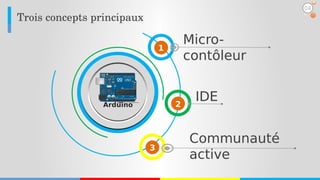
Trois concepts principaux
Micro-
contôleur
1
2
3
IDE
Communauté
active
04
Arduino
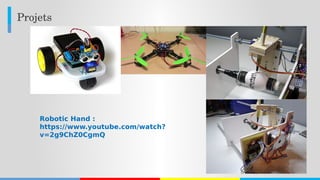
Projets
Robotic Hand :
https://www.youtube.com/watch?
v=2g9ChZ0CgmQ
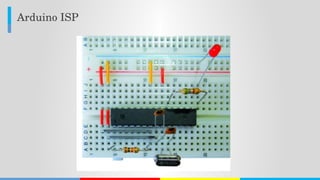
Arduino ISP
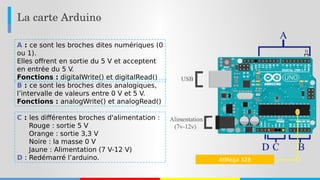
La carte Arduino
A : ce sont les broches dites numériques (0
ou 1).
Elles offrent en sortie du 5 V et acceptent
en entrée du 5 V.
Fonctions : digitalWrite() et digitalRead()
B : ce sont les broches dites analogiques,
l’intervalle de valeurs entre 0 V et 5 V.
Fonctions : analogWrite() et analogRead()
C : les différentes broches d'alimentation :
Rouge : sortie 5 V
Orange : sortie 3,3 V
Noire : la masse 0 V
Jaune : Alimentation (7 V-12 V)
D : Redémarré l’arduino. AtMega 328
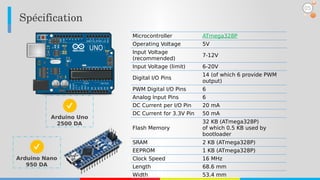
Spécification
05
Microcontroller ATmega328P
Operating Voltage 5V
Input Voltage
(recommended)
7-12V
Input Voltage (limit) 6-20V
Digital I/O Pins
14 (of which 6 provide PWM
output)
PWM Digital I/O Pins 6
Analog Input Pins 6
DC Current per I/O Pin 20 mA
DC Current for 3.3V Pin 50 mA
Flash Memory
32 KB (ATmega328P)
of which 0.5 KB used by
bootloader
SRAM 2 KB (ATmega328P)
EEPROM 1 KB (ATmega328P)
Clock Speed 16 MHz
Length 68.6 mm
Width 53.4 mm
Arduino Uno
2500 DA
Arduino Nano
950 DA
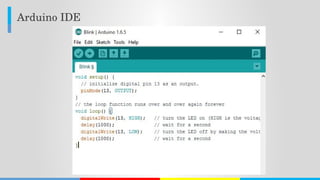
Arduino IDE
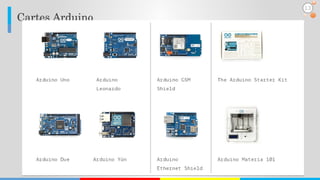
Cartes Arduino
13
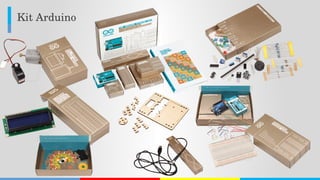
Kit Arduino
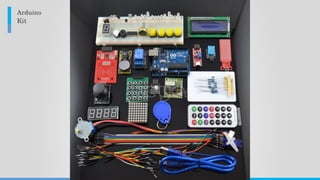
Arduino
Kit
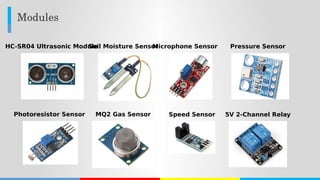
Modules
HC-SR04 Ultrasonic ModuleSoil Moisture SensorMicrophone Sensor Pressure Sensor
Photoresistor Sensor MQ2 Gas Sensor Speed Sensor 5V 2-Channel Relay
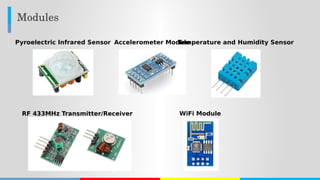
Modules
Pyroelectric Infrared Sensor Accelerometer ModuleTemperature and Humidity Sensor
RF 433MHz Transmitter/Receiver WiFi Module
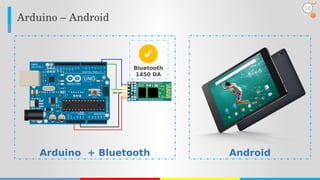
Arduino + Bluetooth
Arduino – Android
Android
Bluetooth
1450 DA
18
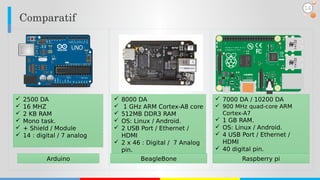
Comparatif
14
 2500 DA
 16 MHZ
 2 KB RAM
 Mono task.
 + Shield / Module
 14 : digital / 7 analog
Arduino
 8000 DA
 1 GHz ARM Cortex-A8 core
 512MB DDR3 RAM
 OS: Linux / Android.
 2 USB Port / Ethernet /
HDMI
 2 x 46 : Digital / 7 Analog
pin.
BeagleBone
 7000 DA / 10200 DA
 900 MHz quad-core ARM
Cortex-A7
 1 GB RAM.
 OS: Linux / Android.
 4 USB Port / Ethernet /
HDMI
 40 digital pin.
Raspberry pi
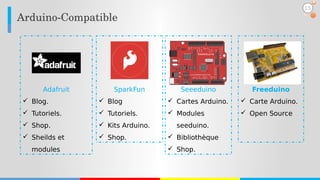
SparkFun
 Blog
 Tutoriels.
 Kits Arduino.
 Shop.
Seeeduino
 Cartes Arduino.
 Modules
seeduino.
 Bibliothèque
 Shop.
Adafruit
 Blog.
 Tutoriels.
 Shop.
 Sheilds et
modules
Arduino­Compatible
Freeduino
 Carte Arduino.
 Open Source
15
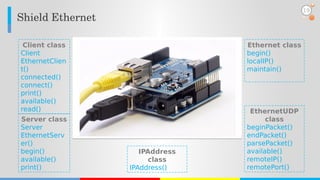
Shield Ethernet
Server class
Server
EthernetServ
er()
begin()
available()
print()
Client class
Client
EthernetClien
t()
connected()
connect()
print()
available()
read()
Ethernet class
begin()
localIP()
maintain()
IPAddress
class
IPAddress()
EthernetUDP
class
beginPacket()
endPacket()
parsePacket()
available()
remoteIP()
remotePort()
19
Shield Ethernet – Chat Server – Exemple
byte mac[] = {  0xDE, 0xAD, 0xBE, 0xEF, 0xFE, 0xED};
IPAddress ip(192, 168, 1, 177); IPAddress myDns(192,168,1, 1);
IPAddress gateway(192, 168, 1, 1); IPAddress subnet(255, 255, 0, 0);
EthernetServer server(23);
void loop() {
  EthernetClient client =
server.available();
  if (client && client.available() > 0) {
      char c= client.read();
      server.write(c);
    }
  }
void setup() {
  Ethernet.begin(mac, ip, myDns,
gateway, subnet);
  server.begin();
}
ChatServer.
ino
20
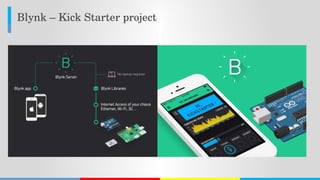
Blynk – Kick Starter project
Temboo
https://www.youtube.com/watch?v=q9Uf0IjRC20
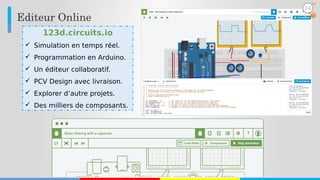
123d.circuits.io
https://www.youtube.com/watch?v=nOCIgTMxbRE
Editeur Online
123d.circuits.io
 Simulation en temps réel.
 Programmation en Arduino.
 Un éditeur collaboratif.
 PCV Design avec livraison.
 Explorer d’autre projets.
 Des milliers de composants.
24
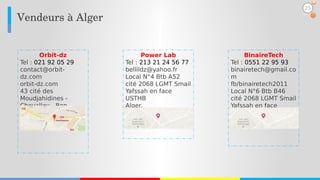
Vendeurs à Alger
BinaireTech
Tel : 0551 22 95 93
binairetech@gmail.co
m
fb/binairetech2011
Local N°6 Btb B46
cité 2068 LGMT Smail
Yafssah en face
USTHB - Alger.
Orbit-dz
Tel : 021 92 05 29
contact@orbit-
dz.com
orbit-dz.com
43 cité des
Moudjahidines -
Chevalley - Ben
Aknoun
Alger.
Power Lab
Tel : 213 21 24 56 77
bellildz@yahoo.fr
Local N°4 Btb A52
cité 2068 LGMT Smail
Yafssah en face
USTHB
Alger.
25
Merci pour votre
attentionQuestions?

Introduction to Arduino