
Qu’est ce qu’Office System ?

   Bien plus qu’une suite bureautique d’outils de
    productivité personnelle…

   Un environnement modulaire comprenant :
       Des applications
       Des serveurs
       Des services
       Des solutions (Microsoft & Tierces)

   Permettant aux professionnels d’être connectés en
    permanence à leurs informations, aux processus de leur
    entreprise et à tous leurs interlocuteurs.
Qu’est-ce qu’Office System ?
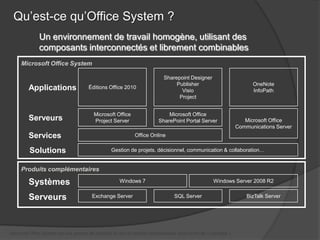
              Un environnement de travail homogène, utilisant des
              composants interconnectés et librement combinables
     Microsoft Office System

                                                                           Sharepoint Designer
                                                                                Publisher                             OneNote
         Applications                 Éditions Office 2010
                                                                                  Visio                               InfoPath
                                                                                 Project


                                         Microsoft Office                   Microsoft Office
         Serveurs                        Project Server                 SharePoint Portal Server                   Microsoft Office
                                                                                                                Communications Server
         Services                                            Office Online

         Solutions                               Gestion de projets, décisionnel, communication & collaboration…


     Produits complémentaires

         Systèmes                                    Windows 7                                     Windows Server 2008 R2


         Serveurs                       Exchange Server                         SQL Server                          BizTalk Server


Microsoft Office System est une gamme de produits, et non un produit commercialisé sous forme de « package ».
Microsoft Office Sharepoint Server 2010


   Le Portail
   Le travail Collaboratif
   Réseaux sociaux
   La gestion documentaire
   Les formulaires en ligne
   Flux de travail
   Excel Services
   La recherche
   Extranet
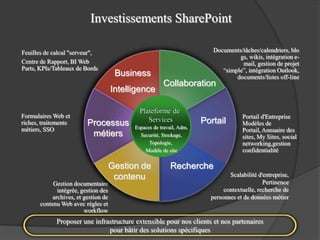
Investissements SharePoint

Feuilles de calcul "serveur",                                             Documents/tâches/calendriers, blo
                                                                                   gs, wikis, intégration e-
Centre de Rapport, BI Web                                                           mail, gestion de projet
Parts, KPIs/Tableaux de Bords                                                “simple”, intégration Outlook,
                                       Business                                   documents/listes off-line
                                                        Collaboration
                                      Intelligence

                                              Plateforme de
Formulaires Web et                                                                   Portail d'Entreprise
riches, traitements       Processus              Services              Portail       Modèles de
métiers, SSO                                Espaces de travail, Adm,
                                                                                     Portail, Annuaire des
                           métiers            Securité, Stockage,                    sites, My Sites, social
                                                  Topologie,                         networking,gestion
                                                Modèle de site                       confidentialité

                                      Gestion de            Recherche
                                       contenu                                  Scalabilité d'entreprise,
            Gestion documentaire                                                              Pertinence
              intégrée, gestion des                                           contextuelle, recherche de
            archives, et gestion de                                      personnes et de données métier
       contenu Web avec règles et
                         workflow
             Proposer une infrastructure extensible pour nos clients et nos partenaires
                               pour bâtir des solutions spécifiques
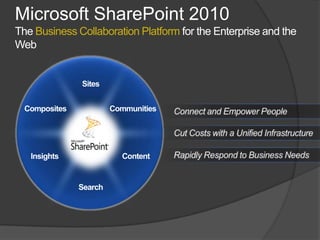
Microsoft SharePoint 2010
The Business Collaboration Platform for the Enterprise and the
Web
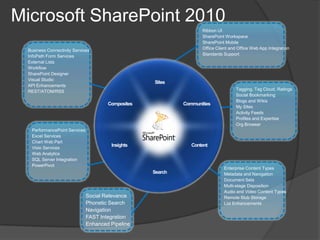
Microsoft SharePoint 2010
                                                  Ribbon UI
                                                  SharePoint Workspace
                                                  SharePoint Mobile
 Business Connectivity Services                   Office Client and Office Web App Integration
 InfoPath Form Services                           Standards Support
 External Lists
 Workflow
 SharePoint Designer
 Visual Studio
 API Enhancements
 REST/ATOM/RSS                                                    Tagging, Tag Cloud, Ratings
                                                                  Social Bookmarking
                                                                  Blogs and Wikis
                                                                  My Sites
                                                                  Activity Feeds
                                                                  Profiles and Expertise
                                                                  Org Browser
  PerformancePoint Services
  Excel Services
  Chart Web Part
  Visio Services
  Web Analytics
  SQL Server Integration
  PowerPivot
                                                            Enterprise Content Types
                                                            Metadata and Navigation
                                                            Document Sets
                                                            Multi-stage Disposition
                                                            Audio and Video Content Types
                              Social Relevance              Remote Blob Storage
                              Phonetic Search               List Enhancements
                              Navigation
                              FAST Integration
                              Enhanced Pipeline
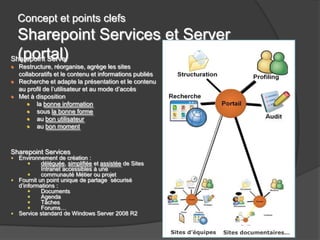
Concept et points clefs
  Sharepoint Services et Server
  (portal)
Sharepoint Server
  Restructure, réorganise, agrège les sites
  collaboratifs et le contenu et informations publiés
  Recherche et adapte la présentation et le contenu
  au profil de l’utilisateur et au mode d’accès
  Met à disposition
        la bonne information
        sous la bonne forme
        au bon utilisateur
        au bon moment


Sharepoint Services
  Environnement de création :
           déléguée, simplifiée et assistée de Sites
           Intranet accessibles à une
           communauté Métier ou projet
  Fournit un point unique de partage sécurisé
  d’informations :
           Documents
           Agenda
           Tâches
           Forums…
  Service standard de Windows Server 2008 R2


                                                        Sites d’équipes   Sites documentaires…
Navigateurs & HTML
 Support du XHTML 1.0
 Prise en compte des derniers
  navigateurs : IE 7 & 8, Firefox 3.*, Safari
  3.*)
 Amélioration pour les navigateurs hors
  Windows
 IE 6 ne sera plus supporté
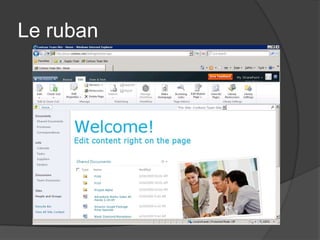
Le ruban
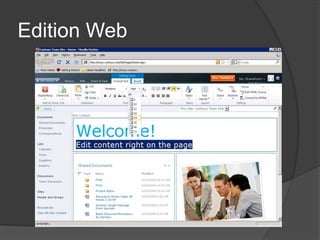
Edition Web
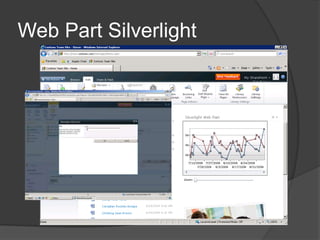
Web Part Silverlight
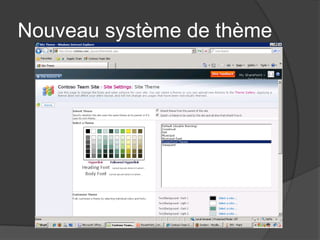
Nouveau système de thème
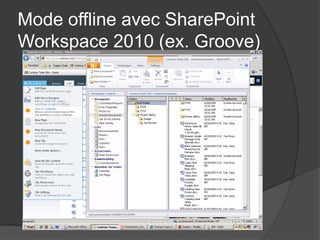
Mode offline avec SharePoint
Workspace 2010 (ex. Groove)
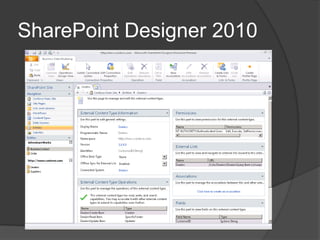
SharePoint Designer 2010
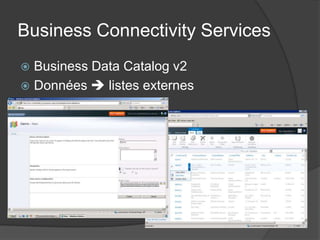
Business Connectivity Services
 Business Data Catalog v2
 Données  listes externes
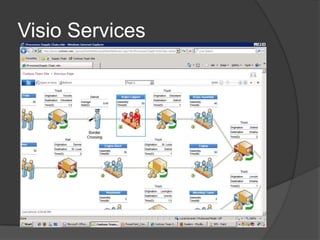
Visio Services
Contenu riche
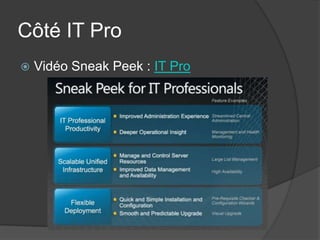
Côté IT Pro
   Vidéo Sneak Peek : IT Pro
Architecture
   Passage au 64 bits pour SharePoint :
     Abandon du 32 bits
     Requiert Windows 2008/2008 R2 en 64 bits
     Et SQL Server 2005 ou 2008 en 64 bits
   Informations sur les avantages et la
    migration :
     Advantages of 64-bit hardware and software
      (Office SharePoint Server 2007)
     Migrate an existing server farm to a 64-bit
      environment (Office SharePoint Server
      2007)
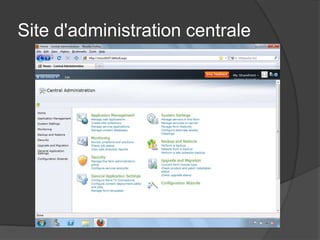
Site d'administration centrale
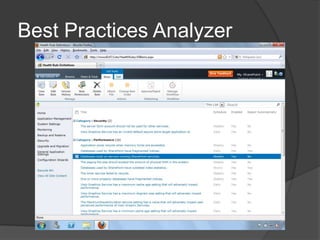
Best Practices Analyzer
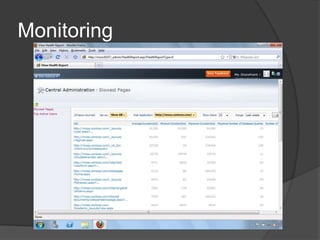
Monitoring
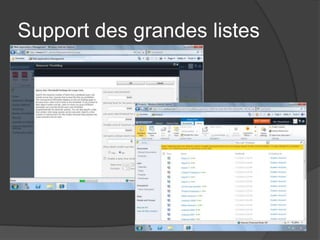
Support des grandes listes
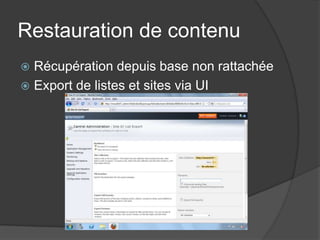
Restauration de contenu
 Récupération depuis base non rattachée
 Export de listes et sites via UI
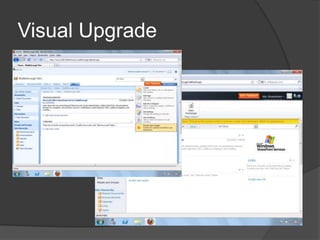
Visual Upgrade
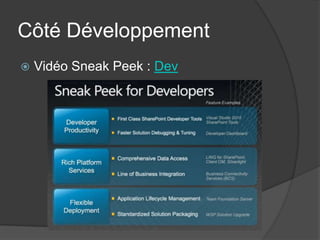
Côté Développement
   Vidéo Sneak Peek : Dev
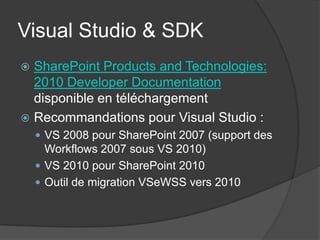
Visual Studio & SDK
 SharePoint Products and Technologies:
  2010 Developer Documentation
  disponible en téléchargement
 Recommandations pour Visual Studio :
     VS 2008 pour SharePoint 2007 (support des
      Workflows 2007 sous VS 2010)
     VS 2010 pour SharePoint 2010
     Outil de migration VSeWSS vers 2010
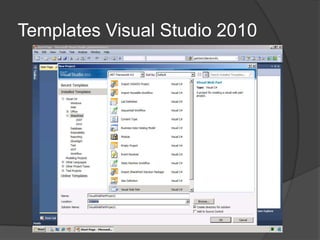
Templates Visual Studio 2010
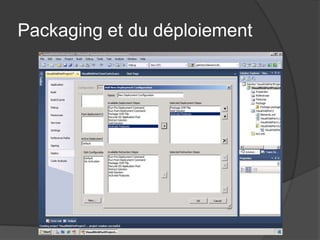
Packaging et du déploiement
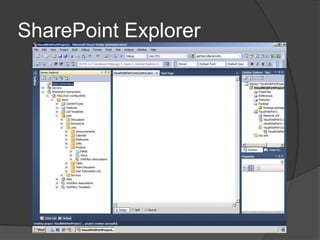
SharePoint Explorer
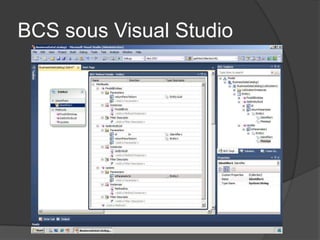
BCS sous Visual Studio
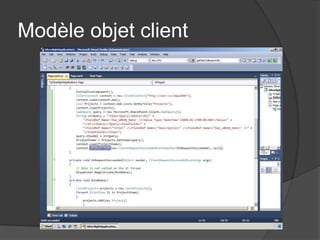
Modèle objet client
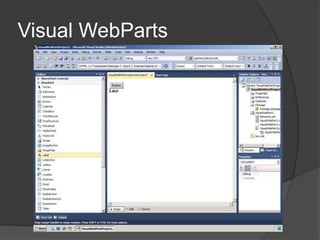
Visual WebParts
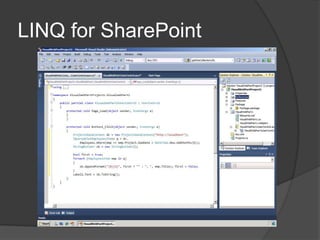
LINQ for SharePoint
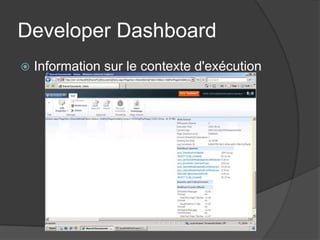
Developer Dashboard
   Information sur le contexte d'exécution

Sharepoint 2010

  • 3.
    Qu’est ce qu’OfficeSystem ?  Bien plus qu’une suite bureautique d’outils de productivité personnelle…  Un environnement modulaire comprenant :  Des applications  Des serveurs  Des services  Des solutions (Microsoft & Tierces)  Permettant aux professionnels d’être connectés en permanence à leurs informations, aux processus de leur entreprise et à tous leurs interlocuteurs.
  • 4.
    Qu’est-ce qu’Office System? Un environnement de travail homogène, utilisant des composants interconnectés et librement combinables Microsoft Office System Sharepoint Designer Publisher OneNote Applications Éditions Office 2010 Visio InfoPath Project Microsoft Office Microsoft Office Serveurs Project Server SharePoint Portal Server Microsoft Office Communications Server Services Office Online Solutions Gestion de projets, décisionnel, communication & collaboration… Produits complémentaires Systèmes Windows 7 Windows Server 2008 R2 Serveurs Exchange Server SQL Server BizTalk Server Microsoft Office System est une gamme de produits, et non un produit commercialisé sous forme de « package ».
  • 6.
    Microsoft Office SharepointServer 2010  Le Portail  Le travail Collaboratif  Réseaux sociaux  La gestion documentaire  Les formulaires en ligne  Flux de travail  Excel Services  La recherche  Extranet
  • 7.
    Investissements SharePoint Feuilles decalcul "serveur", Documents/tâches/calendriers, blo gs, wikis, intégration e- Centre de Rapport, BI Web mail, gestion de projet Parts, KPIs/Tableaux de Bords “simple”, intégration Outlook, Business documents/listes off-line Collaboration Intelligence Plateforme de Formulaires Web et Portail d'Entreprise riches, traitements Processus Services Portail Modèles de métiers, SSO Espaces de travail, Adm, Portail, Annuaire des métiers Securité, Stockage, sites, My Sites, social Topologie, networking,gestion Modèle de site confidentialité Gestion de Recherche contenu Scalabilité d'entreprise, Gestion documentaire Pertinence intégrée, gestion des contextuelle, recherche de archives, et gestion de personnes et de données métier contenu Web avec règles et workflow Proposer une infrastructure extensible pour nos clients et nos partenaires pour bâtir des solutions spécifiques
  • 8.
    Microsoft SharePoint 2010 TheBusiness Collaboration Platform for the Enterprise and the Web
  • 9.
    Microsoft SharePoint 2010 Ribbon UI SharePoint Workspace SharePoint Mobile Business Connectivity Services Office Client and Office Web App Integration InfoPath Form Services Standards Support External Lists Workflow SharePoint Designer Visual Studio API Enhancements REST/ATOM/RSS Tagging, Tag Cloud, Ratings Social Bookmarking Blogs and Wikis My Sites Activity Feeds Profiles and Expertise Org Browser PerformancePoint Services Excel Services Chart Web Part Visio Services Web Analytics SQL Server Integration PowerPivot Enterprise Content Types Metadata and Navigation Document Sets Multi-stage Disposition Audio and Video Content Types Social Relevance Remote Blob Storage Phonetic Search List Enhancements Navigation FAST Integration Enhanced Pipeline
  • 10.
    Concept et pointsclefs Sharepoint Services et Server (portal) Sharepoint Server Restructure, réorganise, agrège les sites collaboratifs et le contenu et informations publiés Recherche et adapte la présentation et le contenu au profil de l’utilisateur et au mode d’accès Met à disposition la bonne information sous la bonne forme au bon utilisateur au bon moment Sharepoint Services Environnement de création : déléguée, simplifiée et assistée de Sites Intranet accessibles à une communauté Métier ou projet Fournit un point unique de partage sécurisé d’informations : Documents Agenda Tâches Forums… Service standard de Windows Server 2008 R2 Sites d’équipes Sites documentaires…
  • 11.
    Navigateurs & HTML Support du XHTML 1.0  Prise en compte des derniers navigateurs : IE 7 & 8, Firefox 3.*, Safari 3.*)  Amélioration pour les navigateurs hors Windows  IE 6 ne sera plus supporté
  • 12.
  • 13.
  • 14.
  • 15.
  • 16.
    Mode offline avecSharePoint Workspace 2010 (ex. Groove)
  • 17.
  • 18.
    Business Connectivity Services Business Data Catalog v2  Données  listes externes
  • 19.
  • 20.
  • 21.
    Côté IT Pro  Vidéo Sneak Peek : IT Pro
  • 22.
    Architecture  Passage au 64 bits pour SharePoint :  Abandon du 32 bits  Requiert Windows 2008/2008 R2 en 64 bits  Et SQL Server 2005 ou 2008 en 64 bits  Informations sur les avantages et la migration :  Advantages of 64-bit hardware and software (Office SharePoint Server 2007)  Migrate an existing server farm to a 64-bit environment (Office SharePoint Server 2007)
  • 23.
  • 24.
  • 25.
  • 26.
  • 27.
    Restauration de contenu Récupération depuis base non rattachée  Export de listes et sites via UI
  • 28.
  • 29.
    Côté Développement  Vidéo Sneak Peek : Dev
  • 30.
    Visual Studio &SDK  SharePoint Products and Technologies: 2010 Developer Documentation disponible en téléchargement  Recommandations pour Visual Studio :  VS 2008 pour SharePoint 2007 (support des Workflows 2007 sous VS 2010)  VS 2010 pour SharePoint 2010  Outil de migration VSeWSS vers 2010
  • 31.
  • 32.
    Packaging et dudéploiement
  • 33.
  • 34.
  • 35.
  • 36.
  • 37.
  • 38.
    Developer Dashboard  Information sur le contexte d'exécution

Notes de l'éditeur

  • #14 New User Interface including the newRibbon: a streamlined new user interface including the Ribbonis an intuitive and contextual web user interface thatmakesusers more effective, reduces training, providesbetter performance and lowerscost.
  • #15 Proche du mode WikiOnglets d'éditionWeb Edit : Web Edit allowsusers to easilycustomize a site, makingit possible to respond more quicklythanever to changes in yourdynamic business environment
  • #16 Silverlight Web Part : The Silverlight Web Part letsyouquickly and securelyintegrate Silverlight applications and rich media intoyour site taking the user experience to anotherlevel
  • #17 RichTheming : combinedwith Web Edit, richthemingallowsyou to skin your SharePoint site usingyour favorite Office client theme. Change the colors and fonts to customize the site to turnyour "SharePoint" site to "your" site
  • #18 SharePoint Workspace : SharePoint workspace (formerlynamed Groove) is a rich client thatletsyoutakeyour SharePoint lists and libraries offline, including the ability to update content and syncit back in whenyou'rere-connected.
  • #19 SharePoint Designer permettra de créer des entités pour BCSSharePoint Designer comeswith a new UI, enhancedmodelingcapabilities and improvedworkflowcapabilitiesthatmakes collaboration between designers and developpers more seamlesswhileallowing team creativity and productivity
  • #20 Business Connectivity Services (the evolution of the Business Data Catalog)BCS allowsyou toconnect to Line-of-Business applications, web services and databases and surface your data in a user friendlywayenablingusers to interact and update iteasily in the web and in the Office client
  • #21 Affichage en mode Web de documents VisioLiens avec backend (dynamique)Visio Services letsyoushare data lineddiagrams in real time with a highfidelity and interactive experiencesothateveryonecanaccess consistent and up to date information, eventhosewhodon't have Visio
  • #22 Rich Media Support : regardless of the type of rich media, SharePoint and Office are ready to help youworkwiththat media easily. Whetherit'sSharePoint's support for Silverlight and rich media services or PowerPoint's new inlinevideoeditingcapabilities, your information and presentationswill come to life in new and dynamicways.
  • #25 Streamlined Central Administration : you'llfind a revamped and streamlined administration experience in SharePoint 2010. Everythingisatyourfingertipswithin Central Administration to help yougetyour job done, including the addition of the Ribbon to makeconfiguring and managingyour server farmevenquicker and easier.
  • #26 Règles sur les bonnes pratiques (indicateurs)Monitoring de SharePointSharePoint Best Practices Analyzer : The SharePoint Best Practices Analyzer builtinto SharePoint 2010 provides an extensible rulesbasedenginethat monitors farmhealth, and canautomaticallyfixmanycommon configuration and performance issues right OOB. Through a "Problems and solutions page" in CA, youcanquicklyfind and fixpotential issues accross all of the servers in yourfarm, or just let the SharePoint Best Practices Analyzer do it for you.
  • #27 Usage Reporting and LoggingThe new unifiedloggingdatabase in SharePoint 2010 is the central repository for your SharePoint farm to log usage and health data to. The databaseschemawillbefullydocumented to giveyou the power and flexibility of writingyourown reports in addition to the onesweprovide. You'llbealso able to log yourownevents and tracing data through a new logging Object Model into the database. Your insight into server usage and performance justbecame a whole lot easier.
  • #28 Limitation et maîtrise du comportementLarge list Resource ThrottlingResource throttling for large listsgivesyougranular control over the server performance impact of list and librariesthatcontainseveralthousand to millions of items whilautomaticallyeducatingusers on how to manage large listseffectively and efficiently.
  • #29 Unattached content DatabaseRecoveryThe new unattached content databaserecoveryfeatureallowsyou to temporarilymount an unattached content database and browse content, backup a site collection or export sites and lists all through the CA UI, and without the requirement of a recoveryfarm
  • #30 Visual UpgradeVisual upgrade givesyou the option to upgrade SharePoint Server 2007 to SharePoint 2010 withoutimpacting or changing the user interface in existing sites. The upgraded site initially looks and behavesjustlikeitdid in SharePoint Server 2007, but you're able to flip between the SharePoint Server 2007 layout and site features and the new SharePoint 2010 layout and site features. This givesyou all the new platformcapabilities of SharePoint 2010 with the flexibility of choosingwhenyou upgrade yoursite's look and feel.
  • #32 Visual Studio 2010 SharePoint ToolsVS 2010 includes new tools for creating, packaging and debugging SharePoint Solutions. Visual Studio includes a new designer for building Web Parts visually and easily, a new designer for building Business Connectivity Services entities, designers for creating SharePoint solutions, features and more. It also has integrated support for Visual Studio Team Foundation Server including source code control and team buildcapabilities.
  • #33 Importation depuis VSeWSSImportation de Workflow "réutilisable"Importation de WSP….Visual WebPart
  • #35 Connexion à SharePoint et affichage des informations / parcours des éléments
  • #36 Définition d'entités BCS.BCSprovidesread/writeaccess to external data from a Line of Business system, web services, databases or otherexternal data provider within SharePoint 2010 and Office 2010 applications. Both SharePoint 2010 and Office 2010 applications have productfeaturesthatcan use external data directly, both online and offline, and rich BCS tools in SharePoint Designer 2010 and Visual Studio 2010.
  • #37 Client Object Model (OM)The Client Object Model (OM) is a new programming interface for SharePoint 2010 where code runs on a user's client machine against a local object model and interactswith data on the SharePoint server. Client OM methodscanbecalledfrom JavaScript, .Net code or Silverlight code and makesbuilderrich client applications for SharePoint easy.
  • #38 Apparition du Designer pour les WebParts
  • #39 Création du contexteRequêtage des listesLINQ for SharePoint provides an implementation of LINQ for SharePoint 2010 applications. It offers SharePoint developersstronglytypedaccess to data in SharePoint lists, the ability to use the rich LINQ syntax and list joins and projections.
  • #40 Requêtes en baseWebparts…The developerdashboardcanbeenabled on any SharePoint page for development and debuggingpurposes. It helpsdeveloperswritebetter code by providing diagnostic information includingdetailed page request information such as timings, names and resources for all storedprocedurecalled, memoryused, the authenticated user, the number of SPRequestsobjects, anyasserts and criticalevents and timings for web part events for the page rendering.